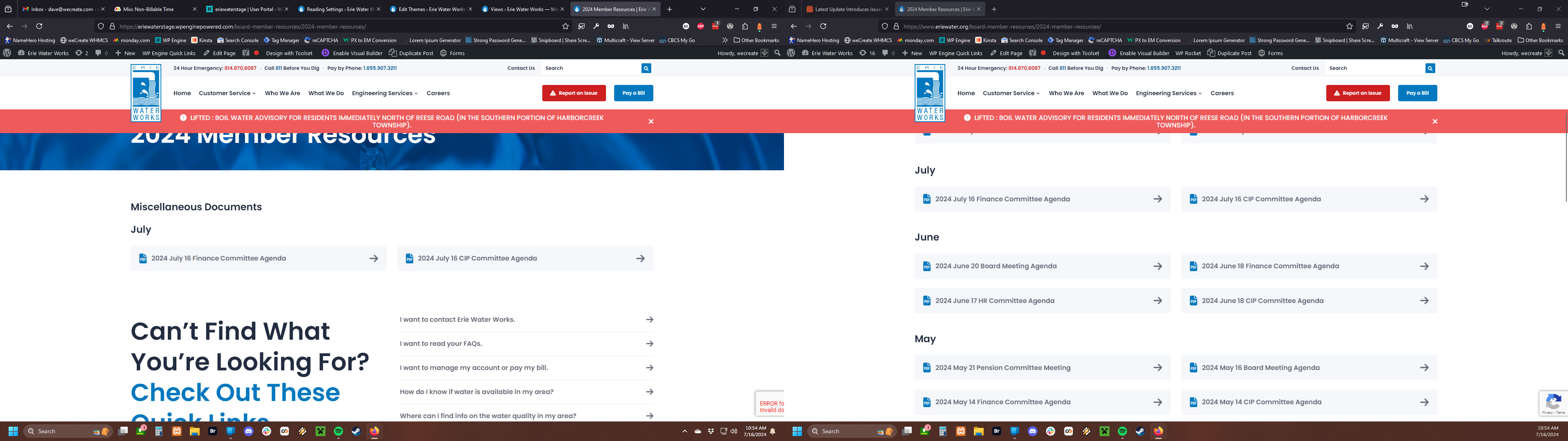
We can run tests in the staging environment so that we're not affecting the operation of the production site given how the output of these views are of upmost importance to the client. They are required BY LAW to have these reports on their website and the Board Member Resources are a important. . .well. . .resource for their board members.
"Can you confirm if you override the values to empty for month and year - does it works as expected?"
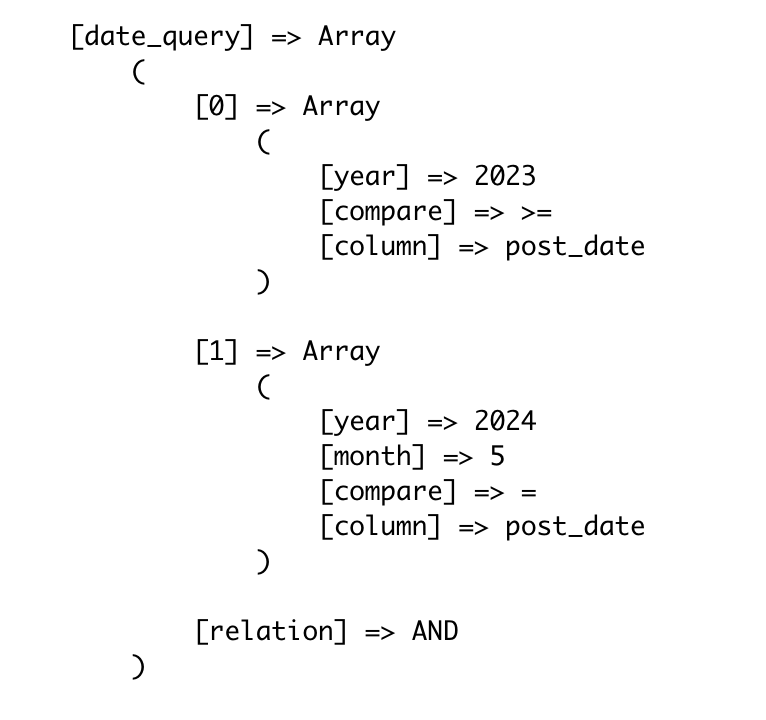
It does not work as expected, because when I removed the attributes from the views in question, they still didn't output any posts. The presumption being that if the attributes were not in use, they wouldn't affect the output of the view(s). This has always been the case until recently, and what is currently the case in production, regardless of the type of query filter I'm using. This latest update even affects all applications of this view regardless if I need to check against the post date or not, and this is simply unacceptable behavior.
If you have any alternative workarounds for the applications of my views, I'm all ears, though I'd rather not have to create duplicate views that accomplish the same thing but with different query filter options if I don't have to.
Regardless, here are the features I require:
- A list of links that filter results based on terms from the Resource Type and/or the Department taxonomies
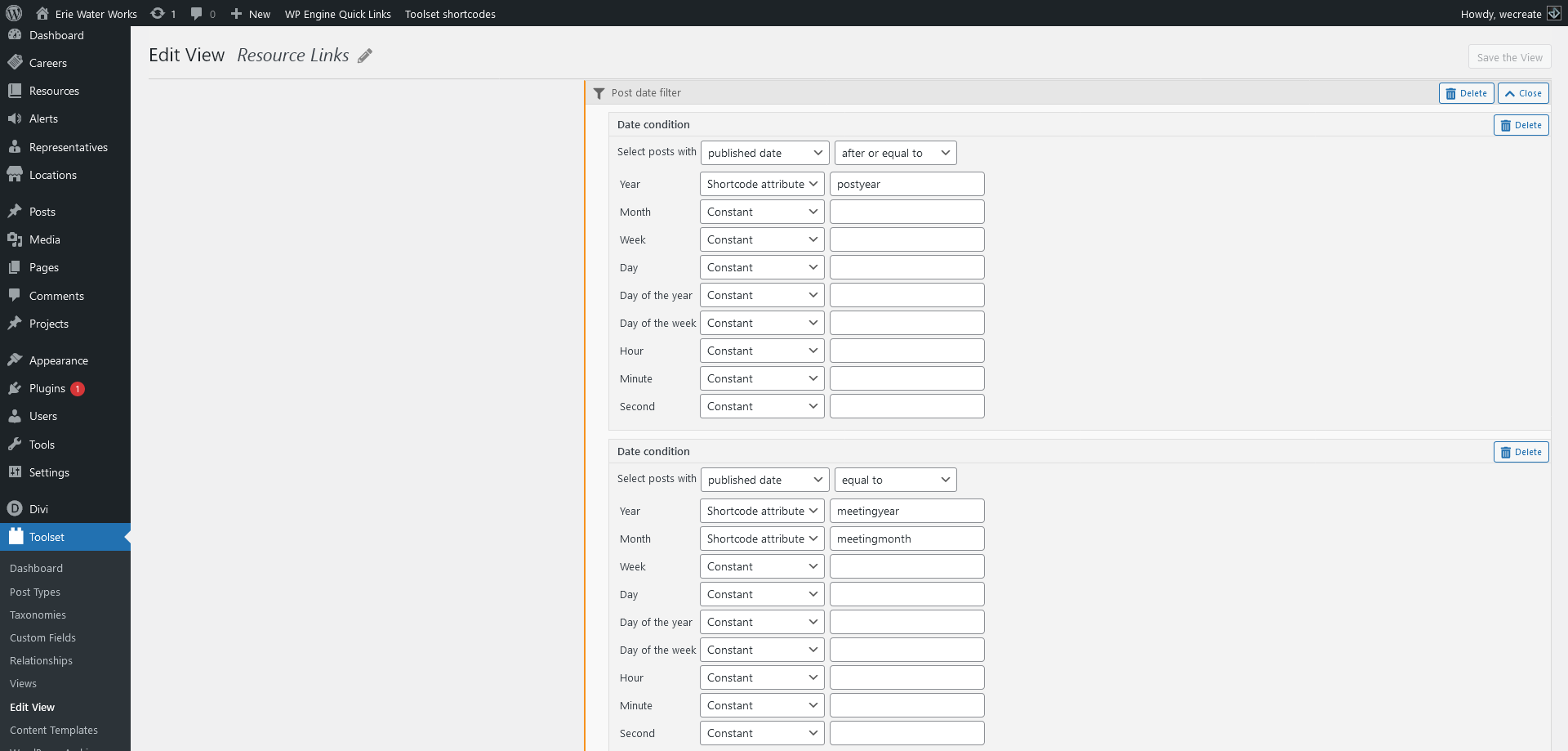
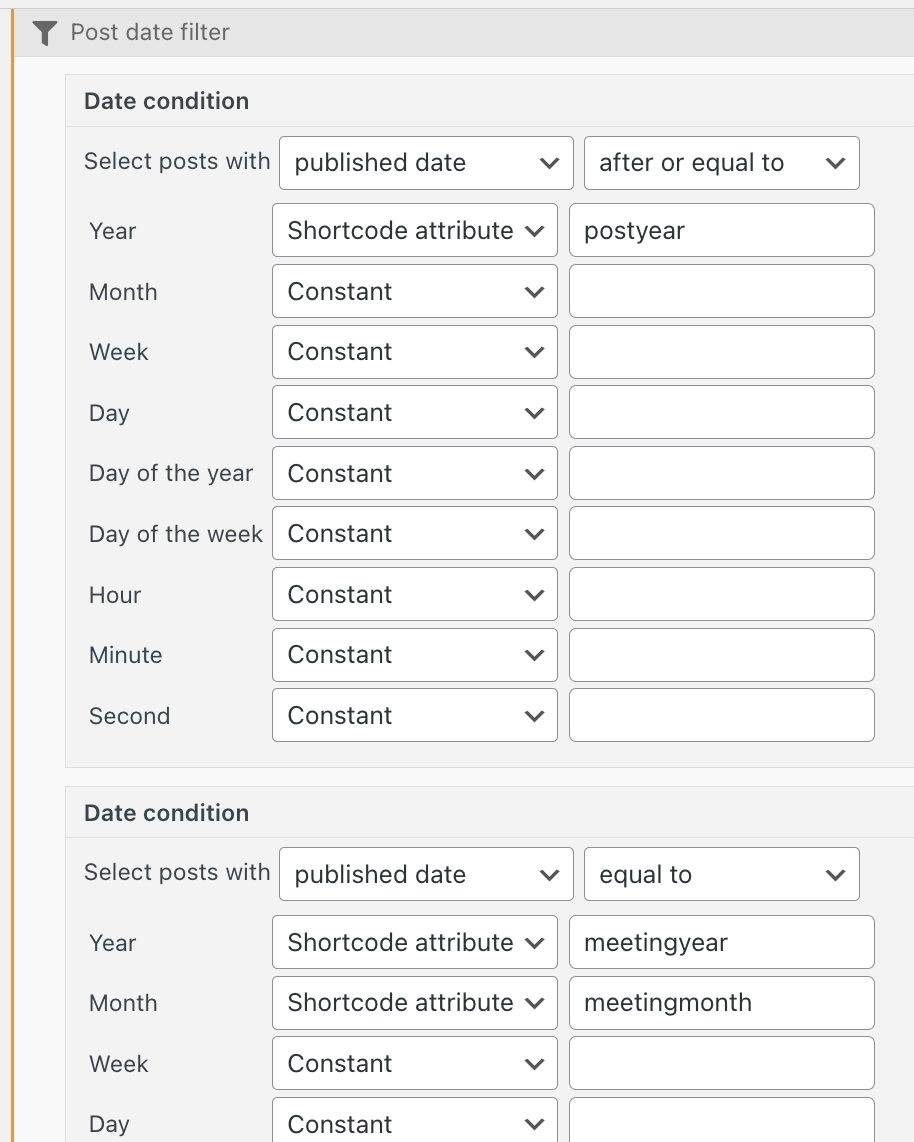
- A list of links that filter results based on if the publish date's year is after or equal to a value I input via a shortcode attribute labeled "postyear"
- A list of links that filter results based on if the publish date's year is equal to a value I input via a shortcode attribute labeled "meetingyear". I am unsure if I'm actually using the "meetingmonth" attribute at this time, so we may be able to nix this if I can't find any applications that use it.
Some progress I've been making after making some adjustments to my views (in the staging environment).
What I've noticed is that if I change the operator from AND to OR on the post date conditions, on the "Resource Links" view, I receive results on the views that use the post date conditions (versteckter Link). I've also removed the "meetingmonth" attribute in this view to hopefully alleviate some configuration conflict issues. The applications that do not use the post date condition attributes still output no results (see the absence of posts under the "Source Water Assessment" header: versteckter Link).
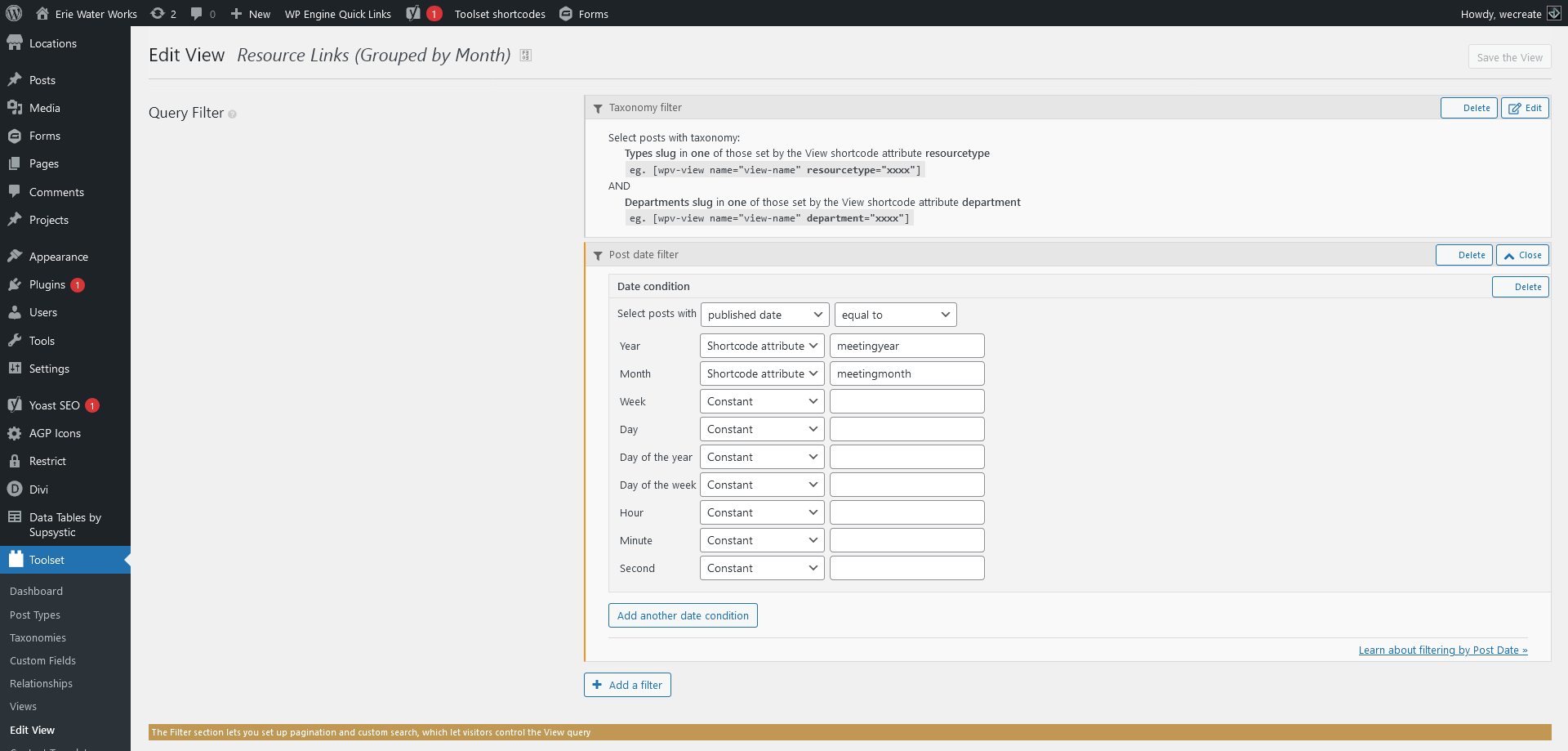
Additionally, I've removed the "meetingmonth" attribute from the "Resource Links (Grouped by Month)" view and that appears to address the issues I was experiencing on the Board Member Resources pages: versteckter Link
So am I going to have to split the "Resource Links" up into separate views with one that strictly maintains date based filtration and another that doesn't? That sounds very limiting to me and would require me to go through every application of this view that uses date condition query filters and update them with the new view slug. Also, it seems like quite a severe bug to me when a query filter that is assigned to use a specific attribute still affects the output of a view even when the attribute is not in use, and that creating a separate view to manage those attributes specifically seems more like a Band-Aid solution than a more permanent one.
In any case, I'm open to any alternative solutions or configurations.