I have created custom post type with name 'Grants' and created the view from toolset to display the posts in search results here enlace oculto
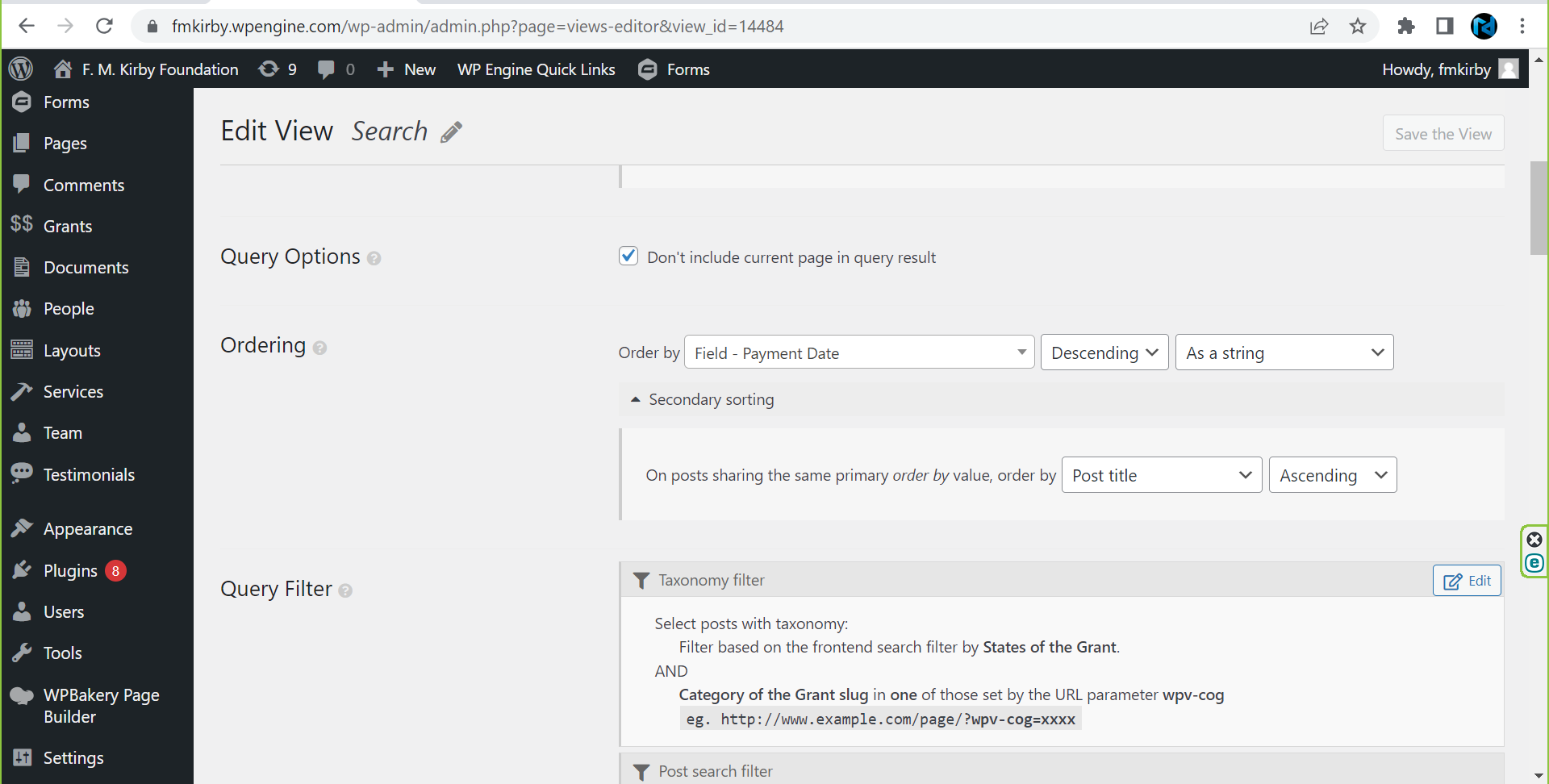
I have created custom fields for this custom post type and I want to sort the results page by custom field 'Payment Date'. I have selected the field from the Toolset ->Views->Ordering. But, the search page is getting empty results. Could you please help me with this to work as I wish. Screenshots attached for your reference.
Basically, I would like to display the post Sorted by Date First(Payment Date Field) – Descending. Then secondary sort by Title (Ascending)
I have created the admin user for you to check and help me with this. enlace oculto
toolset
Hello. Thank you for contacting the Toolset support.
I would like to know first - have you imported the grant posts.
The key point here to remember is Toolset Date type custom fields stores value as numeric Unix timestamp.
I see you created "Payment Date test" custom field using Toolset:
- enlace oculto
But I do not see any value assigned to that custom field when I edit any grant post.
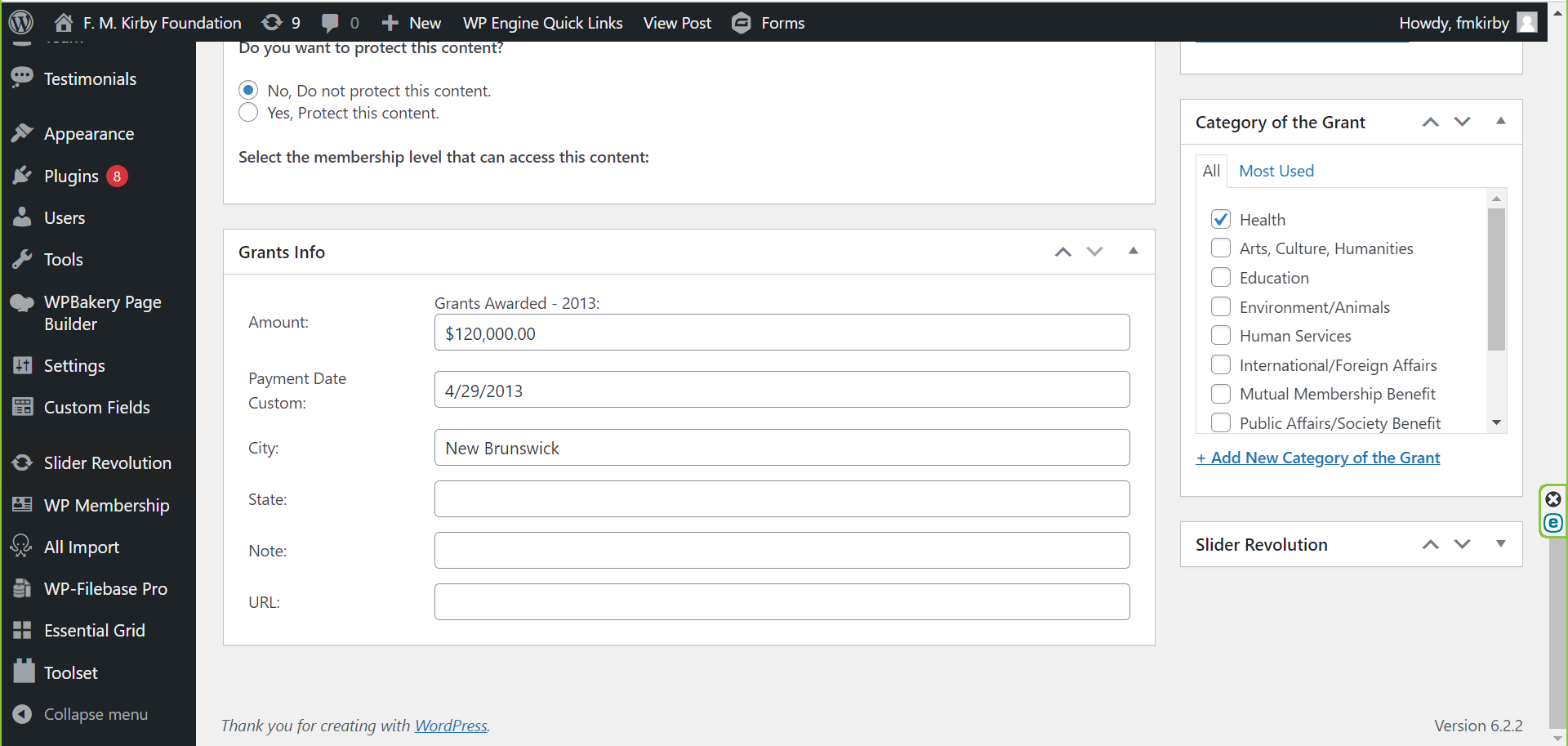
Can you please clarify if you have imported the posts or using what plugin/tool you created the "Payment Date:" custom field that shows under Grant info custom field group on edit Grant post:
- enlace oculto
Hello Minesh, thanks for replying.
Yes, I have imported the grants from excel sheet using WP all import plugin.
I have created new custom field "Payment Date test" for testing, but still that is also not working.
Here are few grant post which I have added the custom field value for testing. enlace oculto enlace oculto enlace oculto enlace oculto enlace oculto
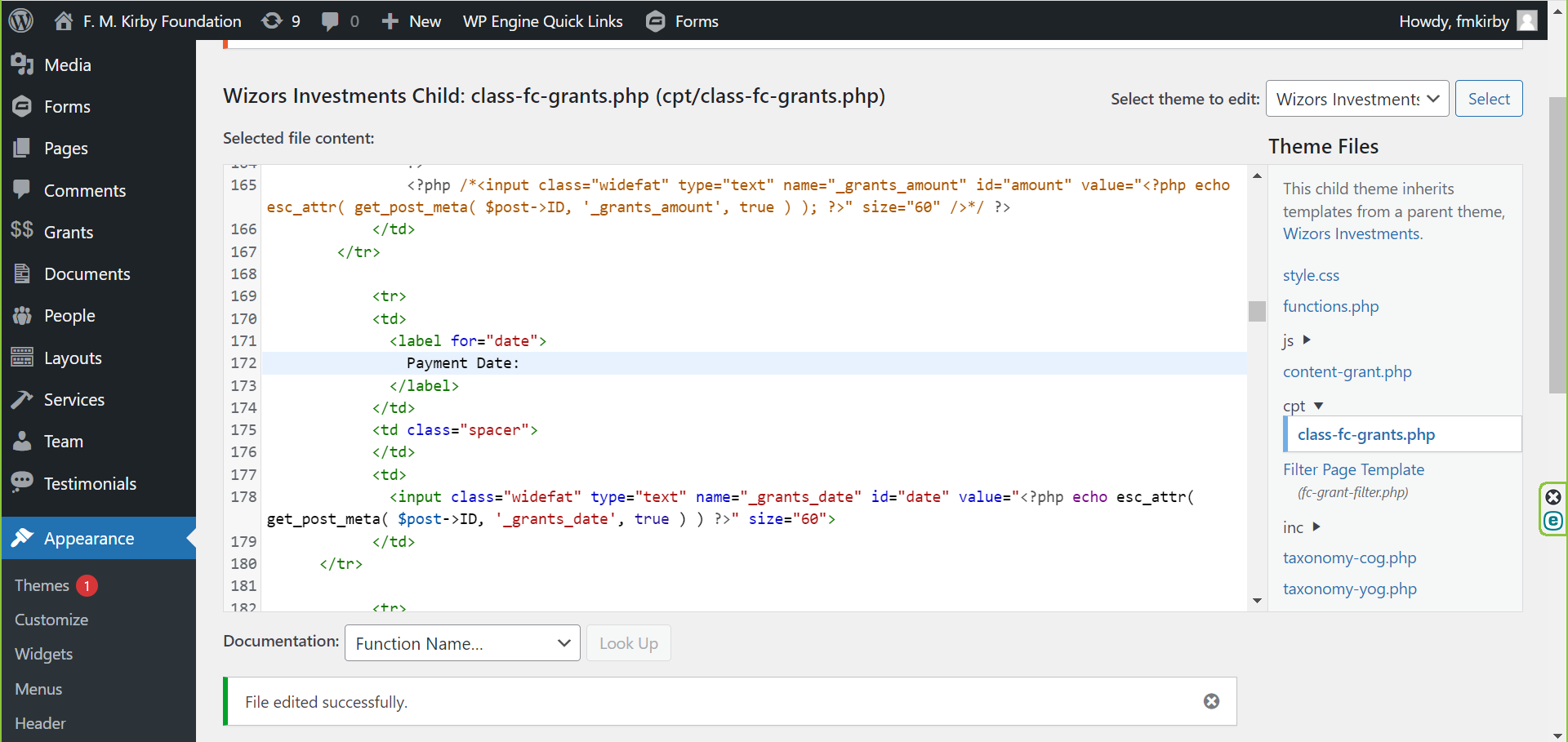
The custom field "Payment Date:", I have created this custom meta box from the custom code and haven't used any plugin for this.
When you browse File Manager from here enlace oculto you can see the code for the custom fields I have created.
Wizors Investments Child: class-fc-grants.php (cpt/class-fc-grants.php) screenshot attached
I really appreciate your help and wish to get the search page working as I am expecting. enlace oculto
You are not getting me. I don't have any problem with the import as you can see all the Grants with custom fields are imported properly. The problem is with the Toolset View which I have created. The value is already there in the custom field but still the sorting is not working with that field. Please try to understand the issue and let me know if you need anything else from me.
Have you checked the view page which I have created? I have selected the custom field which I have created for date. enlace oculto
The results are coming here but sorting is not working. The grants should sort by 'Payment Date' first. So it would show all the 2022 grants in alpha order before you scroll down to the 2021 in alpha, and so on. enlace oculto
I see the following custom field group you have created which holds the two custom fields "Payment Date test" and "Date test":
- enlace oculto
When I checked the view you created:
- enlace oculto
The above view is set to order by the custom field "Payment Date".
Now, when I try to edit any of the Grants post:
=> enlace oculto
I see the custom fields "Payment Date test" and "Date test" are empty.
Later I installed the admirer plugin that will help to access the database and when I check the postmeta table for the above post ID 17961, I can see the following meta keys:
- _grants_date (that holds the value as date string)
- wpcf-_grants_date (empty value)
Please check the following screenshot:
- enlace oculto
What I'm saying is to what field you imported the payment date. If you import the payment date as date string to the "_grants_date" then this field format (as date string) is not going to work as Toolset requires date field value to be saved as Unix Timestamp not as date string.
It does not seem that you have used the Toolset Types addon plugin while you import your posts or what you can do is convert your date column in your sheet in Unix Timestamp format and then try to import the posts.
The view which I have created is set to order by the custom field "Payment Date test". Which is a date custom field created by using Toolset. enlace oculto
I have added the value to that custom fields "Payment Date test" for few grants for testing. enlace oculto enlace oculto enlace oculto enlace oculto enlace oculto
When you edit any of the post above, you will see the data is added.
enlace oculto
I am getting the results now for which I have added the custom field value. Just leave it about the other grants which doesn't have custom field value. For now, I just want to sort the grants for 12 post which is displaying right now. Please sort by date so it would show all the 2022 grants in alpha order before you scroll down to the 2021 in alpha, and so on.
enlace oculto
I have updated the custom field data and it seems sort by date is working now.
Can we have 2 sorting options like below:
1. Sorted by Date First – Descending (This is working fine)
2. Then sort by Title (Ascending)
Also I need help to change the date format to 5/3/2021. M/D/Y
Current date format is May 3, 2021.
Once the above items are fixed, I will start working on import accordingly.
For example, I have this taxonomy and I want to sort the grants by taxonomy slug by greater number first. enlace oculto
2022 is one category under this taxonomy.
So it would show all the 2022 grants in alpha order before you scroll down to the 2021 in alpha, and so on.
Hope you understand what I mean and please let me know if that is possible.
====>
That means you want to group posts by your taxonomy term 2022. So output should be:
2022
-- post 1
-- post 2
-- post 3
2021
-- post 3
-- post 4
-- post 5
If above is correct you will require to use nested views.
But please note that you can not build custom search if you want to group posts by taxonomy. So there will be no frontend filters available for users. It will be output as you can see with above doc without custom search filters.
The date sorting is working. I need the second sorting by post title.
For example, when you check the search page enlace oculto
We have 4 post connected to date 2022.
1. Wake Forest University
2. Adirondack Council, Inc., The
3. Yale University/School Of Medicine
4. Adirondack Experience
I want the above to sort in alpha with date field, so it should look like
1. Adirondack Council, Inc., The
2. Adirondack Experience
3. Wake Forest University
4. Yale University/School Of Medicine
So it would show all the 2022 grants in alpha order before you scroll down to the 2021 in alpha, and so on.
Also you have not answered my question:
Also I need help to change the custom field date format to 5/3/2021 (M/D/Y).
Current date format is May 3, 2021.
As per the support policy, we entertain only one question per ticket. This will help other users searching on the forum as well as help us to write correct problem resolution summery. I urge you to open a new ticket with every new question you may have or once the original issue is addressed with this ticket you can ask to split the ticket.
Currently we are focusing on your sorting issue.
To sort the posts as per your requirement, I've added the following code to the "Custom Code" section offered by Toolset:
=> enlace oculto
add_filter( 'wpv_filter_query_post_process', 'func_sort_alphabetically_within_view_result', 10, 3 );
function func_sort_alphabetically_within_view_result( $query, $view_settings, $view_id ) {

  if ($view_id==14484 and !empty( $query->posts ) ) {

      $result = array();

     foreach($query->posts as $k=>$v):
      	$this_date = get_post_meta($v->ID,'wpcf-new-payment-date',true);
        $this_year = date("Y",$this_date);

      	$result[$this_year][] = $v;
      endforeach;

      $final_result = array();
      foreach($result as $k=>$v):
      	 usort($v, "cmp");
      $final_result = array_merge($final_result,$v);

      endforeach;

        $query->posts = $final_result;
        $query->found_posts = count($final_result); // modify the count of found posts
              $query->post_count = count($final_result); // modify the count of displayed posts
    }
    return $query;
}

function cmp($a, $b){

        return strcmp($a->post_title, $b->post_title);
}