Hello,
Thanks for your help
Sorry but home page do have the add to cart button enlace oculto and it has the same design as shop page as you can see editing the "home" page here enlace oculto, so maybe you looked at another page because the button always has been there in home page
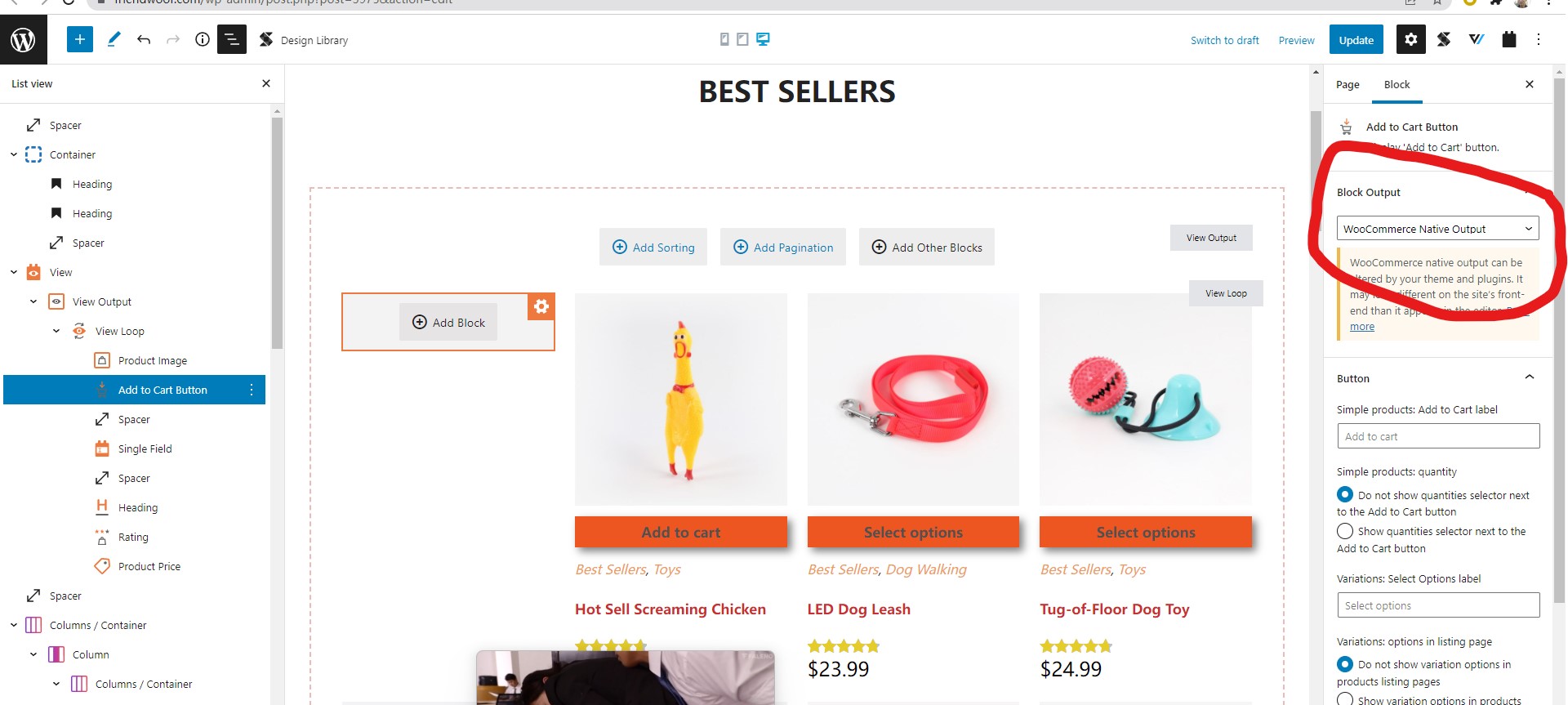
When you enter in the home page backend you see the add to cart with orange buttons enlace oculto but in front end you see the add to cart without orange buttons and without any other style enlace oculto
Could you please help?
Thank you.
I have done below modifications in your website:
Edit the home page:
enlace oculto
Find and select the "Add to cart" button block, in section "Block Output", choose option "WooCommerce Native Output"
See my screenshot block-output.JPG
Test it in frontend, it works fine.
More help:
https://toolset.com/course-lesson/selecting-woocommerce-blocks-output-type/#woocommerce-native-output
Hello,
Thanks for your help on this, unfortunately, this is not a final solution
Ok, it seems then that it's a toolset issue. Are you going to report the issue with toolset development team, when would we have it fixed? or can be fixed in another way around without WooCommerce native?
Because, the text color is now blue, I tried to evolve in a container with text color blue in css enlace oculto and typography , but it does not change.
Is there a way to put the text to white? Is there a way to change typography?
I've noticed also that the icon is not shown at store page enlace oculto
Thank you for your effort on it
Best Regards
For the new issue:
the text color is now blue
It can be fixed with CSS codes easily, but I have tried to login your website, get the error message again:
This has been disabled.
If you need help to setup the custom CSS codes, please make sure your website credentials is valid.