Saltar navegación

[Resuelto] How to add Pagination after View Created?

Este hilo está resuelto. Aquí tiene una descripción del problema y la solución.

Problem:

I've created a simple view for my "artists" post type, but I didn't add pagination at the moment of creating it. I'm confused about how to go back in and add pagination now

Solution:

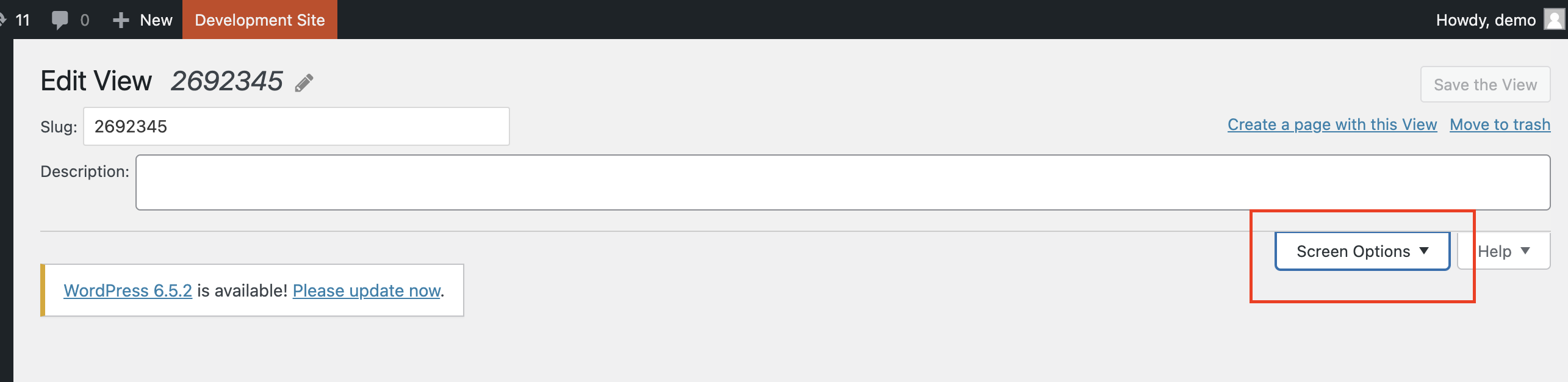
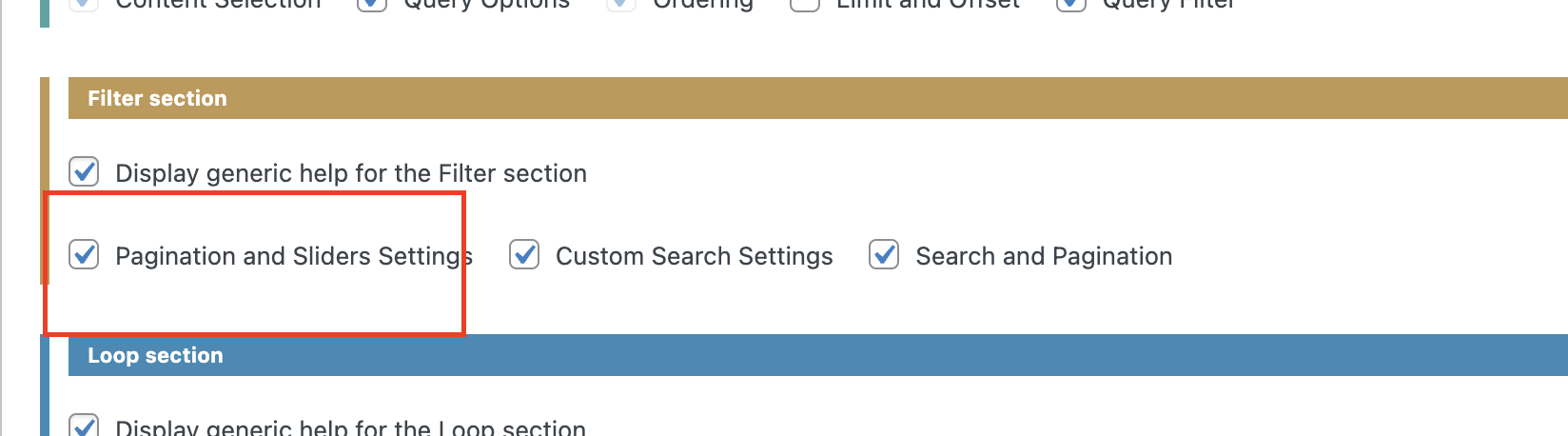
Please go to the legacy Views edit screen and at the top click the Screen Options.

Then under the Filter section select the "Pagination and Sliders Settings".

That will reveal the section to set up and edit the pagination.

Relevant Documentation:

https://toolset.com/documentation/legacy-features/views-plugin/views-pagination/

This support ticket is created 2 years, 1 month ago. There's a good chance that you are reading advice that it now obsolete.

This is the technical support forum for Toolset - a suite of plugins for developing WordPress sites without writing PHP.

Everyone can read this forum, but only Toolset clients can post in it. Toolset support works 6 days per week, 19 hours per day.

Este tema contiene 3 respuestas, tiene 2 mensajes.

Última actualización por Christopher Amirian 2 years, 1 month ago.

Asistido por: Christopher Amirian.

Autor
Mensajes
#2692345

Hello and Happy Weekend.
I've created a simple view for my "artists" post type, but I didn't add pagination at the moment of creating it. I'm confused about how to go back in and add pagination now - for example, if I'd like it to show 40 entries, and then paginate... Here's the page. enlace oculto

#2692378

Christopher Amirian
Colaborador

Idiomas: Inglés (English )

Screenshot 2024-04-14 at 12.35.00.png
Screenshot 2024-04-14 at 12.35.09.png

Hi there,

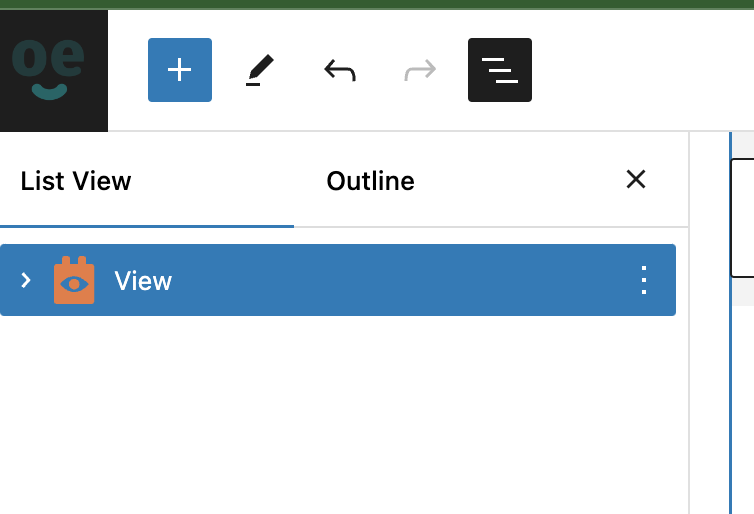
If you used the block editor for the view, please go to the page in the question and at the top left section of the page click the hamburger menu to see the hierarchal view of the blocks.

Select the Views block.

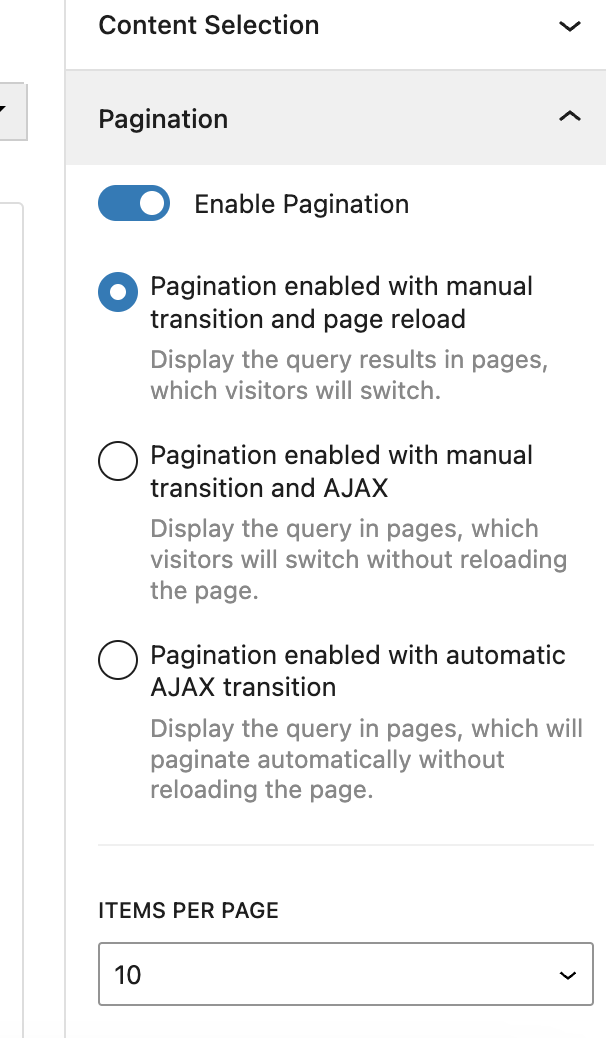
Then at the right sidebar select the Pagination section and you will see all the options necessary to implement the pagination feature.

For more information:

enlace oculto

Thanks.

#2692402
Screenshot 2024-04-14 at 12.42.32 PM.png

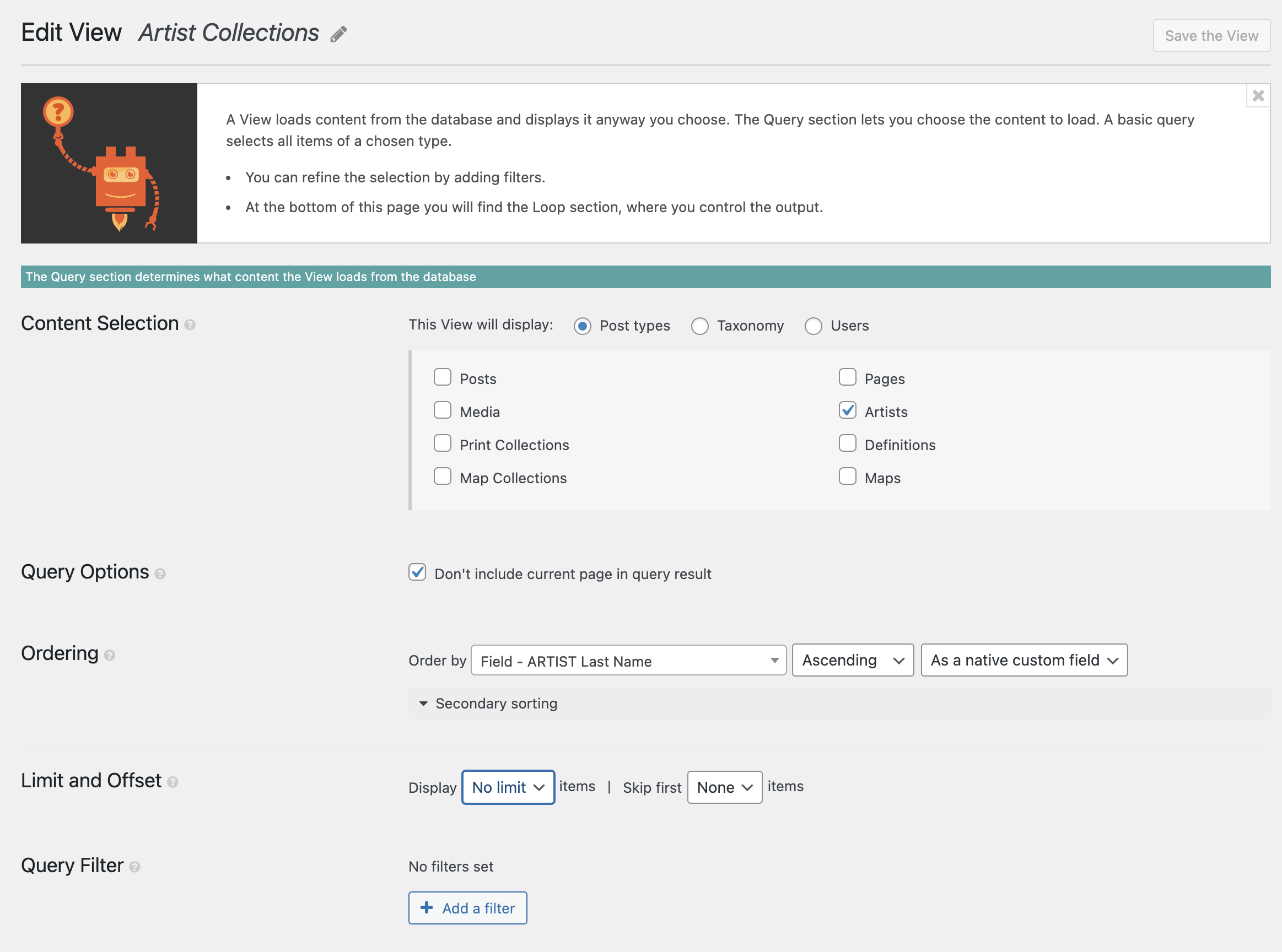
Hi, I'm not using the block editor and for some reason couldn't seem to make using it work correctly on my website. So I created the view from within the view interface in the dashboard. But now that it is created, I can't see how to add in pagination. Below is what I'm seeing - but no pagination option.

#2692791

Christopher Amirian
Colaborador

Idiomas: Inglés (English )

Screenshot 2024-04-17 at 14.41.35.png
Screenshot 2024-04-17 at 14.42.01.png

Hi there,

Please go to the legacy Views edit screen and at the top click the Screen Options.

Then under the Filter section select the "Pagination and Sliders Settings".

That will reveal the section to set up and edit the pagination.

For more information:

https://toolset.com/documentation/legacy-features/views-plugin/views-pagination/

Thanks.

#2693392

Thank you so much. I'm sorry it took me a moment to get back to you. It was indeed simply a question of the options being hidden by Screen Options!