Saltar navegación

[Resuelto] Help With Changing The Hover Color Of The Text Editor Toolbar In an Form

This is the technical support forum for Toolset - a suite of plugins for developing WordPress sites without writing PHP.

Everyone can read this forum, but only Toolset clients can post in it. Toolset support works 6 days per week, 19 hours per day.

Sun Mon Tue Wed Thu Fri Sat
- 10:00 – 13:00 10:00 – 13:00 10:00 – 13:00 10:00 – 13:00 10:00 – 13:00 -
- 14:00 – 18:00 14:00 – 18:00 14:00 – 18:00 14:00 – 18:00 14:00 – 18:00 -

Zona horaria del colaborador: Asia/Kolkata (GMT+05:30)

Este tema contiene 1 respuesta, tiene 1 mensaje.

Última actualización por Minesh 8 months, 2 weeks ago.

Asistido por: Minesh.

Autor
Mensajes
#2826467
Screenshot 2025-09-24 123541.png

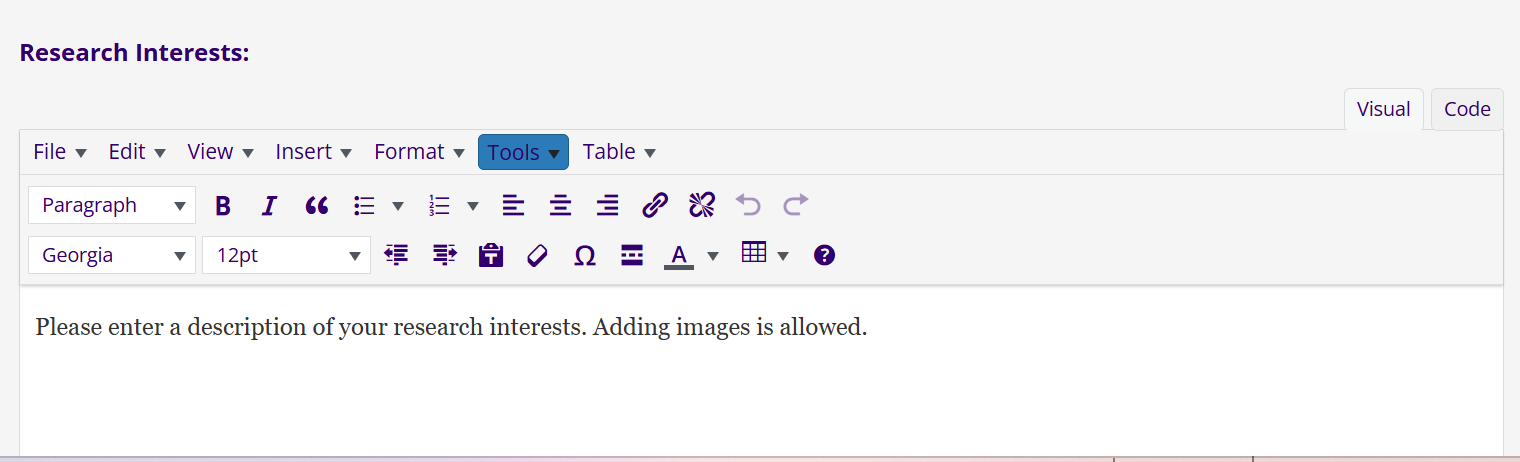
I would like to change the hover color for every form input that has a text editor. The default is set to blue and I need to change it to another color. See screenshot for reference.

#2826571

Minesh
Colaborador

Idiomas: Inglés (English )

Zona horaria: Asia/Kolkata (GMT+05:30)

Hello. Thank you for contacting the Toolset support.

Well - you can add the custom CSS to your theme's CSS:

.cred-form cred-keep-original input[type="text"]:hover{
		border:1px solid red;
		background-color:green;

You should change the color as required. I hope this will help you to fix the issue.

More info:
- https://toolset.com/course-lesson/styling-front-end-forms/