Saltar navegación

[Resuelto] Fatal error: Uncaught Error: array_merge() in your plugin

This support ticket is created 4 years, 1 month ago. There's a good chance that you are reading advice that it now obsolete.

This is the technical support forum for Toolset - a suite of plugins for developing WordPress sites without writing PHP.

Everyone can read this forum, but only Toolset clients can post in it. Toolset support works 6 days per week, 19 hours per day.

Sun Mon Tue Wed Thu Fri Sat
- 10:00 – 13:00 10:00 – 13:00 10:00 – 13:00 10:00 – 13:00 10:00 – 13:00 -
- 14:00 – 18:00 14:00 – 18:00 14:00 – 18:00 14:00 – 18:00 14:00 – 18:00 -

Zona horaria del colaborador: Asia/Kolkata (GMT+05:30)

Este tema contiene 1 respuesta, tiene 2 mensajes.

Última actualización por Minesh 4 years, 1 month ago.

Asistido por: Minesh.

Autor
Mensajes
#2376237
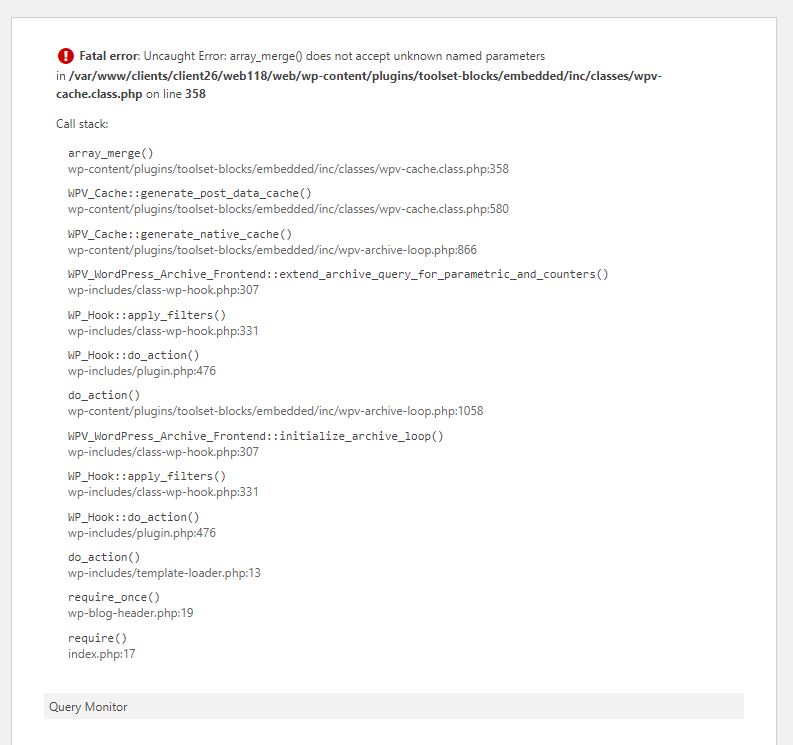
error.JPG

I am trying to: update a template on toolset blocks

Link to a page where the issue can be seen: enlace oculto

I expected to see: the page and not the error

Instead, I got: Fatal error: Uncaught Error: array_merge() does not accept unknown named parameters
in /var/www/clients/client26/web118/web/wp-content/plugins/toolset-blocks/embedded/inc/classes/wpv-cache.class.php on line 358

#2376329

Minesh
Colaborador

Idiomas: Inglés (English )

Zona horaria: Asia/Kolkata (GMT+05:30)

Hello. Thank you for contacting the Toolset support.

I would like to inform you first that Toolset plugins are PHP 8 compatible and PHP 8 compatibility has been included in the last releases of the Toolset plugins just few days back.

Please check the following article:
- https://toolset.com/2022/05/toolset-1-6-3-full-compatibility-with-php-8/

Could you please update ALL Toolset plugins to it's latest official released version and try to resolve your issue. You can download the latest plugins from your account's page:
=> https://toolset.com/account/downloads/
OR
You can update it using the Toolset installer:
=> https://toolset.com/faq/how-to-install-and-register-toolset/#automatic-installation-once-you-have-types-plugin-installed