I am following these instructions: https://toolset.com/lesson-placement/lesson-placements-1622969-1622351/
to set the login form to appear only for visitors on the page "enlace oculto" which is "my account".
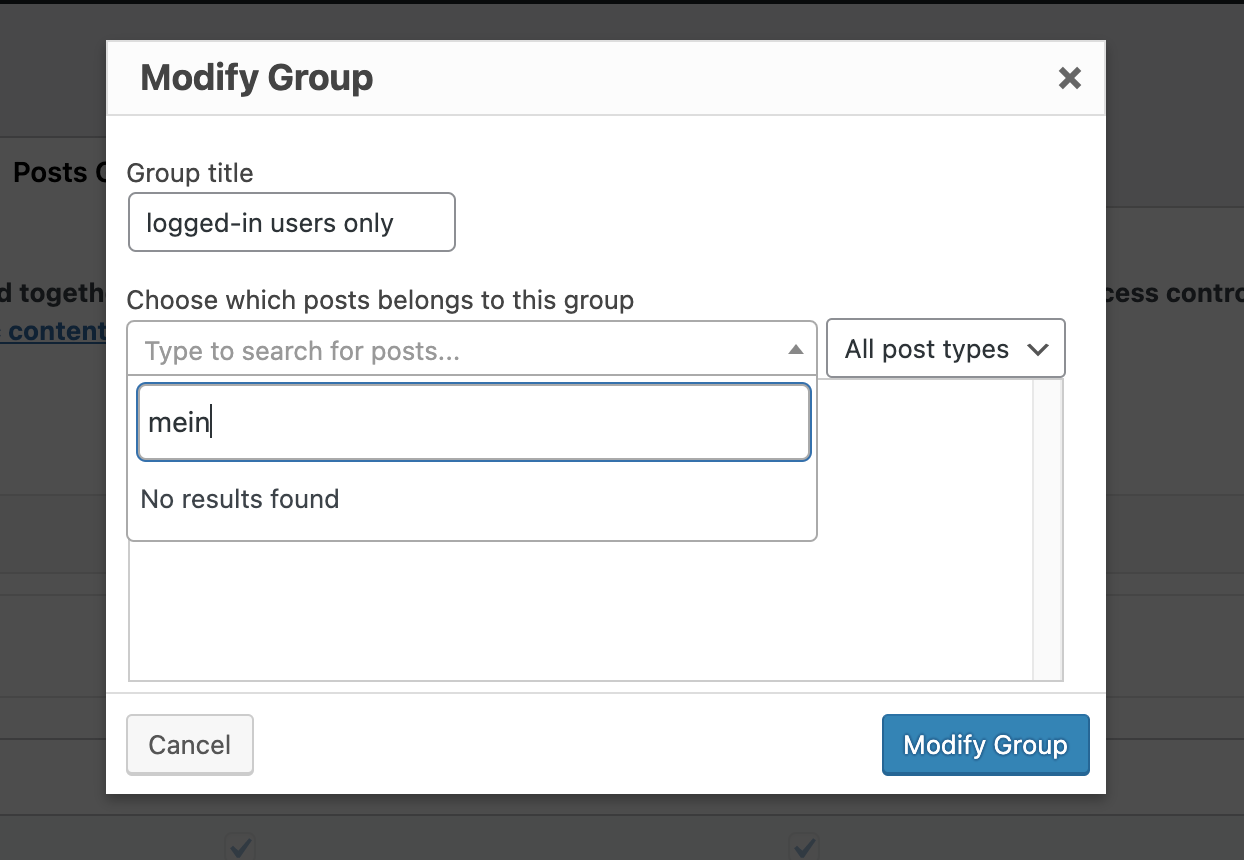
I created a post group "logged-in users only", but I cannot select the page "enlace oculto" to add to this group. When I start to type "mein...", the form does not respond. It tells me "no results found".
What am I missing here?
Hi Gabriele,
Thank you for getting in touch.
Can you let me know if when you go to the edit page for your my account page if you're able to see a Post Group meta box ?
If so then you should be able to add the page to your post group from here.
Should you not be able to see this please provide me with admin access so that I can have a look.
Thanks,
Shane
Hi Shane, thank you for getting back to me.
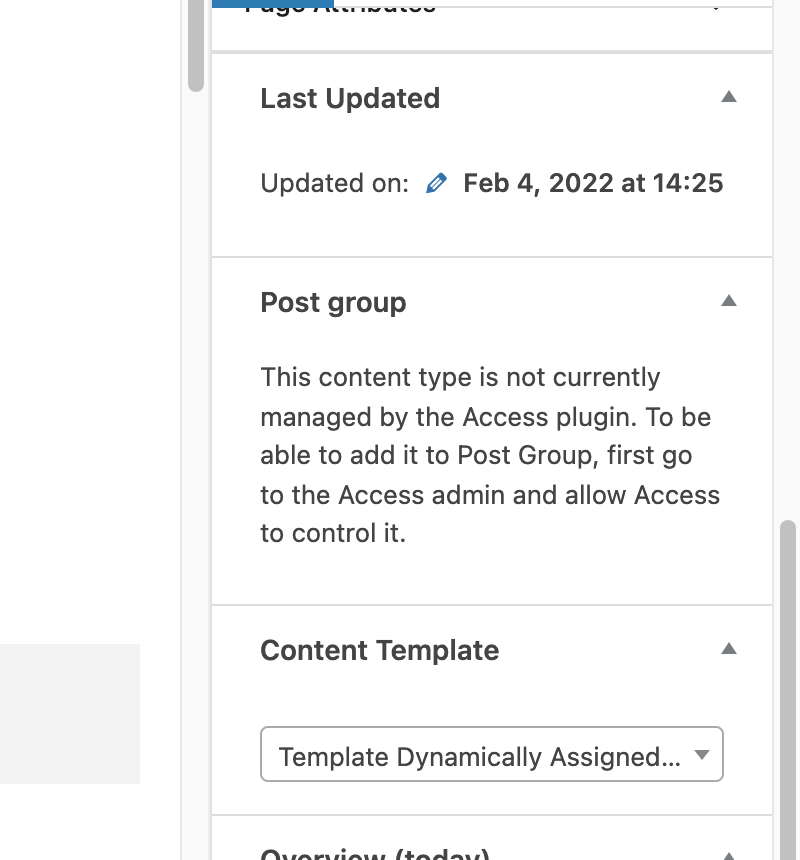
Your hint gave me the clue: On the edit page of the "my account" page, yes, there is a Post Group meta box.
But it told me that the content type "page" was not managed by the Access plugin. (see screenshot)
As I only followed the instructions above mentioned, I went straight to the "post groups" section in the Access plugin and unfortunately did not pay attention to the other settings of the Access plugin. Now I changed the access management to include "pages", and I can select pages... Surprise! 😉
(Means that I will have a deeper look at all of the other settings, too.)
Thanks for your help, this topic is closed for me.
Hi Gabriele,
Great. I suspect it was a case where the Page wasn't under Access control.
For further information on Post Groups you can have a look at the documentation below.
https://toolset.com/course-lesson/restricting-access-to-pages/#bring-pages-under-access-control
If there are any issues please let me know, if not then you can go ahead and mark this issue as resolved.
Thanks,
Shane
My issue is resolved now. Thank you!