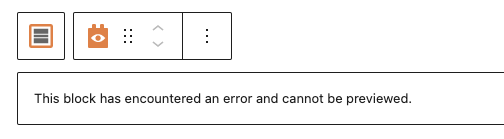
After updating to WP 6.2 and the latest Toolset plugin suite, I've come across a particular View that is showing an error. If I try to insert a copy of the View, the new one shows the same error too.
Over the years I've had issues with Views not loading and just hanging and have been told by Toolset Support that sometimes they get "corrupted". The "this block has encountered an error and cannot be previewed" error is a new one for me.
This isn't a particularly complex View to rebuild, but there a quite a few other ones that would take me some time to rebuild, so I'm wondering if I should wait for a fix (assuming this issue is widespread) or get busy rebuilding Views and checking every single one of them.
Hi there
Unfortunately when this happens there is little information available about what the cause may be.
Are there any errors or warnings in the debug.log that may be connected?
If you haven't already, turn on the debug log by editing your wp-config.php file and change the line with WP_DEBUG like so:
define('WP_DEBUG', true);
define('WP_DEBUG_LOG', true);
define('WP_DEBUG_DISPLAY', false);
define('WP_DISABLE_FATAL_ERROR_HANDLER',true);
That will create a debug.log file in your /wp-content/ directory which you can examine in any text editor.
Try editing the same page again and then inspect the log. If you don't find the debug.log file it means it didn't generate any warnings or errors.
Hi,
I've followed your instructions and I'm getting the following error in the Dev and Test environment regardless of the pages I visit:
WordPress database error You have an error in your SQL syntax; check the manual that corresponds to your MariaDB server version for the right syntax to use near ')' at line 5 for query SELECT DISTINCT tt.taxonomy
						 FROM wp_term_taxonomy tt
						 JOIN wp_term_relationships tr
						  ON tt.term_taxonomy_id = tr.term_taxonomy_id
						 WHERE tr.object_id IN (10571) AND tt.taxonomy IN () made by require('wp-blog-header.php'), wp, WP->main, WP->parse_request, do_action_ref_array('parse_request'), WP_Hook->do_action, WP_Hook->apply_filters, rest_api_loaded, WP_REST_Server->serve_request, WP_REST_Server->dispatch, WP_REST_Server->respond_to_request, OTGS\Toolset\Views\Controllers\V1\Views->update_item, OTGS\Toolset\Views\Services\ViewService->save, wp_update_post, wp_insert_post, do_action('save_post'), WP_Hook->do_action, WP_Hook->apply_filters, display_tax_sync_message, do_action('wpml_new_duplicated_terms'), WP_Hook->do_action, WP_Hook->apply_filters, new_duplicated_terms_filter, WPML_Term_Hierarchy_Duplication->duplicates_require_sync, WPML_Term_Hierarchy_Duplication->get_need_sync_all_terms
However, the Live environment is not creating any log file when trying to edit the page/View in question, which could have to do with the way our hosting locks down Live for security reasons. I can't replicate the View on Dev and Test, but I'm getting the error above regardless, so maybe it is relevant. Important to notice that this is a View on a single page on a site that's part of a Multisite and there are other sites with the same page and View built the same way, and they are not experiencing the issue. So this is a one off.
Hello,
It might be an exception, which is one off issue, and can not be reproduced in fresh WP installation.
In my opinion, you can recreate those specific post views, and test again.
If you still need assistance for it, please provide a database dump file of your website, also point out the problem view URLs, I need to test and debug it in my localhost:
https://toolset.com/faq/provide-supporters-copy-site/