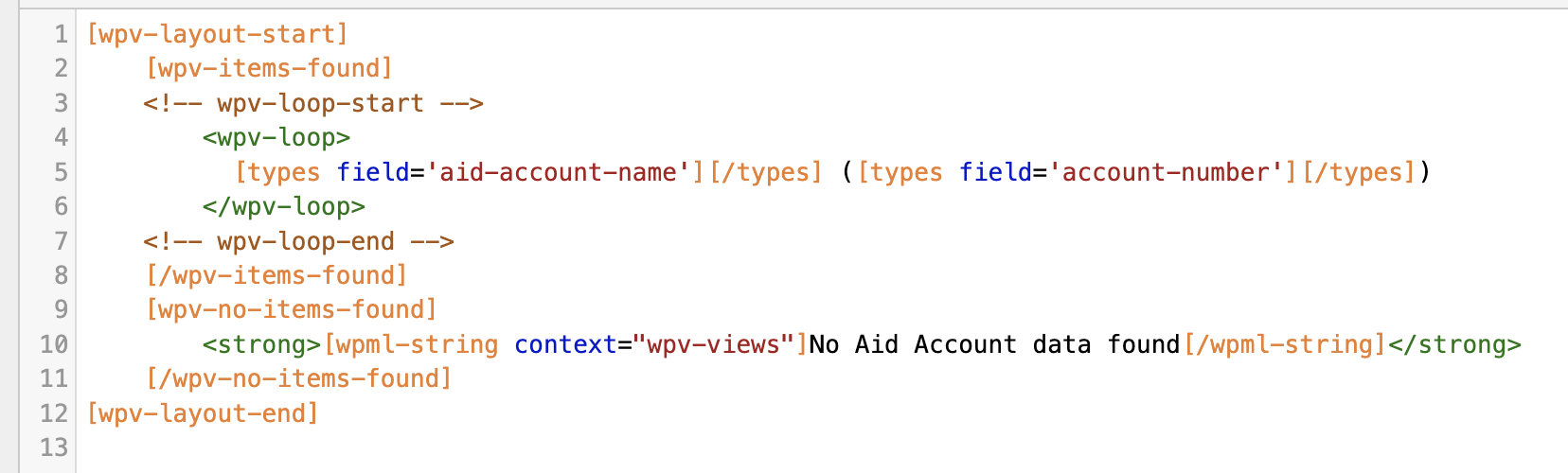
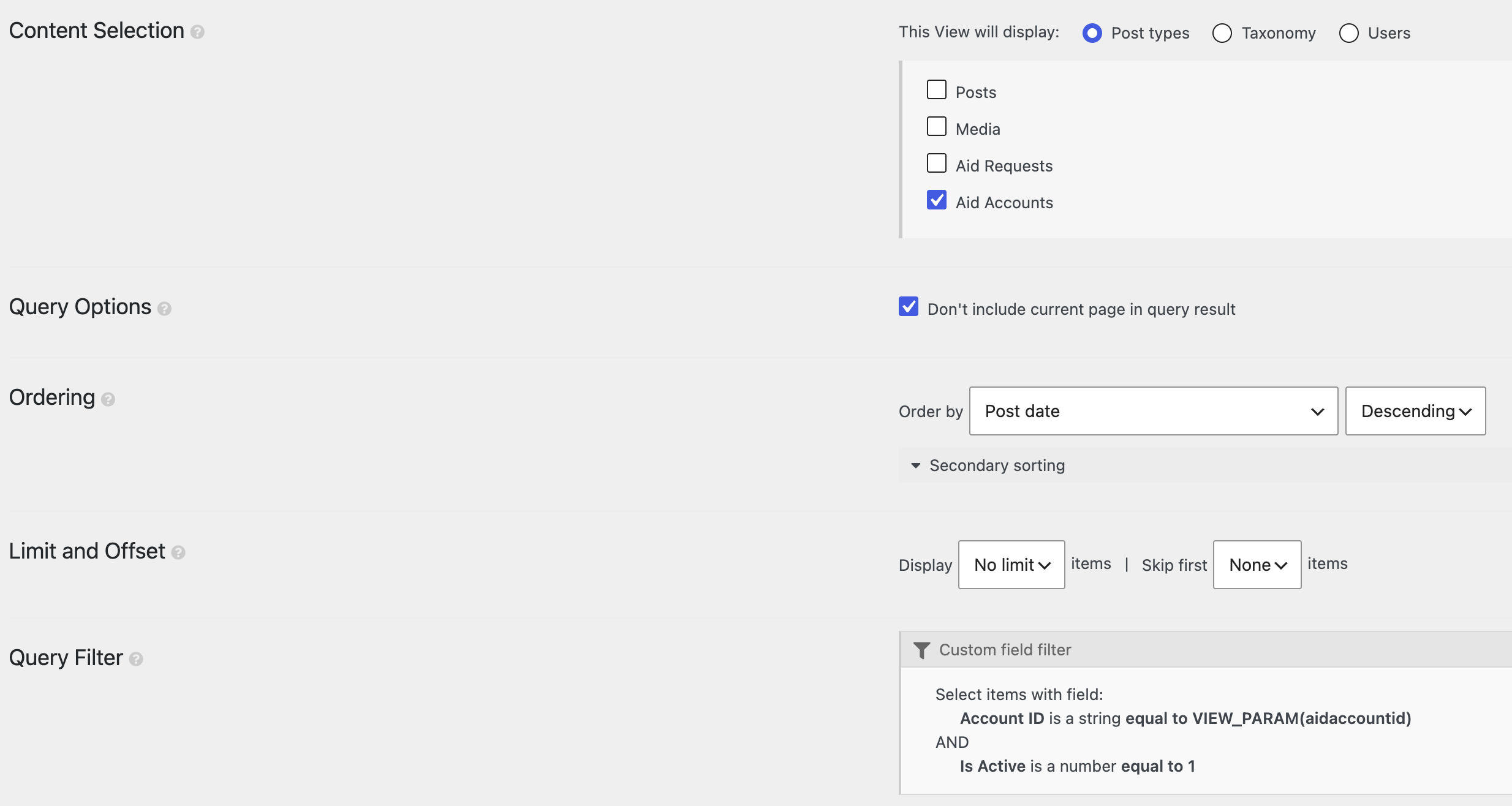
We’re seeing the same regression on another site after updating Toolset Views (around 3.6.26).
### Pattern
A parent View/loop embeds a nested View with a Types shortcode inside a query-filter attribute, e.g.:
[wpv-view name="display-current-aid-account" aidaccountid="[types field='aid-account-id' output='raw'][/types]"]
or, in our case:
[wpv-view name="quote-view-prices" ids="[types field='product-ids'][/types]"]
The Types field still outputs the correct value when used on its own, but the nested View returns no results (“no items found” / empty loop).
### Root cause
In `wp-views/embedded/inc/wpv.class.php`, before `do_blocks()` runs on the View layout HTML, Views temporarily replaces shortcodes with placeholders like `<!--WPV_SC_xxxx_N-->` (including `[types ...][/types]` and `[wpv-view ...]`).
Because `[types]` inside a `[wpv-view]` attribute is protected first, then the outer `[wpv-view]` is protected with that placeholder still in the attribute, restoring placeholders in creation order leaves the nested View’s attribute as something like:
aidaccountid="<!--WPV_SC_xxxx_0-->"
instead of the resolved Types value. That string casts to `0` in the shortcode ID/attribute filter, so the nested query becomes empty (`post__in = [0]` / no matches).
We confirmed this by logging `$WP_Views->get_view_shortcodes_attributes()` during `wpv_filter_query`: the nested View received the `WPV_SC` placeholder rather than the real field value.
### Workaround
1. Prefer restoring placeholders outermost-first in that `do_blocks` protection block (reverse the `$wpv_sc_map` restore loop).
2. And/or resolve unresolved Types shortcodes in View shortcode attributes before the ID/attribute query filter runs.
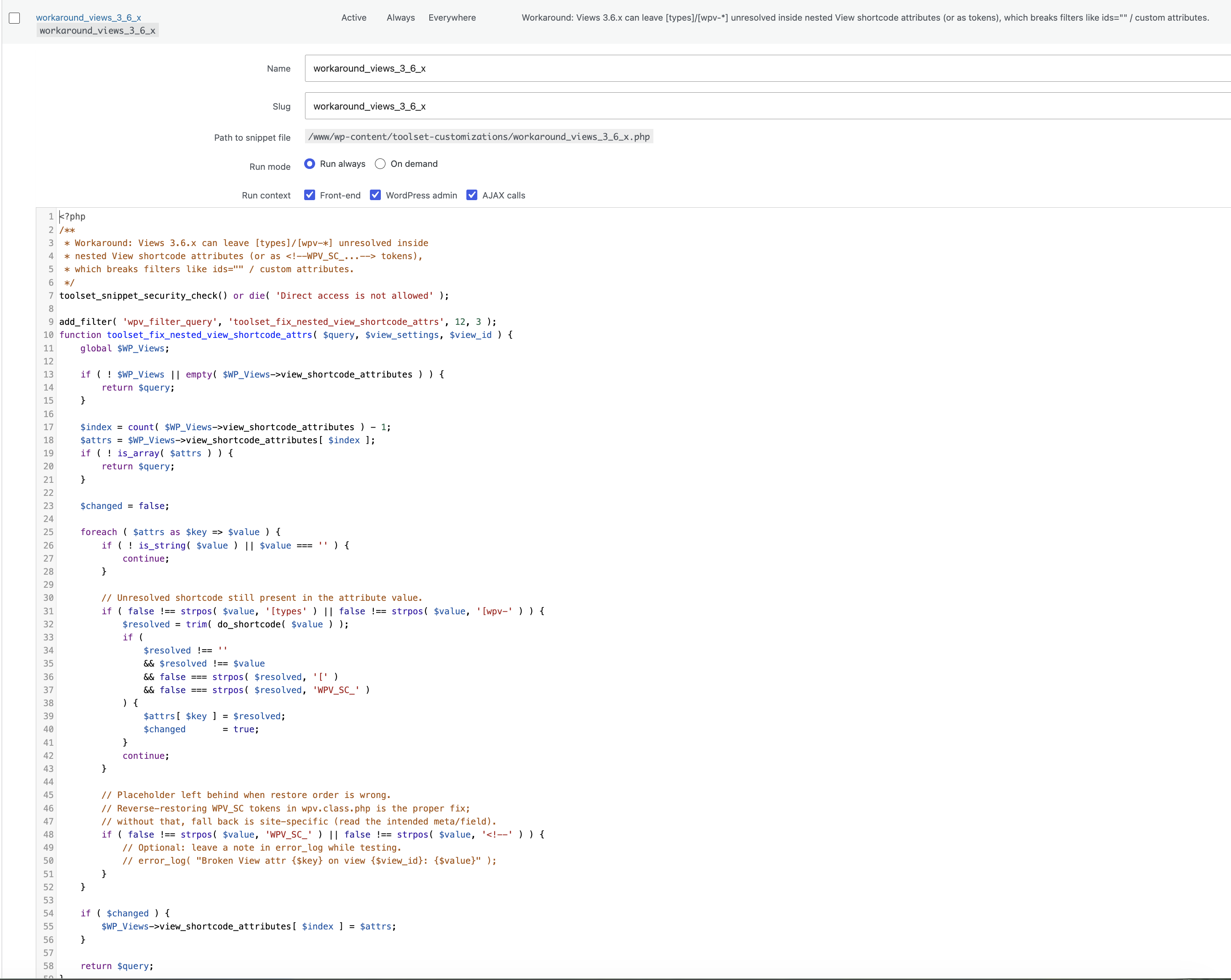
Custom Code snippet (Toolset → Settings → Custom Code), generalized for any shortcode attribute:
php
<?php
/**
 * Workaround: Views 3.6.x can leave [types]/[wpv-*] unresolved inside
 * nested View shortcode attributes (or as <!--WPV_SC_...--> tokens),
 * which breaks filters like ids="" / custom attributes.
 */
toolset_snippet_security_check() or die( 'Direct access is not allowed' );

add_filter( 'wpv_filter_query', 'toolset_fix_nested_view_shortcode_attrs', 12, 3 );
function toolset_fix_nested_view_shortcode_attrs( $query, $view_settings, $view_id ) {
	global $WP_Views;

	if ( ! $WP_Views || empty( $WP_Views->view_shortcode_attributes ) ) {
		return $query;
	}

	$index = count( $WP_Views->view_shortcode_attributes ) - 1;
	$attrs = $WP_Views->view_shortcode_attributes[ $index ];
	if ( ! is_array( $attrs ) ) {
		return $query;
	}

	$changed = false;

	foreach ( $attrs as $key => $value ) {
		if ( ! is_string( $value ) || $value === '' ) {
			continue;
		}

		// Unresolved shortcode still present in the attribute value.
		if ( false !== strpos( $value, '[types' ) || false !== strpos( $value, '[wpv-' ) ) {
			$resolved = trim( do_shortcode( $value ) );
			if (
				$resolved !== ''
				&& $resolved !== $value
				&& false === strpos( $resolved, '[' )
				&& false === strpos( $resolved, 'WPV_SC_' )
			) {
				$attrs[ $key ] = $resolved;
				$changed       = true;
			}
			continue;
		}

		// Placeholder left behind when restore order is wrong.
		// Reverse-restoring WPV_SC tokens in wpv.class.php is the proper fix;
		// without that, fall back is site-specific (read the intended meta/field).
		if ( false !== strpos( $value, 'WPV_SC_' ) || false !== strpos( $value, '<!--' ) ) {
			// Optional: leave a note in error_log while testing.
			// error_log( "Broken View attr {$key} on view {$view_id}: {$value}" );
		}
	}

	if ( $changed ) {
		$WP_Views->view_shortcode_attributes[ $index ] = $attrs;
	}

	return $query;
}
If attributes are still arriving as `<!--WPV_SC_...-->` (not as `[types...]`), also reverse the restore loop in `wpv.class.php` around the `do_blocks()` protection so nested shortcodes inside attributes are restored before use:
php
foreach ( array_reverse( $wpv_sc_map, true ) as $ph => $original ) {
	$layout_meta_html = str_replace( $ph, $original, $layout_meta_html );
}
Together, reverse restore + resolving `[types]` via `do_shortcode()` in `wpv_filter_query` priority 12 fixed this for us.