Saltar navegación

[Resuelto] Use a WordPress template for post type

This support ticket is created 2 years, 9 months ago. There's a good chance that you are reading advice that it now obsolete.

This is the technical support forum for Toolset - a suite of plugins for developing WordPress sites without writing PHP.

Everyone can read this forum, but only Toolset clients can post in it. Toolset support works 6 days per week, 19 hours per day.

Sun Mon Tue Wed Thu Fri Sat
- 7:00 – 14:00 7:00 – 14:00 7:00 – 14:00 7:00 – 14:00 7:00 – 14:00 -
- 15:00 – 16:00 15:00 – 16:00 15:00 – 16:00 15:00 – 16:00 15:00 – 16:00 -

Zona horaria del colaborador: Europe/London (GMT+01:00)

Este tema contiene 2 respuestas, tiene 2 mensajes.

Última actualización por markusM-5 2 years, 9 months ago.

Asistido por: Nigel.

Autor
Mensajes
#2640999
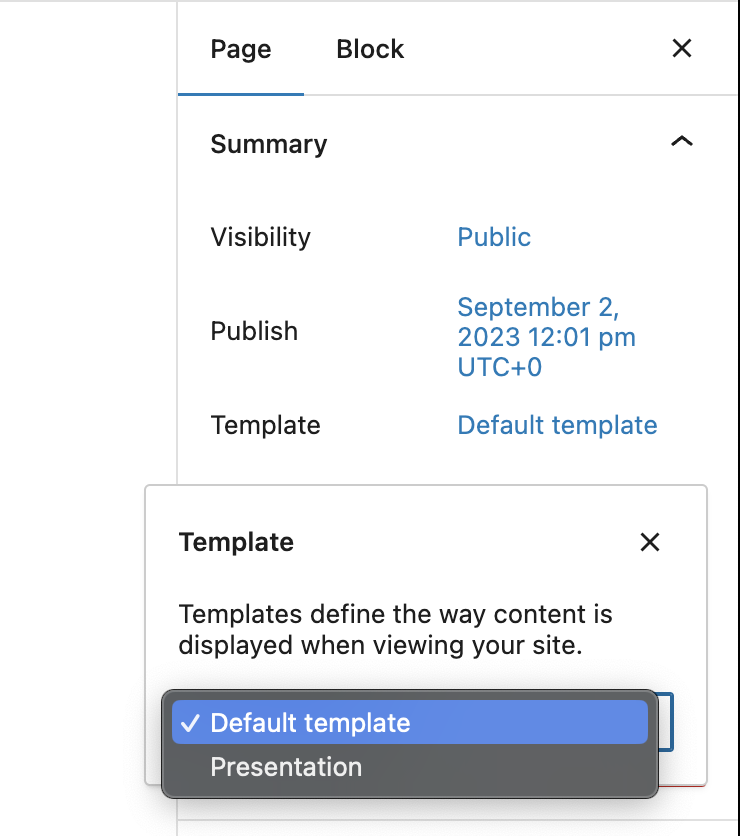
Screenshot 2023-09-05 at 15.46.33.png

Tell us what you are trying to do?

I don't want my default theme page.php template to be the base for my post-type. I have made a custom WordPress template (Presentation) that I want to be used with a specific post-type. I see that it is possible to make content templates but these does not allow me to change the template or make possible what I want to do. I want to use the Presentation template as the base for my post-type posts. Is there a way to do this?

Thanks so much 🙂

#2641067

Nigel
Colaborador

Idiomas: Inglés (English ) Español (Español )

Zona horaria: Europe/London (GMT+01:00)

Hi there

The normal way to use a custom PHP template for the output of a custom post type is to name your PHP template according to the WordPress template hierarchy. See https://developer.wordpress.org/themes/basics/template-hierarchy/#single-post

So if you had a post type with a slug of portfolio, for example, then creating a single-portfolio.php template would ensure that is used to display your portfolio posts.

(Toolset templates let you design custom templates within the back end UI, but they only replace the part of the page normally output by the_content function in your theme template file.)

#2642505

I will just use another solution then even though I would like this to work. Thanks for your help 🙂