Saltar navegación

[Resuelto] URL displaying in post

This is the technical support forum for Toolset - a suite of plugins for developing WordPress sites without writing PHP.

Everyone can read this forum, but only Toolset clients can post in it. Toolset support works 6 days per week, 19 hours per day.

Sun Mon Tue Wed Thu Fri Sat
- 10:00 – 13:00 10:00 – 13:00 10:00 – 13:00 10:00 – 13:00 10:00 – 13:00 -
- 14:00 – 18:00 14:00 – 18:00 14:00 – 18:00 14:00 – 18:00 14:00 – 18:00 -

Zona horaria del colaborador: Asia/Kolkata (GMT+05:30)

Este tema contiene 8 respuestas, tiene 1 mensaje.

Última actualización por Minesh 1 year ago.

Asistido por: Minesh.

Autor
Mensajes
#2811142
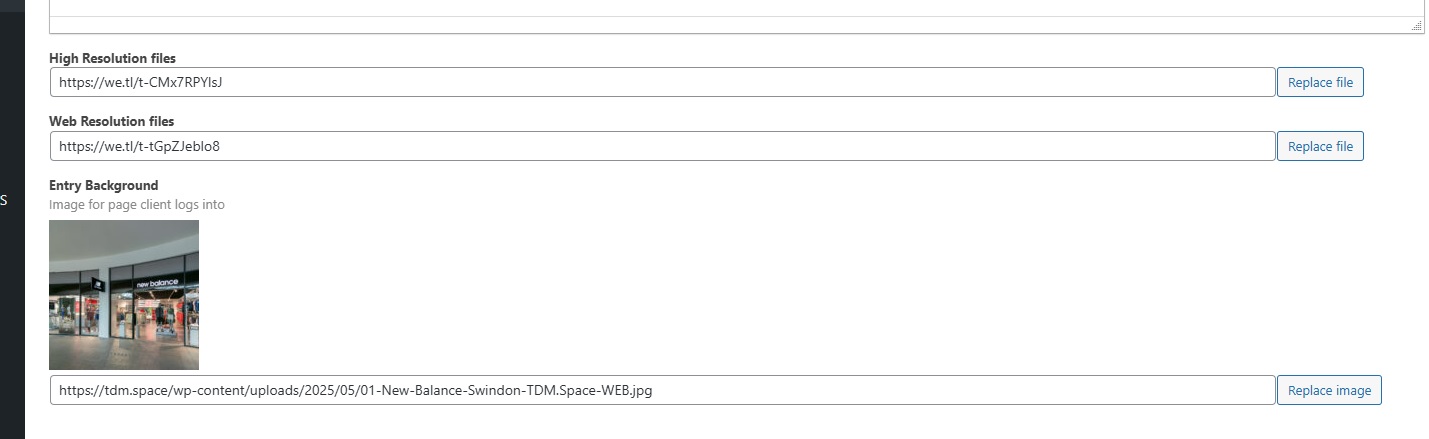
TDM Space Post.jpg
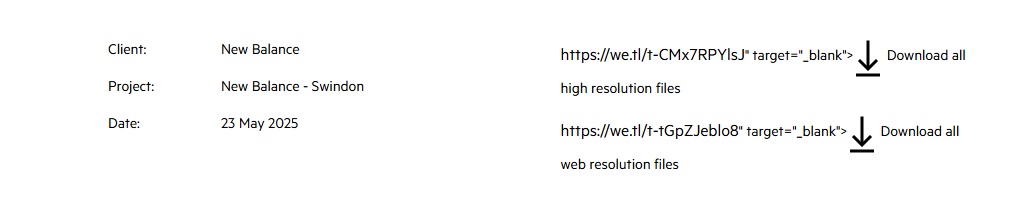
TDM SPCE POSTED.jpg

I am trying to: Sort the Download link on a post

Link to a page where the issue can be seen:

I expected to see: just the download button

Instead, I got: The URL link and the download button. As per the photos attached.

#2811207

Minesh
Colaborador

Idiomas: Inglés (English )

Zona horaria: Asia/Kolkata (GMT+05:30)

Hello. Thank you for contacting the Toolset support.

As I understand - you have a file type field and you want to display the download link to that uploaded file - correct? If yes:

Can you please share problem URL where you want to add download link to that custom file field and send admin access details.

*** Please make a FULL BACKUP of your database and website.***
I would also eventually need to request temporary access (WP-Admin and FTP) to your site. Preferably to a test site where the problem has been replicated if possible in order to be of better help and check if some configurations might need to be changed.

I have set the next reply to private which means only you and I have access to it.

#2811254

Minesh
Colaborador

Idiomas: Inglés (English )

Zona horaria: Asia/Kolkata (GMT+05:30)

I can see the following page: enlace oculto

But you do not mention what is your requirement and what exactly is not working with the above page and what exactly you want to achieve and with what section of above page?

#2811287

Also if you clikc the link it does not take you to the correct link. It takes you to enlace oculto so seems the code is not playing corretly

#2811339

Minesh
Colaborador

Idiomas: Inglés (English )

Zona horaria: Asia/Kolkata (GMT+05:30)

I see you are not using Toolset Blocks/Views plugin.

Can you please tell me wher you added the following fields on your page:
- enlace oculto

Client, Project, Date etc.. fields what template in backend you are using?

Can you please share link of the tempmplate where I can see above fields in backend?

#2811347

The above link is a post, I didnt build the website we just host it. From what I can see its set to use the Toolset private post
enlace oculto

enlace oculto

#2811352

Minesh
Colaborador

Idiomas: Inglés (English )

Zona horaria: Asia/Kolkata (GMT+05:30)

I can see it's using the following theme's PHP tempalte file:
=> enlace oculto

To edit the theme's PHP template file, I will require FTP/SFTP access details but the shared access details before for FTP/SFTP is not working at this end.

Can you please send me working FTP/SFTP access details.

I have set the next reply to private which means only you and I have access to it.

#2811357

Hi

Sorry I think I misunderstood your request is this what you mean
enlace oculto

thats the posttemplate for "Private Portfolio Page Template"

#2811363

Minesh
Colaborador

Idiomas: Inglés (English )

Zona horaria: Asia/Kolkata (GMT+05:30)

Yes - that's correct.

That is the PHP template for theme that is used to display content for the following page:
- enlace oculto