Saltar navegación

[Resuelto] Updating Plugin on Local Development Server

This support ticket is created 4 years, 9 months ago. There's a good chance that you are reading advice that it now obsolete.

This is the technical support forum for Toolset - a suite of plugins for developing WordPress sites without writing PHP.

Everyone can read this forum, but only Toolset clients can post in it. Toolset support works 6 days per week, 19 hours per day.

Este tema contiene 2 respuestas, tiene 2 mensajes.

Última actualización por ScottH7099 4 years, 9 months ago.

Autor
Mensajes
#2170487
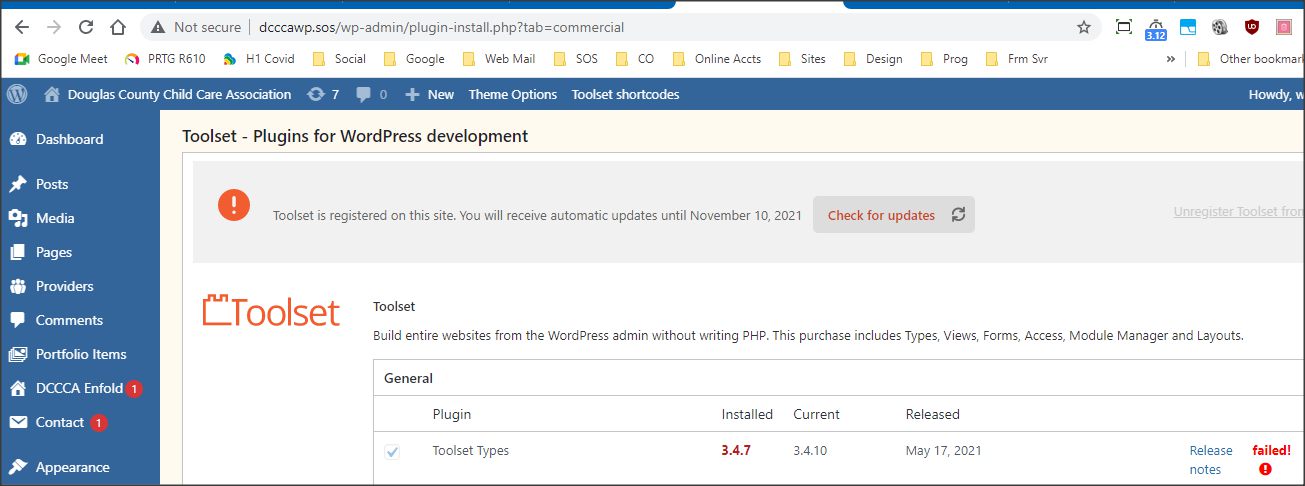
toolset.jpg

Good Evening:

I need to get Toolset Types and Views, the site theme, and WordPress all updated for enlace oculto. Because I need to make code adjustments to the theme in order for it to work properly with Toolset, I need to be able to update everything, including Toolset, on the development server, make the code adjustments, then redeploy it to the live server. However as you can see from the attached screenshot, while it says I'll get updates through Nov 10, 2021, the updates are failing, presumably due to the development URL. Can you please add enlace oculto as a valid URL for my license so I can get this work done?

Thank you!

Scott

#2170647

Nigel
Colaborador

Idiomas: Inglés (English ) Español (Español )

Zona horaria: Europe/London (GMT+01:00)

Hi Scott

It is recommended that you do not register the development server and only register the production server, as described here: https://toolset.com/faq/how-to-install-and-register-toolset/#registering-toolset-in-a-development-environment

You would need to unregister the development server, then register the production server.

#2173389

I was able to download the latest plugin versions through this website and manually update them on the development server. I made the necessary code adjustments to the theme and redeployed the site back to the live server.