Tell us what you are trying to do?
I'm defining a new custom post type that includes a repeatable field group consisting of an Address and Radio field type. The Radio field defines the type of facility associated with the address.
I've defined a template for the custom post type and included a view that lists the repeatable field group. When I attempt to place a Map block after the view and link it to the contents of the view, nothing shows on the map.
What is the link to your site?
enlace oculto
Hi,
The working pattern for addresses in repeatable field group items is to put the marker inside the View’s loop, using the map marker shortcode. Please try this:
- Go to “Toolset → Settings → Maps” and confirm the map provider and API key are set. Under “Cached data”, click “Load stored data” and delete any entries for these addresses, so they are looked up again.
- Edit the template and select the View that lists the repeatable group. Inside its loop, add a “Fields and Text” block, switch it to HTML mode and add:
[wpv-map-marker map_id='map-1' marker_id='marker-[wpv-post-id]' marker_field='wpcf-facility-address']
[types field='facility-type'][/types]<br>
[types field='facility-address'][/types]
[/wpv-map-marker]
- Replace map-1 with the map ID set in your Map block. Replace facility-address and facility-type with the slugs of your Address and Radio fields.
- In marker_field, keep the wpcf- prefix before the Address field slug.
- Save and reload the page.
- If you see duplicate markers, remove the marker source from the Map block settings.
For more information:
https://toolset.com/documentation/programmer-reference/maps/maps-shortcodes/
https://toolset.com/forums/topic/repeating-fields-cant-be-shown-and-some-block-layout-issues/
Thanks.
Christopher,
Thanks for the reply.
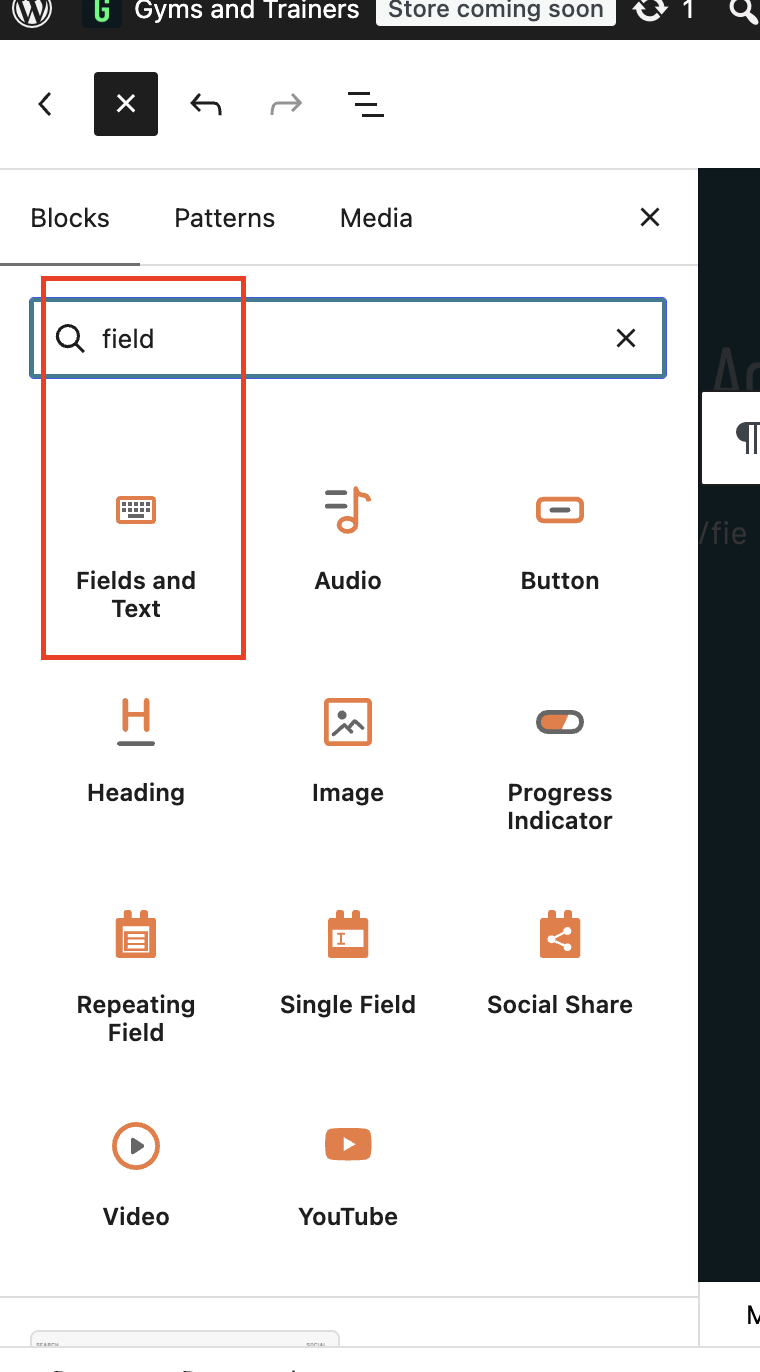
I'm using the block editor to define this content template and there is no "Fields and Text" block available; if I switch to the "classic editor", then there is a "Fields and Text" option available.
My Google API settings appear to be functioning correctly.
When editing the content template for this post type in the block editor, attempting to place the Map block inside the View Loop produces the error "Map block cannot be inside the View block".
Hi,
That error is expected. The Map block must go outside the View block, not inside its loop. In the Map block’s "Marker" section, set the marker source to “View block”.
If "Fields and Text" is available as a separate block (check the screenshot), but if you can not find it, use the core "Custom HTML" block instead. It works the same way here, with the marker shortcode inside the View’s loop. Please try this:
1. Go to "Toolset → Settings → Maps" and click "Check API", to confirm your key and APIs are active.
2. Keep the Map block outside the View. Remove any marker settings already configured in the Map block, so the markers come only from the shortcode.
3. Edit the View's loop and insert a "Custom HTML" block anywhere inside the "View Loop" block. Add:
[wpv-map-marker map_id='map-1' marker_id='marker-[wpv-post-id]' marker_field='wpcf-facility-address']
[types field='facility-type'][/types]<br>
[types field='facility-address'][/types]
[/wpv-map-marker]
4. Replace map-1 with the map ID of your Map block. Replace facility-address and facility-type with the slugs of your Address and Radio fields. Keep the wpcf- prefix in marker_field.
5. Save and reload the page. The shortcode adds a marker for each item in the View, and it does not show in the results list.
For more information:
https://toolset.com/documentation/programmer-reference/maps/maps-shortcodes/
Thanks.
Let's dispense with attempting to use the block editor for this; the options I see for inserting blocks don't match what you're asking me to insert. Using the "classic editor" with remove that source of confusion...
1) I have done this multiple times and have always gotten the "API appears to be functioning normally" response; additionally, when I define a "facility-address" it is correctly processed by the Google Maps API and a Google map with marker appears in the WordPress back-end editor. Pretty sure my Google Maps API is functioning correctly.
2) I am uploading images of the content template and view I am using to hopefully clarify what should go where in all of this:
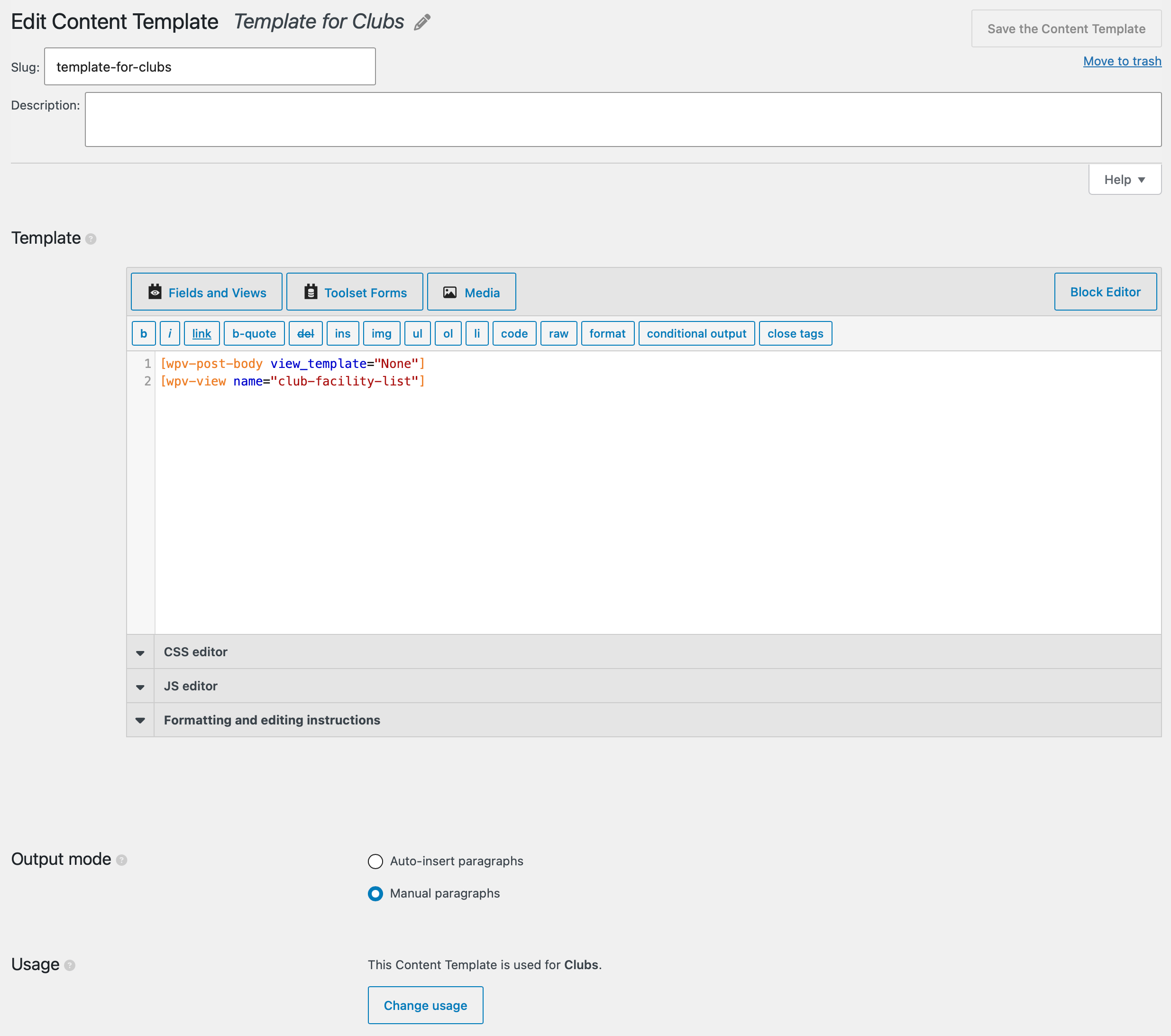
-- template_for_clubs.jpg shows my "content template" for the "Clubs" post type
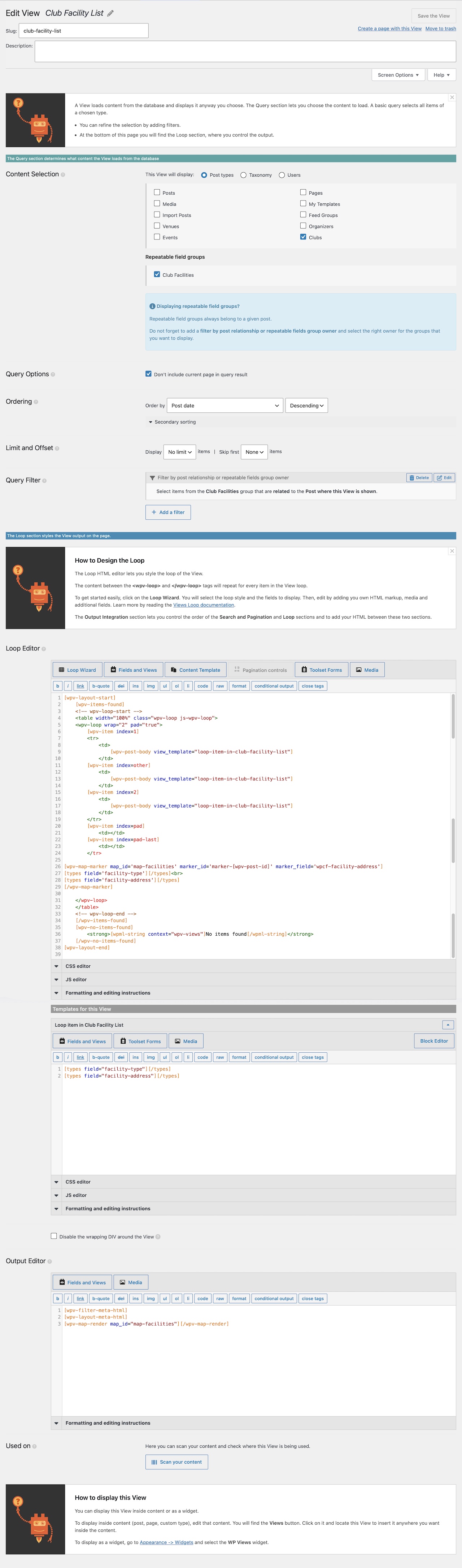
-- view_club_facility_list.jpg shows my "view" for the "Club Facilities" repeatable field group
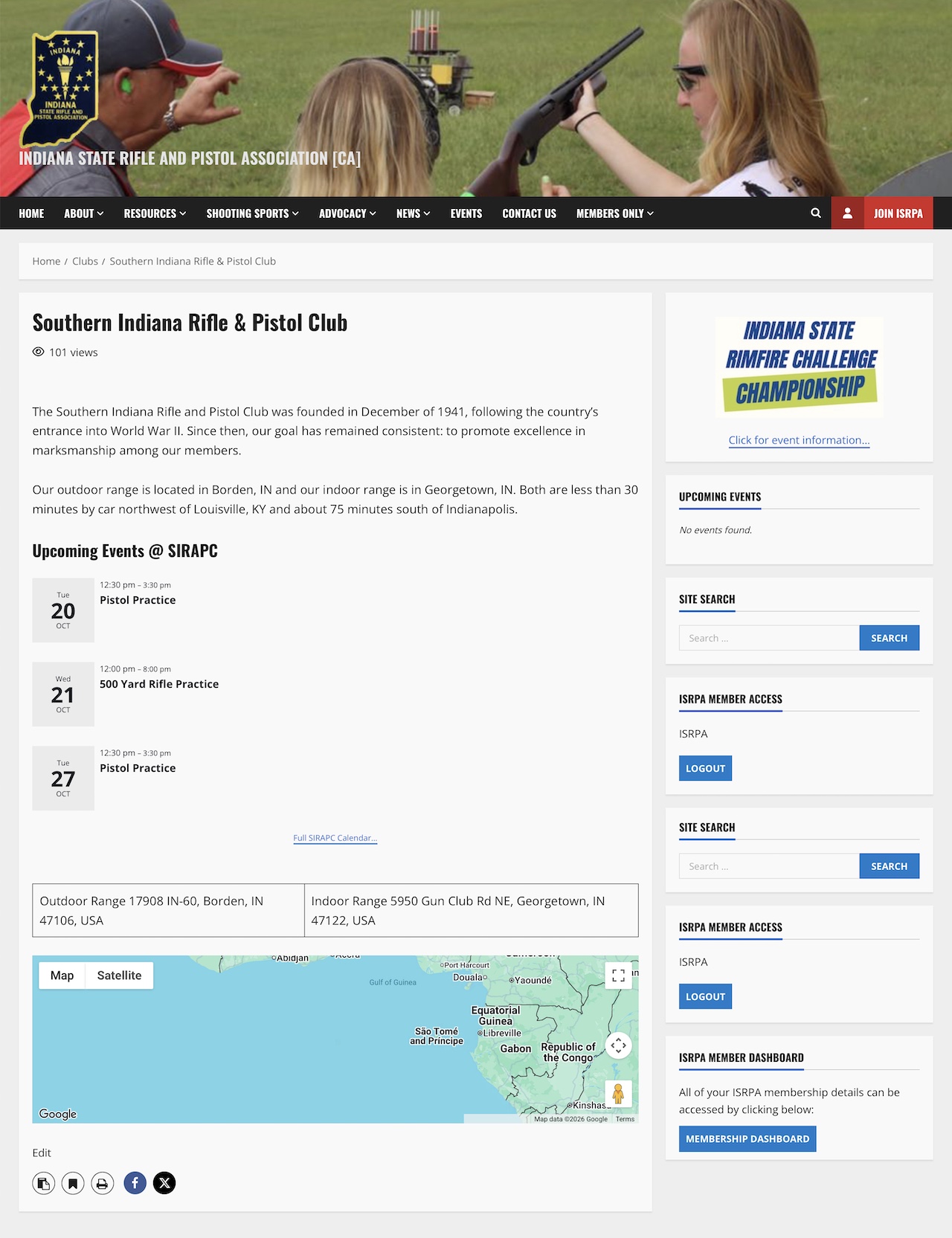
-- result_front_end.jpg shows the resulting page on the site front-end (everything is OK except nothing is rendered on the map)
Thank you again for you assistance and please pardon my confusion on this...
NM, I just figured out where I went wrong and I've got a functioning output on the front-end now. If I have any issues formatting all of this as I'd like, I will open a separate ticket.
The help is much appreciated!