Saltar navegación

[Resuelto] Unable to Create New Layouts

This support ticket is created 4 years, 10 months ago. There's a good chance that you are reading advice that it now obsolete.

This is the technical support forum for Toolset - a suite of plugins for developing WordPress sites without writing PHP.

Everyone can read this forum, but only Toolset clients can post in it. Toolset support works 6 days per week, 19 hours per day.

Sun Mon Tue Wed Thu Fri Sat
- 9:00 – 12:00 9:00 – 12:00 9:00 – 12:00 9:00 – 12:00 9:00 – 12:00 -
- 13:00 – 18:00 13:00 – 18:00 13:00 – 18:00 14:00 – 18:00 13:00 – 18:00 -

Zona horaria del colaborador: America/Jamaica (GMT-05:00)

Este tema contiene 2 respuestas, tiene 2 mensajes.

Última actualización por Chris Poulin 4 years, 10 months ago.

Asistido por: Shane.

Autor
Mensajes
#2126995
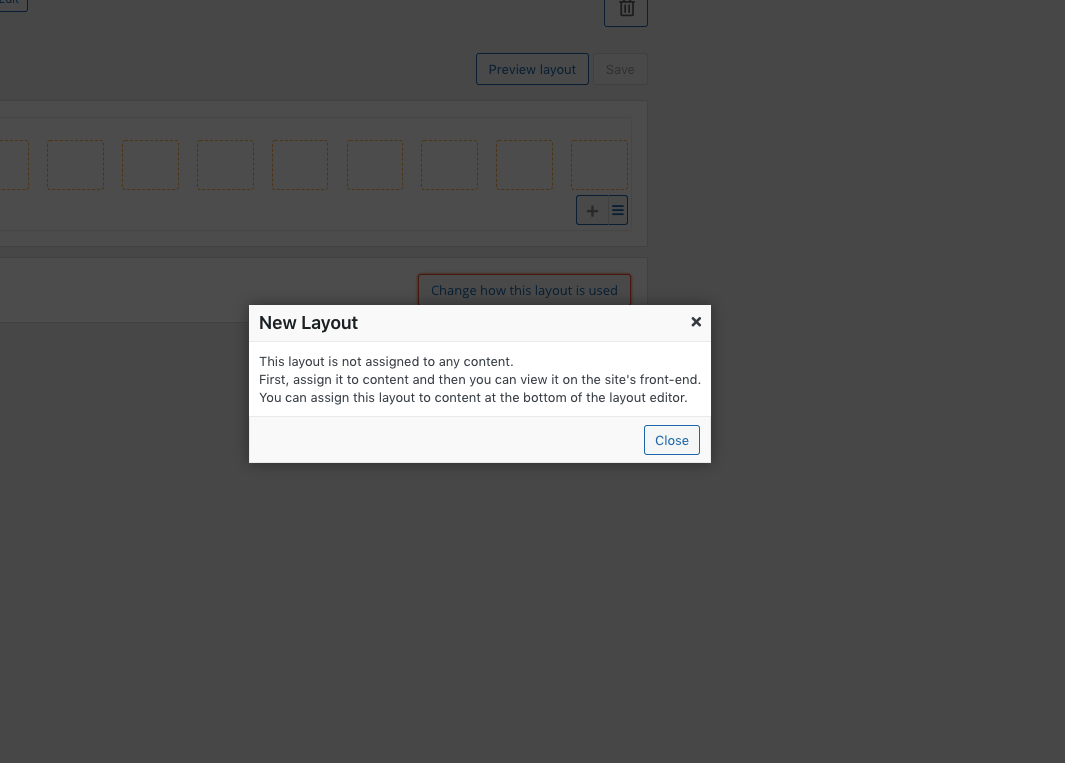
Screen Shot 2021-07-27 at 10.53.07 AM.png

I am trying to: Create a new layout and assign it to a page.

Link to a page where the issue can be seen: Nothing created yet. Here is the staging URL for our site enlace oculto
Registered site: enlace oculto

I expected to see: Ability to create a new layout.

Instead, I got: When I go to create a new layout and set a name for it it opens a new page and gives me the message seen in the screenshot attached. This seems to go in a loop and the plugin looks to be unresponsive to any action. When it is in Layouts and this issues persists I can't leave the page, go to the plugins, pages or front end. I attempted to isolate this to see if it was a plugin conflict but even after disabling all plugins except Toolset, the issue persists. I also tried this in the live position and had the same results.

#2127117

Shane
Colaborador

Idiomas: Inglés (English )

Zona horaria: America/Jamaica (GMT-05:00)

Hi Chris,

Thank you for getting in touch.

I took a quick look at this for you and without any changes to your site I was able to successfully create a new layout without any issues at all.

Here is the layout i've created at the link below.
enlace oculto

So i'm not able to replicate the issue that you're currently having.

Thanks,
Shane

#2132567

Thanks Shane. Turned out is was a browser issue. The plugin doesn't seem to work well in Chrome.