Hi,
I created a view and have it on this page: enlace oculto
Now I need to have this also in english and polish language. I use WPML for translation but have no idea how to translate the view. Can you assist me here?
Thanks a lot!
Hi Minesh,
thanks for your assistance and pointing to the Toolset documentation. Concerning translation of views a read there:
"Translating Views
To send a View for translation, simply send the page where you created the View. Translator that takes the job will have all the View texts available for translation."
This is not true for my view. I created it with the legacy editor. How can I translate this view? Also the view is not working correctly on a translated page. It only shows the search and filter elements but not the view output. Instead "nichts gefunden" (nothing found) is displayed. So what is going wrong here?
Then, once you localize your strings using the [wpml-string] shrotcode you should navigate to WPML => String Translation and search for your string and translate it to your additional languages.
Hi Minesh,
thanks a lot for the help. I was able to translate the strings now.
But I still can't figure out why the view isn't showing any results.
Please have a look: enlace oculto
and compare with the german version: enlace oculto
Why has the view loop no output?
Can you please investigate this issue? I can send you a login to a test site. Please enable a private message for this.
Thanks!
*** Please make a FULL BACKUP of your database and website.***
I would also eventually need to request temporary access (WP-Admin and FTP) to your site. Preferably to a test site where the problem has been replicated if possible in order to be of better help and check if some configurations might need to be changed.
I have set the next reply to private which means only you and I have access to it.
Thanks again for your assistance!
So, I translated the posts of the type "publikation", but still the view output is empty.
In my case I think it would be best for me to simply embed the original view of the German page and only translate the names of the table columns. Not all posts of the type "publikation" need to be translated, as they are not available in English anyway.
So how can I achieve to display the german view on an english page?
In that case I've set the option from "Beitragstypen-Übersetzung" section and selected the option as you can see with the following screenshot: enlace oculto
=> enlace oculto
Can you please confirm it works as expected now:
=> enlace oculto
yes, I can confirm that it is working. Thanks for your help!
But it is not yet exactly what I want to achieve.
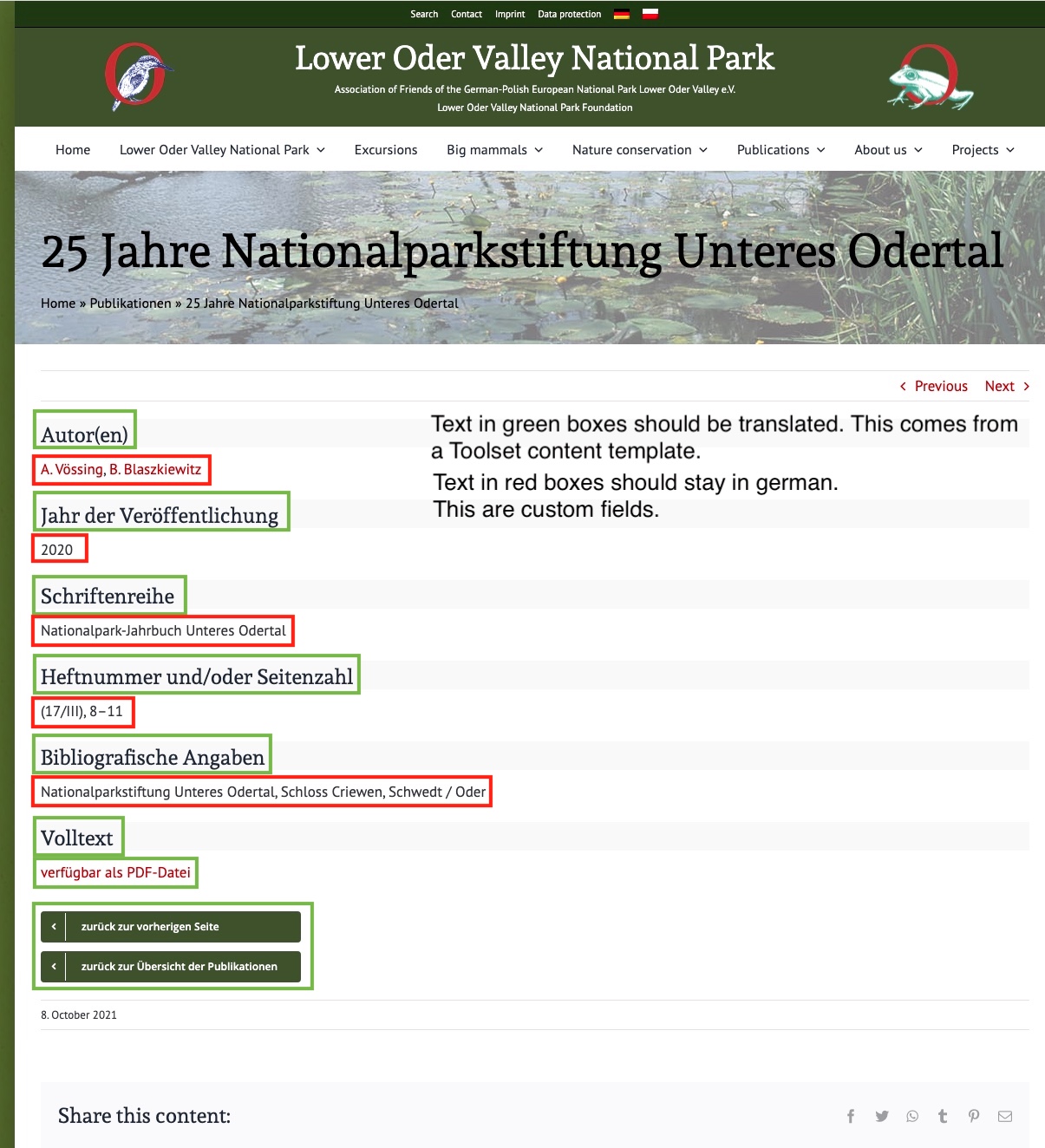
Optimal would be to translate the contents of the custom content type "Publication", but only the description of the fields, not the contents of the fields. See screenshot. Can you show me how this is possible? Thank you very much!
As the original question is resolved, as per our support policy we can entertain only one question per ticket.
I urge you to create a new ticket with every new question you may have. This will help other users searching on the forum as well as help us to write correct problem resolution summery.