Saltar navegación

[Resuelto] Toolset View – One Page result only

Este hilo está resuelto. Aquí tiene una descripción del problema y la solución.

Problem:

The user’s Toolset View on the Search page displays only 10 posts with pagination instead of showing all posts on a single page.

Solution:

- Edit the page containing the View.
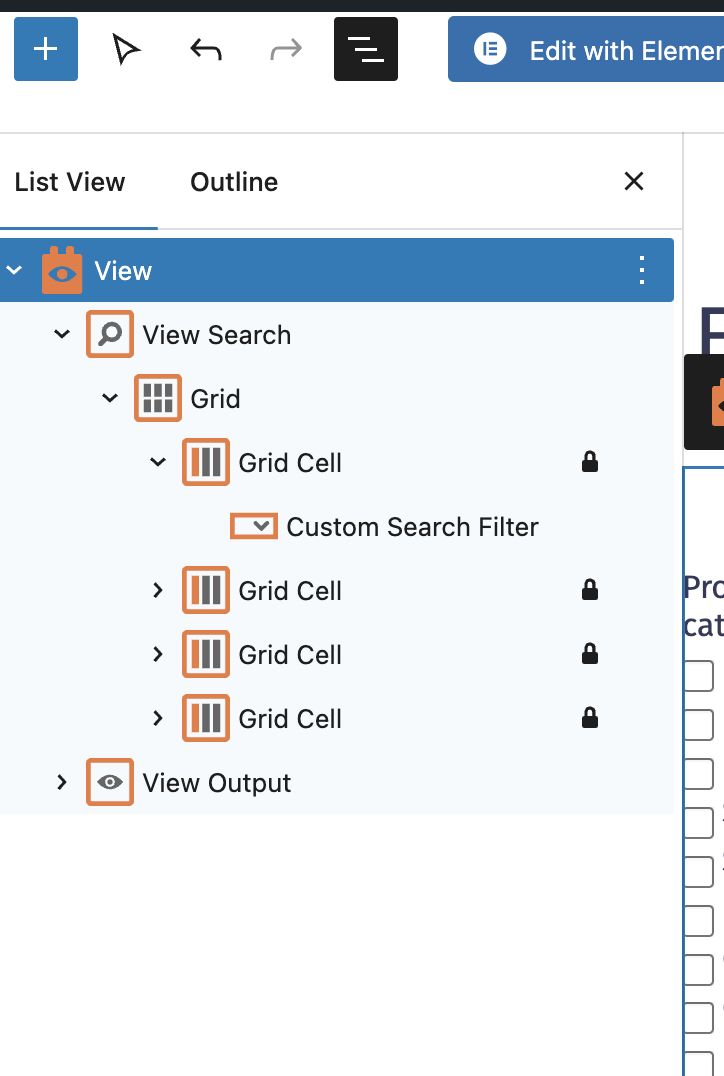
- Open the Block Navigator (click the top-left hamburger menu in the editor).
- Select the View Block in the Block Navigator.
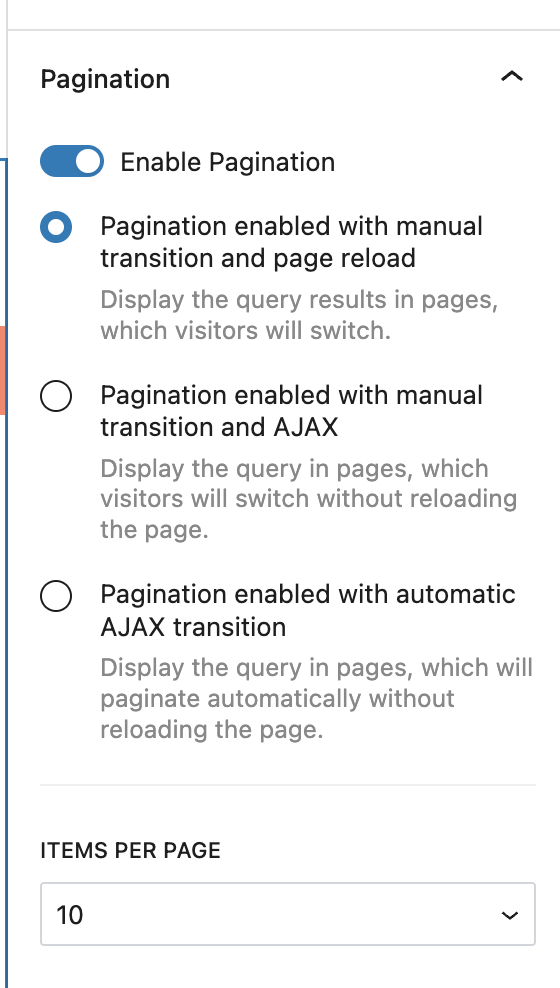
- In the right-hand Block Settings sidebar, locate the Pagination section.
- Deactivate the pagination option to display all results on a single page.

This is the technical support forum for Toolset - a suite of plugins for developing WordPress sites without writing PHP.

Everyone can read this forum, but only Toolset clients can post in it. Toolset support works 6 days per week, 19 hours per day.

Este tema contiene 1 respuesta, tiene 1 mensaje.

Última actualización por dianeM 1 year, 5 months ago.

Asistido por: Christopher Amirian.

Autor
Mensajes
#2792014

Hello,

I've created a View through Toolset View and on the Search page, I would like to display all my posts on one single page. However, it only shows 10 posts and then use Pagination for the other posts. I've looked at the View settings and the Forum topics but I can't find how to edit this.

Here is the link to the page: enlace oculto

Many thanks

#2792053

Christopher Amirian
Colaborador

Idiomas: Inglés (English )

Screenshot 2025-01-14 at 11.03.06 AM.png
Screenshot 2025-01-14 at 11.02.55 AM.png

Hi,

Welcome to Toolset support.

Please go to the page that contains the view in question and click the top left section hamburger menu to show all the elements of the page.

Make sure that you select the view block, then on the right sidebar you will have an option for pagination.

Deactivate that option and you will have all the results shown on the view.

Please check the screenshots attached for more information.

Thank you

#2792141

Thank you for your prompt response! It works fine now.