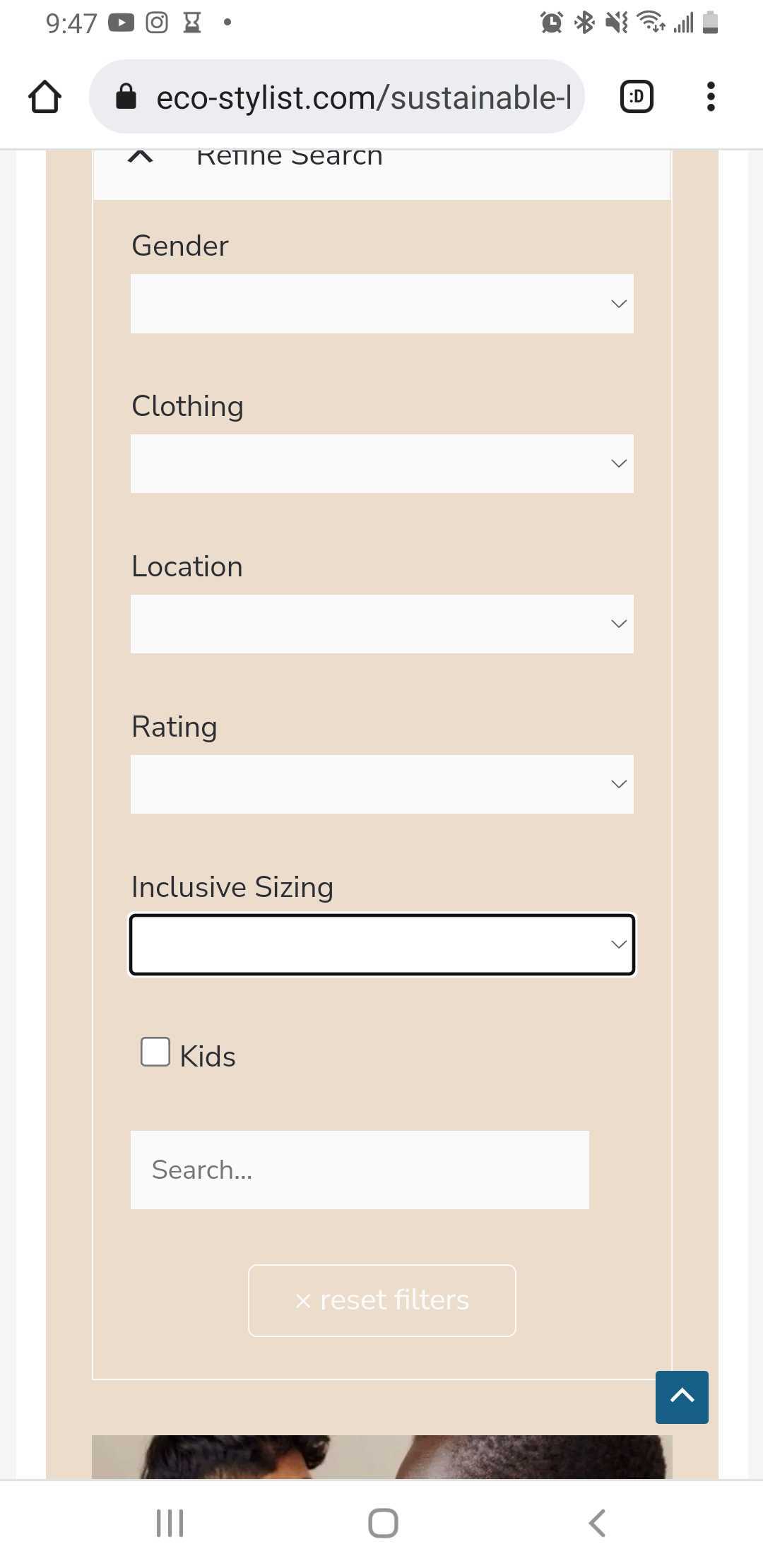
I am trying to: when clicking the Toolset search filters on an Android phone they either don't work or have to be clicked twice to activate. The screenshot is Chrome browser - Android phone.
I have tried disabling WP Rocket and that didn't fix the issue.
The login info I'm sharing below is to a cloned/staged site as I thought this would be more useful for troubleshooting.
Link to a page where the issue can be seen:
enlace oculto
Hi Garik,
Thank you for getting in touch.
I've taken a look at this for you on my mobile device but I was not able to replicate the issue. Each time i use the filters on my mobile the search filters the results as intended.
Thanks,
Shane
Is there another way you can test this? I've had multiple people verify this issue where they either click the filters and nothing happens, or they have to click it twice on Android.
Hi Garik,
Are you able to do a screen recording on the mobile device on what happens.
I can ask other supporters to check on this for me to verify what they see but they won't be on until monday given the differences in shift times.
However giving me an example of what happens on your end will assist us in knowing exactly what to look out for.
Thanks,
Shane
Hey Shane - on the screen recording the menus would pop up but only if you hit the arrow just right. The video shows how I'd tap on other boxes multiple times and nothing would happen, but then going to another box and tapping it a bunch of times sometimes the menu would pop up.
Here's the screen recording video:
enlace oculto
Hi Garik,
Thank you for the video, I was able to test the exact scenario and see the issue now.
This is perhaps being caused by css issue. Given that your filters appear to be modified with some custom css I would recommend temporarily removing all the custom css from the filter area and then check again.
Thanks,
Shane
Hey Shane,
I don't believe there is any custom css on the filters. They are inside of a block called "Accordion Block" (which is a plugin) as it's important to have the filters be collapsable. Do you think the plugin is causing the issue?
-Garik
Hi Garik,
The only way to test this theory is to disable the plugin.
Would you mind allowing me to have admin access so that I can debug this issue further ?
Also would it be possible to grab a copy of the website should this be needed?
Please let me know.
Thanks,
Shane
Hey Shane - I shared login information for our staging site in the first message. Is that sufficient or do you need more for troubleshooting?
Hi Garik,
This should be enough, so long as I can do all my testing here such as disabling and re-enabling plugins etc.
Please confirm this so that I can proceed.
Thanks,
Shane
Hey Shane - yes, it's a cloned site so you can do any and all testing there 🙂
-Garik
Hi Garik,
I've been through some testing on the site and found that the problem is being caused by elementor pro.
Once I disabled this plugin then your filters load correctly each time i press it. Can you confirm that you're seeing the same results on the staging site?
Thanks,
Shane
Hey Shane,
Great! I'm seeing the same thing on my end—it's working now.
So what are the next steps then? Is this something for Toolset to solve or Elementor?
-Garik
Hi Garik,
Unfortunately there isn't much that I can do here.
Perhaps you can get in touch with the elementor support team to see if they are able to dive deeper into this for you.
There might be a setting on elementor that would resolve the issue. Given that it works fine with only elementor then the issue is definitely coming from elementor pro.
Thanks,
Shane
Hey Shane,
Been working with Elementor Support and this was their response:
"Unfortunately, 3rd party plugin conflicts are outside of our support scope
In this case, we suggest you report this issue to the plugin authors and see if they can provide a fix on their end. If they need help from us, they can open an issue on our Github account and our developers will be happy to assist. enlace oculto"
What do you think? Is the issue a conflict between Toolset and Elementor? And could it be pushed by the development team?
-Garik