If you look at the product image in this page, using the stage site, when hovering the default image is still visible behind the zoomed image: enlace oculto
When looking at this same page in our development site the default image does not show behind the zoomed image, when hovering: enlace oculto
The same Toolset product image block is used in both cases. I do not want the default image to still be visible behind the zoomed image. How do I accomplish that?
Following up on your answer that the cause is that we use transparent images. This not what I asked. My question is why this happens on the stage site version and not on the dev site version. Look at this page; enlace oculto
The product image does not behave like this here. The template is using the same Toolset product image block in both cases.
What I want to know is if there is a setting somewhere so I can hide the default image when hovering.
I visited both links and can see the difference in how the zoomed images appear.
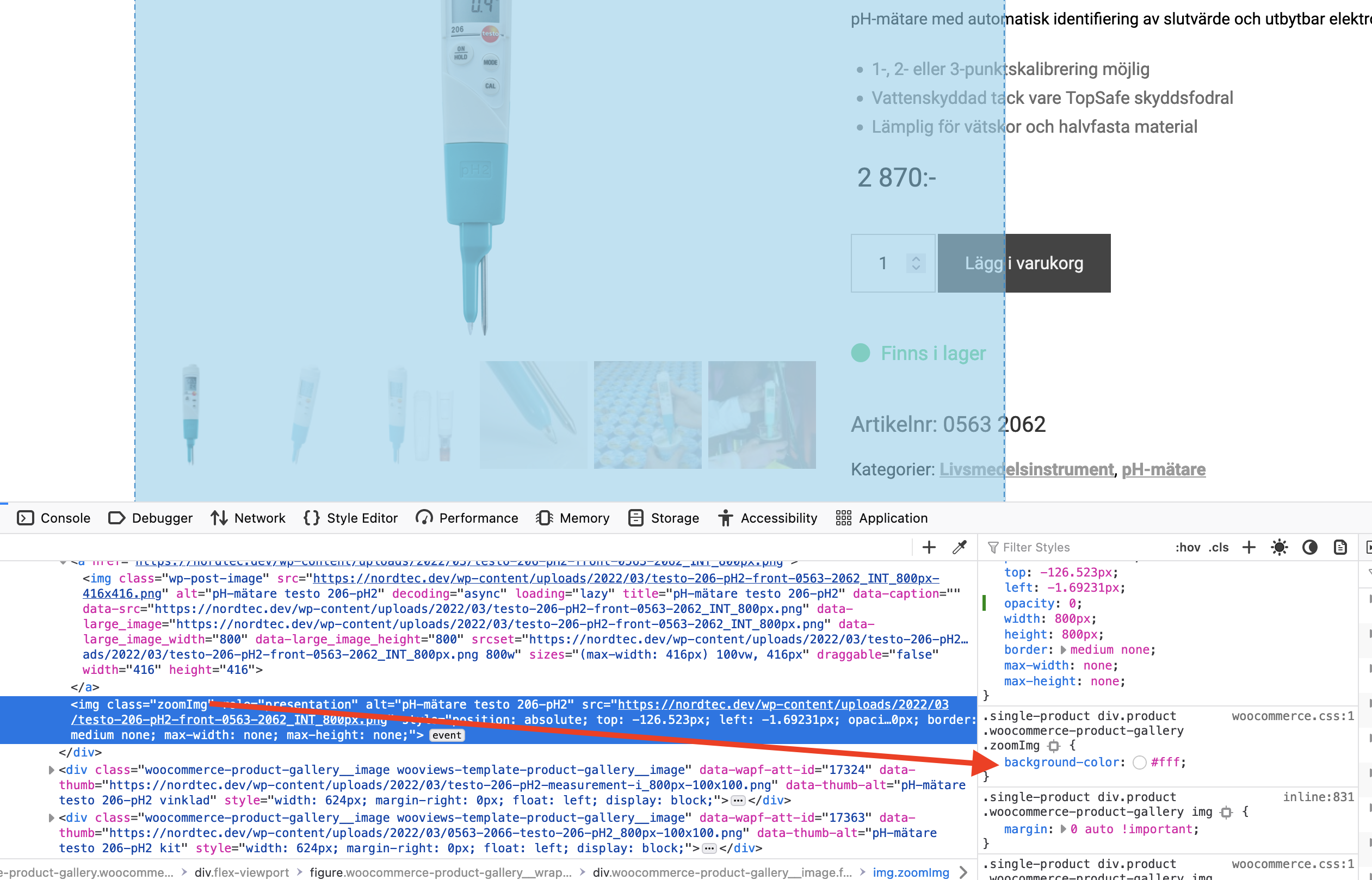
The reason is that the working version sets the background-color property of the zoom image to white (#fff). You can see the matching style rule in the screenshot.
With the broken version, that style rule doesn't get applied, as the markup structure is not the same.
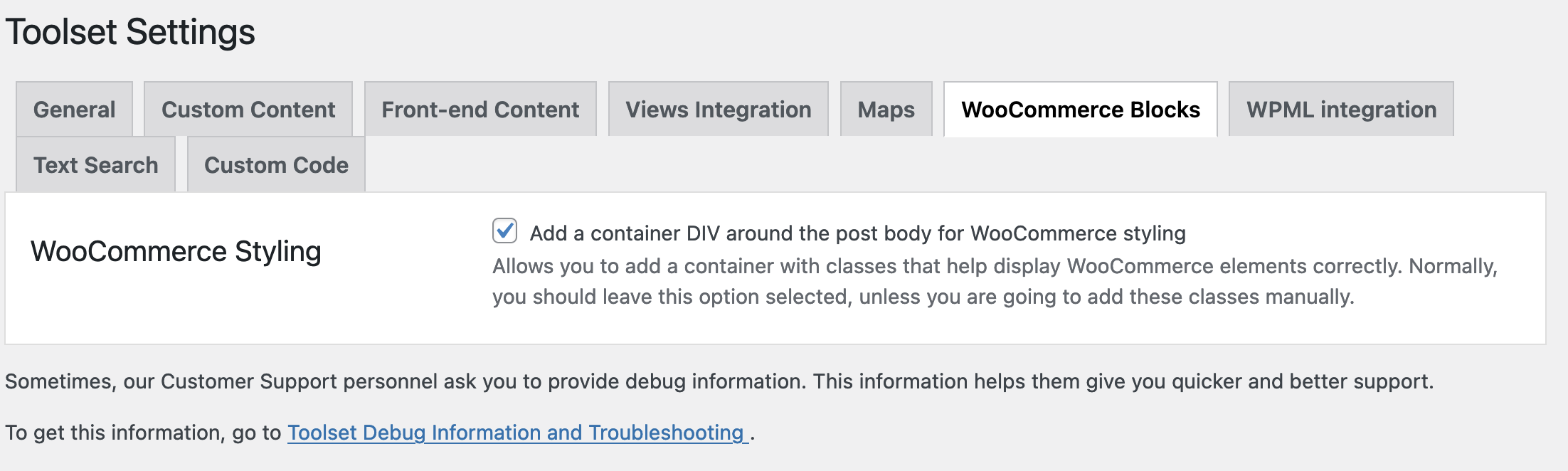
Can you check your settings, as shown in the second screenshot?