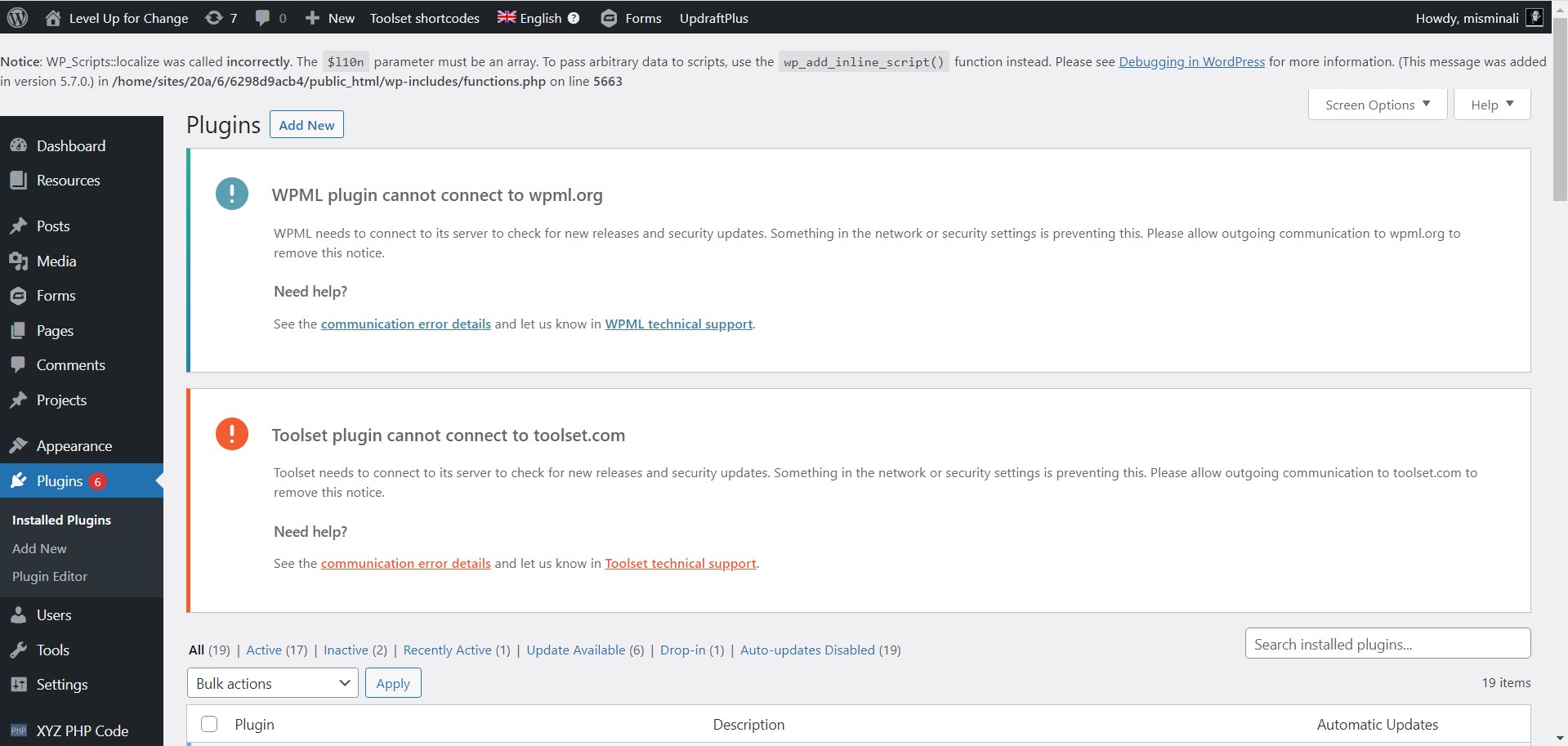
I am trying to resolve the errors I am receiving from Toolset and WPML (same company right) that says it cannot connect to Toolset.com and WPML.com. (See screenshot).
Is there any documentation that you are following?
Yes. I have tried to resolve the issue by updating the site key. I recently moved to a new host. That went well. But after moving to the new host I pushed a backup from October which was saved when we were on our previous host. This caused the errors. We have resolved everything we can think of with the host, including reinstalling the WordPress files.
What is the link to your site?
enlace oculto
Hi Amy,
Thank you for getting in touch.
This error generally occurs when you've migrated your site and the url changes and your Toolset plugins can no longer validate with our servers.
To check if your plugins are able to validate correctly you will need to go to Toolset -> Dashboard, then click on help in the top right hand corner. Select the Toolset Debug tab then click "Toolset Debug Information and Troubleshooting"
From there you will be taken to the Toolset Debug information. Scroll down on the page until you see the link for "Installer Support". Click this link.
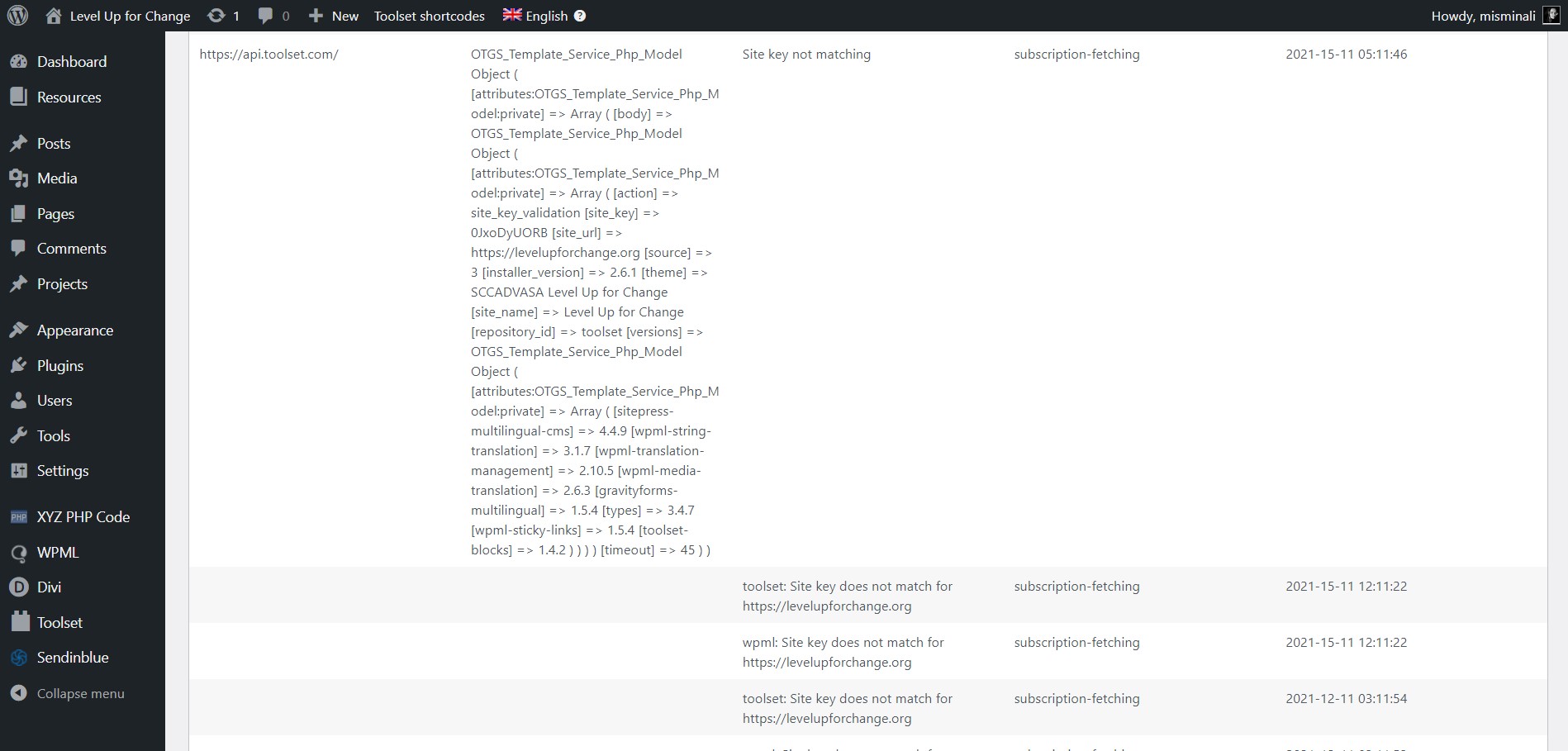
You should now be able to see your site validation information. If you're see "Toolset site key not matching for enlace oculto" then you will need to regenerate your site as the URL may have changed and your key isn't validating for the current URL.
The best way to generate the site key is by following the instructions in the link below.
https://toolset.com/faq/how-to-install-and-register-toolset/#automatic-installation-once-you-have-types-plugin-installed
Paying close attention to step 3.
Once you've done this go to Dashboard and click Check Again and the warning notice should no longer appear.
Thanks,
Shane
Hi Shane,
Thank you for your reply.
As I mentioned in my initial reply, I have already followed the exact steps you sent me to update and register a new site key. However, I am still getting these errors. Please see the screenshot.
Since I have already done this, what is the next step in debugging this?
Hi Amy,
Thank you for the screenshots. As the error states, the site key isn't matching.
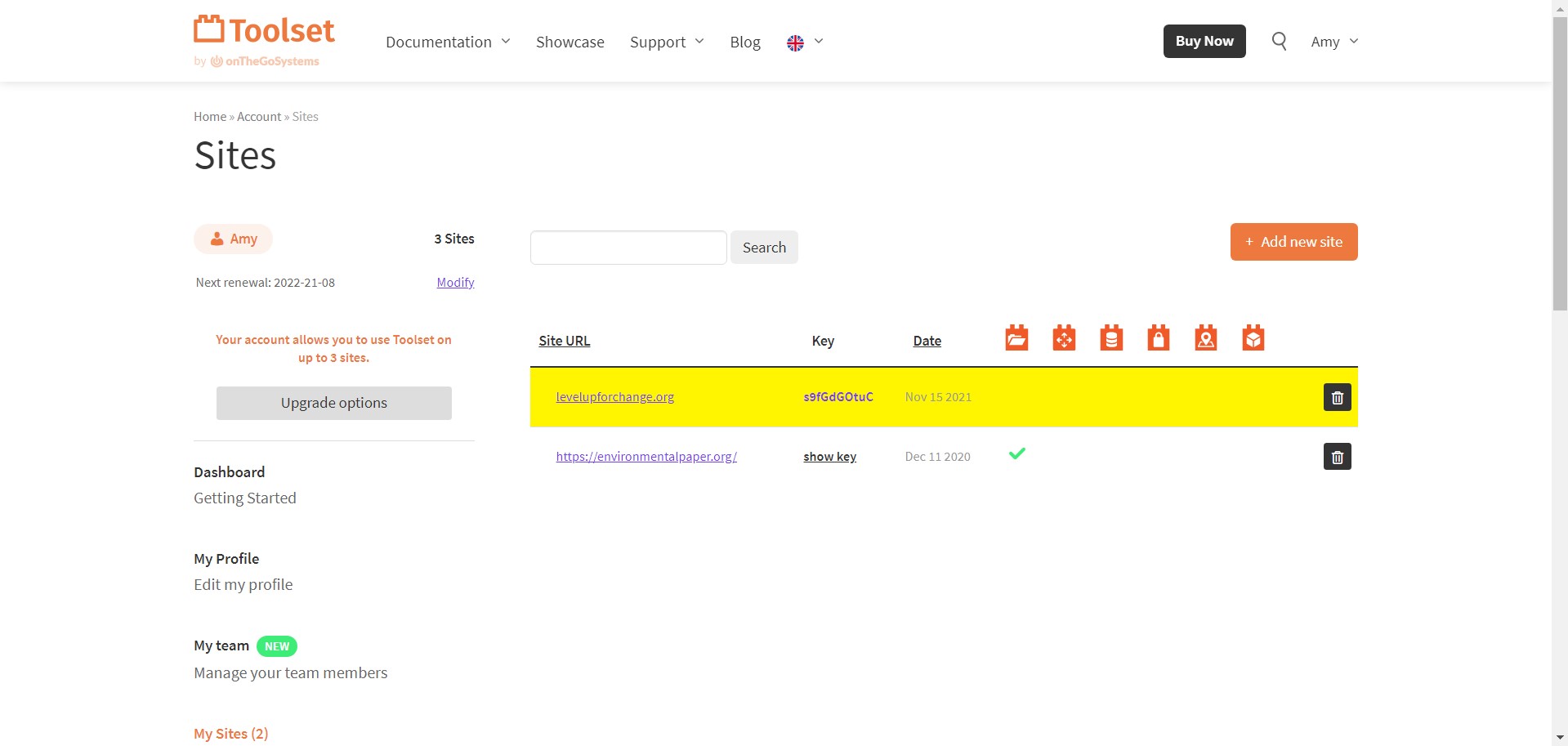
Whats registered for your site is levelupforchange.org however what is being checked for validation is enlace oculto
So you will need to remove the current site key and regenerate it for the URL enlace oculto
The instructions in our registration documentation below will always provide the correct url for registration.
https://toolset.com/faq/how-to-install-and-register-toolset/#automatic-installation-once-you-have-types-plugin-installed
Please let me know if this now resolves the issue.
Thanks,
Shane
Shane,
I acknowledge what you are pointing out however that issue is created by Toolset, not me.
When choose "generate a key for this site" it first shows me the correct and expected https prefix. However, once the key has been saved in my Toolset account and registered in the WP admin area, it shows as levelupforchange.org with the https prefix MISSING(!) and highlighted in yellow in the Toolset account. There is no option for me to manually set the address either.
Do tell me how to get past this since I have renewed the key 3 times now with no progress on the matter.
Would you like me to record a screencast to prove it to you?
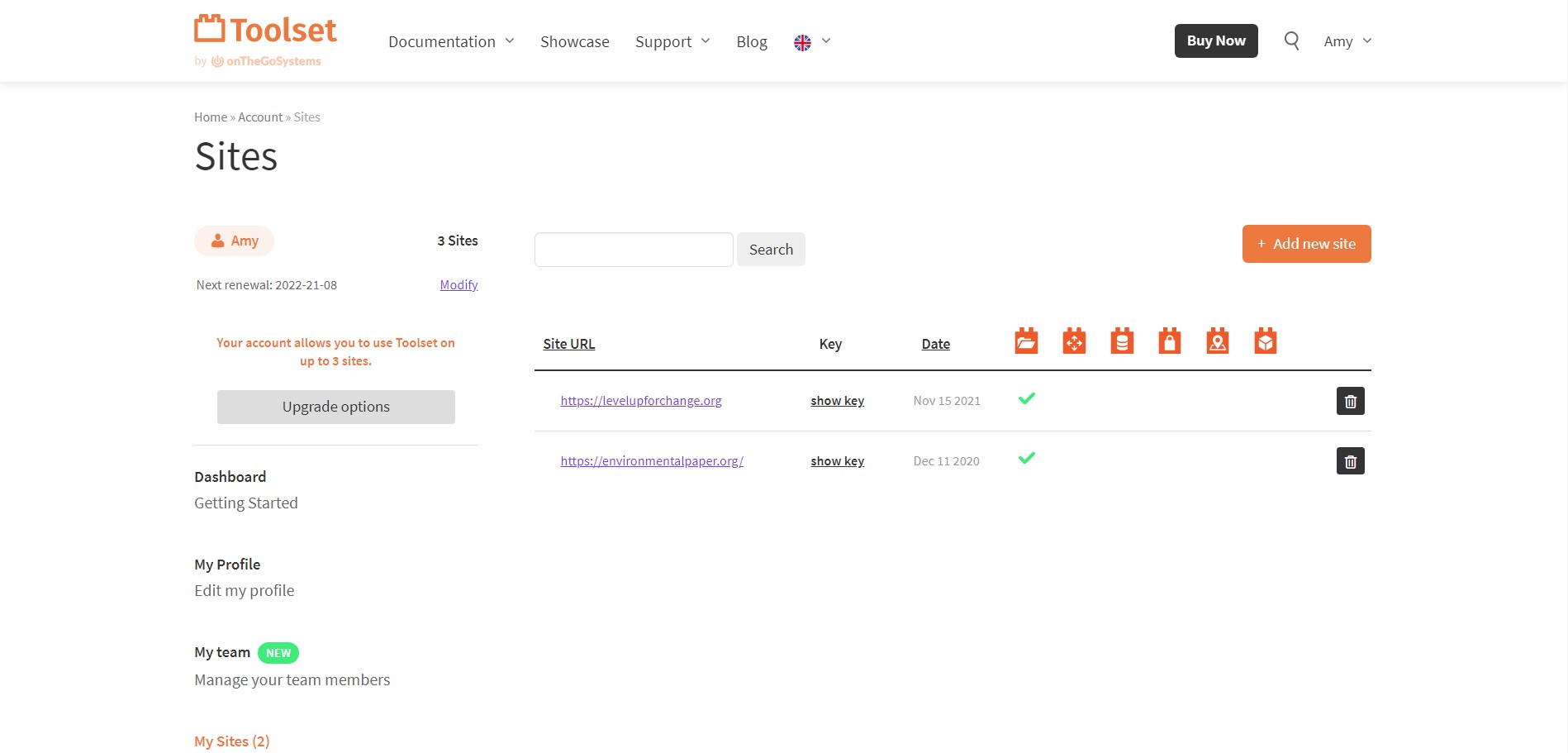
Update: I now clicked on the site URL from within the Toolset account. This made the yellow highlight disappear and now the registered site is showing as the expected enlace oculto (see screenshot) But the ERROR IS STILL NOT RESOLVING within WordPress. It still says "site key not matching".
Hi Amy,
Would you mind allowing me to have admin access to the website so that I can have a look at what is happening here?
I've enabled the private fields for your next response.
Thanks,
Shane
Hi Amy,
The issue should now be resolved. What I did was to go to Dashboard and click Check Again.
The notice should now be gone.
Thanks,
Shane
Hi Shane,
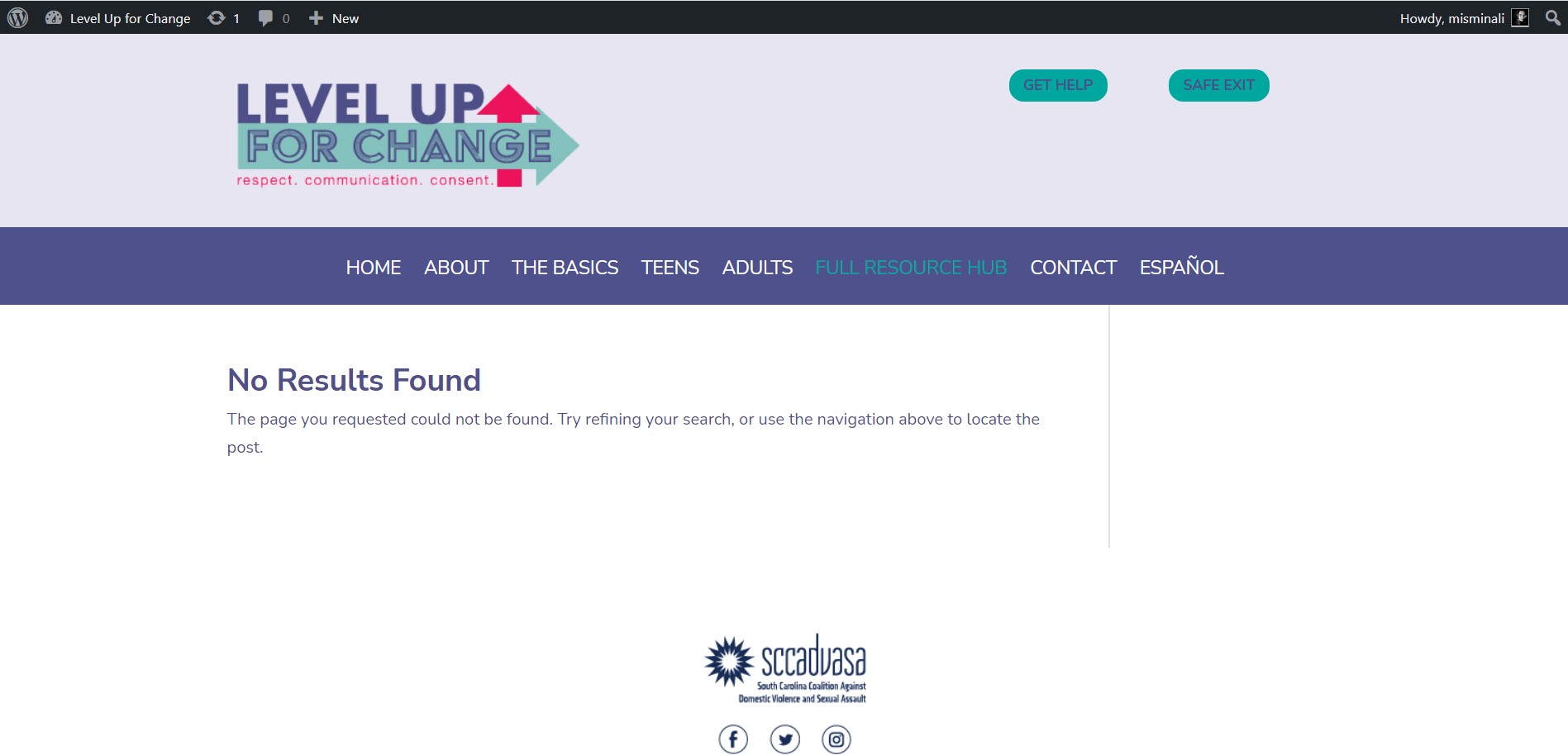
Strange. Unless I am misunderstanding what you did, I attempted to force a new connection several times. The errors have now resolved HOWEVER Toolset still doesn't seem to work as it should. When you go to the homepage and click " full resource hub", we get a 404 result that we didn't get before.
The resource hub is all built in Toolset. Please advise what the issue is. Thank you.
Mikaela
Hi Amy,
The issue with the resource page should now be resolved.
In a case like this when your page is returning an error 404 the best thing to do as a test is to revert your website to using the Default Permalinks for wordpress at Settings -> Permalinks then try to check the page if it loads.
If it does then its a clear indication that there is an issue with the PostName permalink setup. In Most cases refreshing the permalinks will fix the issue. What I mean by this is to select the default permalinks and hit save then refresh and set it back to postname.
In your case a simple refreshing the permalinks resolved the issue, however it can also be a case where your page slug is the same as the slug of a post type. For this you will need to change one or the other. For you this was not the case.
Please let me know if this helps.
Thanks,
Shane
My issue is resolved now. Thank you!