Saltar navegación

[Resuelto] Toolset Fields & Views popup in Beaver Builder editor broken

This is the technical support forum for Toolset - a suite of plugins for developing WordPress sites without writing PHP.

Everyone can read this forum, but only Toolset clients can post in it. Toolset support works 6 days per week, 19 hours per day.

Sun Mon Tue Wed Thu Fri Sat
- 10:00 – 13:00 10:00 – 13:00 10:00 – 13:00 10:00 – 13:00 10:00 – 13:00 -
- 14:00 – 18:00 14:00 – 18:00 14:00 – 18:00 14:00 – 18:00 14:00 – 18:00 -

Zona horaria del colaborador: Asia/Kolkata (GMT+05:30)

Este tema contiene 6 respuestas, tiene 2 mensajes.

Última actualización por Minesh 1 year, 11 months ago.

Asistido por: Minesh.

Autor
Mensajes
#2701933
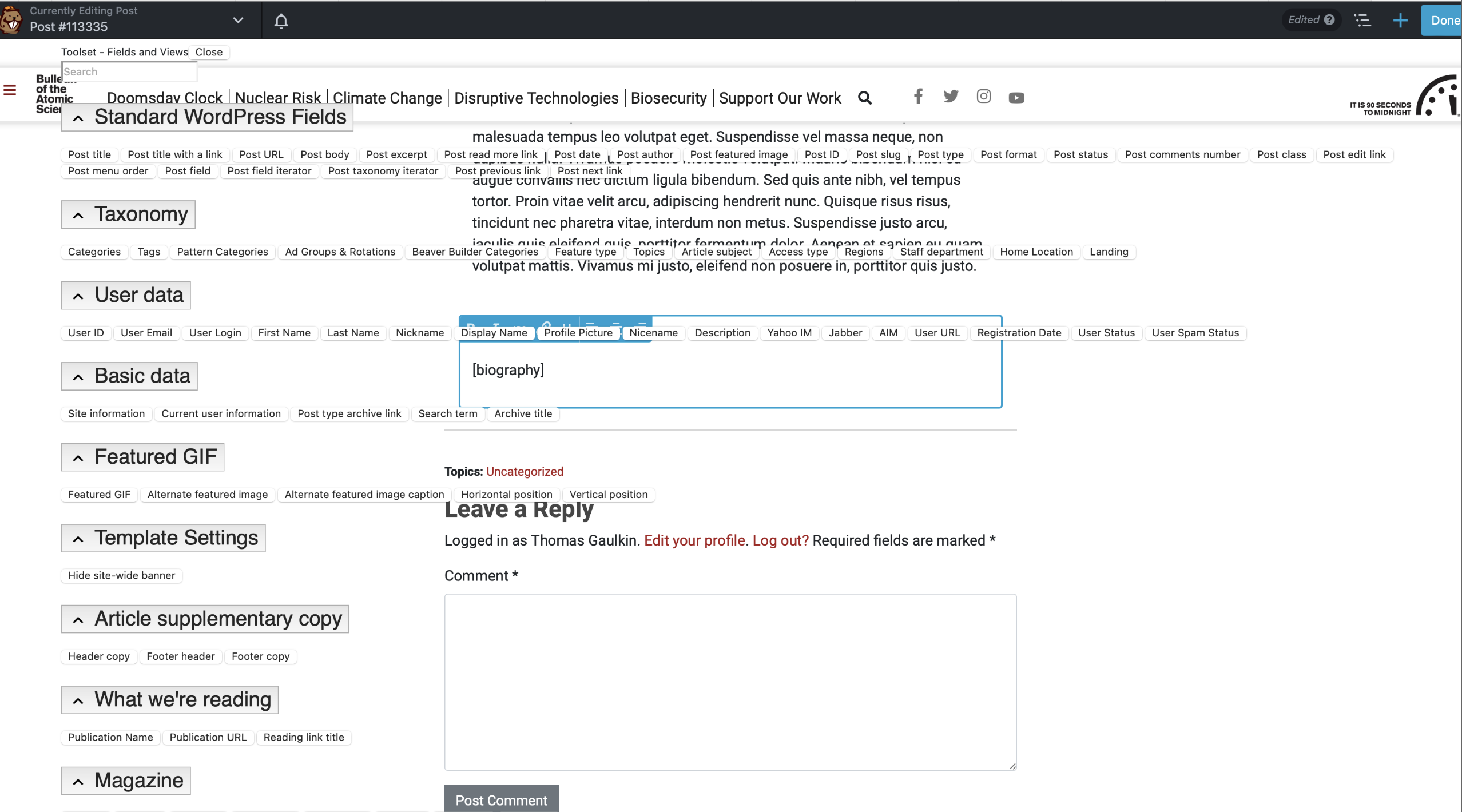
Screenshot 2024-06-10 at 1.29.06 PM.png
toolset-popup-fields.png

The Toolset plugin is not loading the toolset-shortcode.css file which is causing the Toolset “Fields & Views” popup in Beaver Builder to display as shown on the attached screenshot. Aside from being hard to read, it’s also non-functional below the viewport, that is, there are fields down there that can’t be reached.

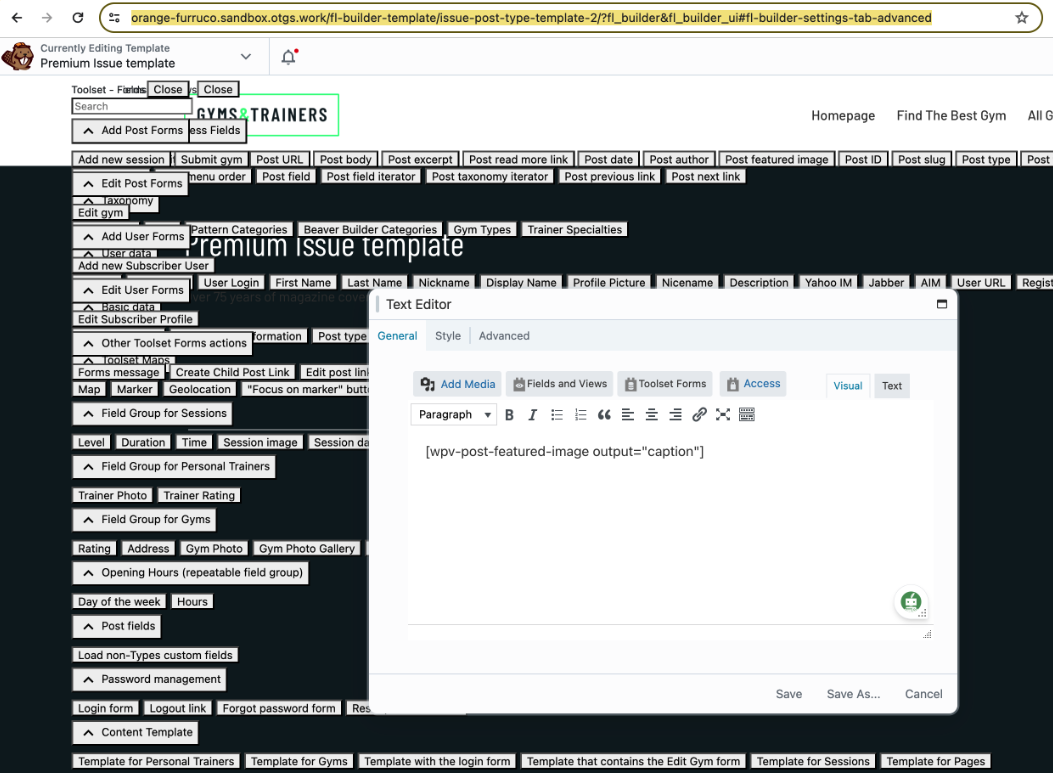
This issue also exists on the sandbox site that you provided. You can check it out here enlace oculto (screenshot also attached)

#2702006

Minesh
Colaborador

Idiomas: Inglés (English )

Zona horaria: Asia/Kolkata (GMT+05:30)

Hello. Thank you for contacting the Toolset support.

Can you please send me copy of the latest Beaver Builder plugin you are using?

When I try to check with the Beaver Builder Plugin (Lite Version) and I checked the page:
- enlace oculto

It shows nothing found so I guess it will require the Beaver Builder (Standard Version) to check the issue. You can either upload the same plugin to the above site or send me the zip to download it.

I have set the next reply to private which means only you and I have access to it.

#2702504

Thanks Minesh, I'll get this to you by early next week.

#2702517

Hi Minesh,
Can you set the next response to private again? I have the file now but I don't seem to be able to control the visibility of my response. Thanks!

#2703026

Minesh
Colaborador

Idiomas: Inglés (English )

Zona horaria: Asia/Kolkata (GMT+05:30)

I have set the next reply to private which means only you and I have access to it.

However - what if you test with the sandbox site with the Beaver Builder lite version?

Here is a sandbox site and you can auto-login to it using the following link:
- enlace oculto

Also - can you please share exact steps I will have to follow to see the issue?

#2703689
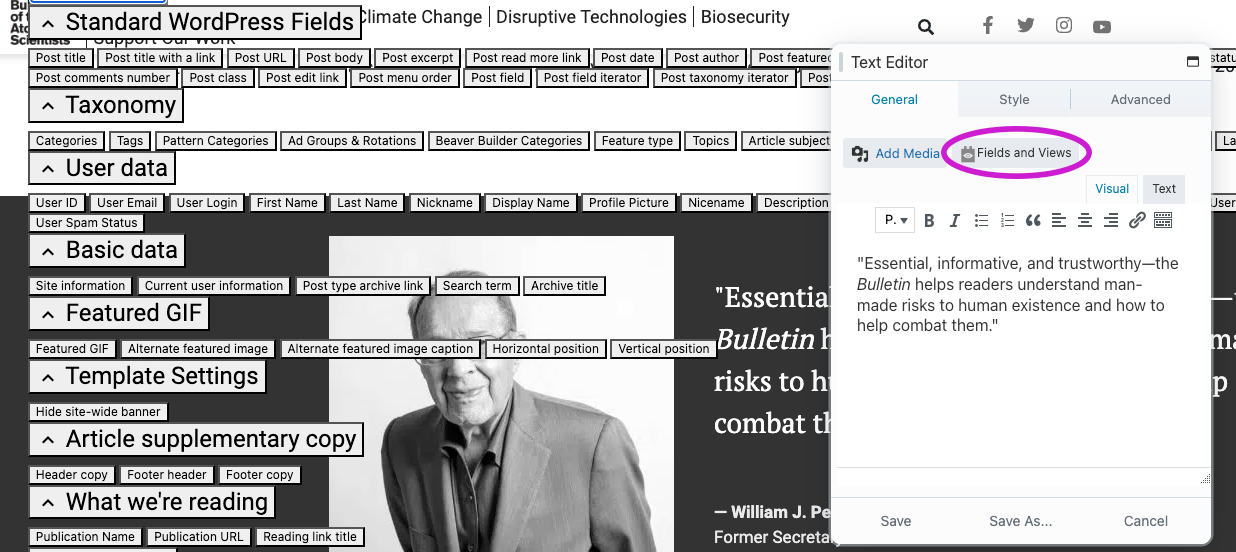
Toolset fields bug.png

Hi Minesh, thanks, you can download the standard version from here:
enlace oculto
To reproduce the issue, click in any Beaver module (e.g. Text Editor) and click "Fields and Views" (see attached screenshot). I think the issue may present also when you type in a shortcode directly.

#2704337

Minesh
Colaborador

Idiomas: Inglés (English )

Zona horaria: Asia/Kolkata (GMT+05:30)

Can you please try to add the following line of code to your theme's functions.php file:

add_filter( 'fl_builder_render_assets_inline', '__return_true' );

Do you able to see the popup working as expected.