Saltar navegación

[Resuelto] Stylesheet on Shop page is broken

This support ticket is created 2 years, 2 months ago. There's a good chance that you are reading advice that it now obsolete.

This is the technical support forum for Toolset - a suite of plugins for developing WordPress sites without writing PHP.

Everyone can read this forum, but only Toolset clients can post in it. Toolset support works 6 days per week, 19 hours per day.

Sun Mon Tue Wed Thu Fri Sat
- 10:00 – 13:00 10:00 – 13:00 10:00 – 13:00 10:00 – 13:00 10:00 – 13:00 -
- 14:00 – 18:00 14:00 – 18:00 14:00 – 18:00 14:00 – 18:00 14:00 – 18:00 -

Zona horaria del colaborador: Asia/Kolkata (GMT+05:30)

Este tema contiene 5 respuestas, tiene 2 mensajes.

Última actualización por Minesh 2 years, 2 months ago.

Asistido por: Minesh.

Autor
Mensajes
#2687491

Tell us what you are trying to do?
Suddenly all stylesheets made out of Toolset broke on the shop page I made. I cant recall that I have done anything, no updates or anything.

What is the link to your site?
enlace oculto

The red text is made out of kadence text block. Thats why I think Toolset is causing the issue.

#2687548

Minesh
Colaborador

Idiomas: Inglés (English )

Zona horaria: Asia/Kolkata (GMT+05:30)

Hello. Thank you for contacting the Toolset support.

Can you please tell me what is exactly broken and whats not working as expected.

Maybe few screenshots would be helpful that will help us to understand what is going wrong with your setup.

In addition to that - Could you please send me debug information that will help us to investigate your issue.
=> https://toolset.com/faq/provide-debug-information-faster-support/

#2687555
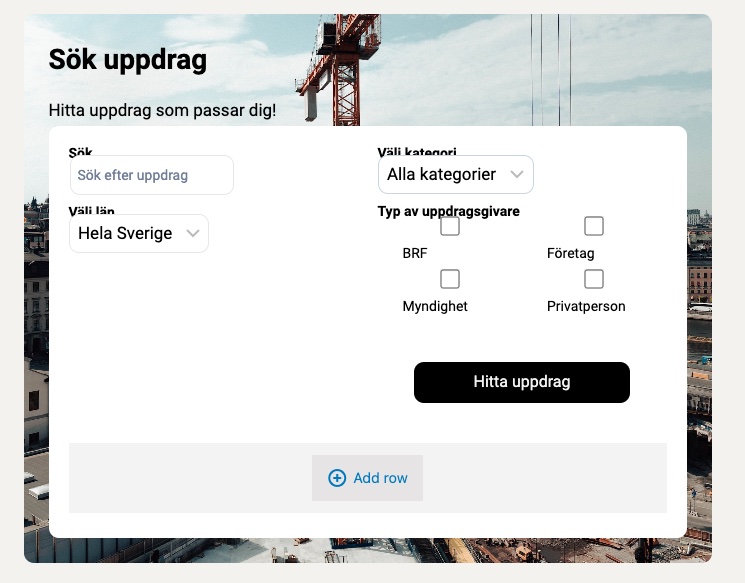
Screenshot 2 searchblock.jpg
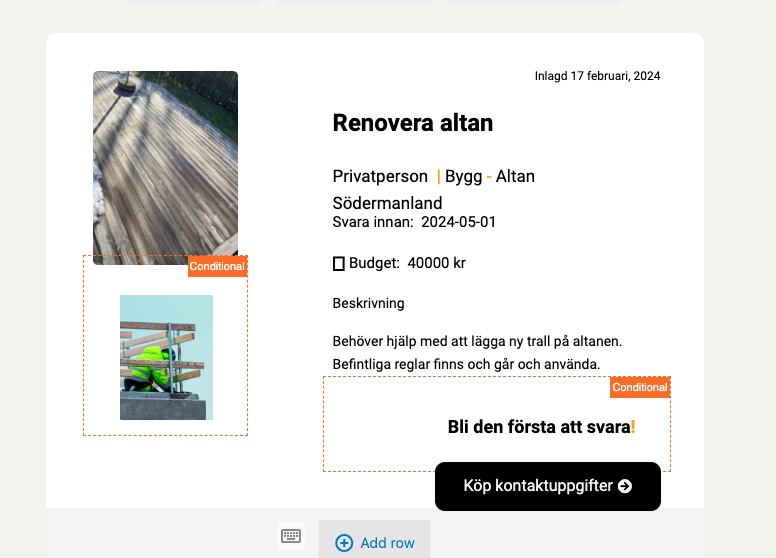
Screenshot 1.jpg

Hi Minish

Here's the debug info. I also add a image on the "searchbox" and the "output". As you can see the image background and the white background is missing. Also margins and paddings.

/ Tobias

#2687613

Minesh
Colaborador

Idiomas: Inglés (English )

Zona horaria: Asia/Kolkata (GMT+05:30)

What image you want to display as background and to what div?

I see you are using the plugin "WP Super Cache" - what if you try to disable that plugin for a moment and then check - do you see the expected results?

#2687766

Hi

I disabled the "WP Super Cache" but that made no difference.

But I copied the View to a new page and it worked. Even if if some padding behaved differently.

Here you can se how it should look: enlace oculto .

Do you have any ide why it behaving like this?

BR
Tobias

#2688081

Minesh
Colaborador

Idiomas: Inglés (English )

Zona horaria: Asia/Kolkata (GMT+05:30)

Maybe you did not added the view correctly or there could be a possible conflict between the theme or third-party plugins you use.