Saltar navegación

[Resuelto] Sort gallery images by file name

This support ticket is created 2 years, 10 months ago. There's a good chance that you are reading advice that it now obsolete.

This is the technical support forum for Toolset - a suite of plugins for developing WordPress sites without writing PHP.

Everyone can read this forum, but only Toolset clients can post in it. Toolset support works 6 days per week, 19 hours per day.

Sun Mon Tue Wed Thu Fri Sat
- 10:00 – 13:00 10:00 – 13:00 10:00 – 13:00 10:00 – 13:00 10:00 – 13:00 -
- 14:00 – 18:00 14:00 – 18:00 14:00 – 18:00 14:00 – 18:00 14:00 – 18:00 -

Zona horaria del colaborador: Asia/Kolkata (GMT+05:30)

Este tema contiene 1 respuesta, tiene 2 mensajes.

Última actualización por Minesh 2 years, 10 months ago.

Asistido por: Minesh.

Autor
Mensajes
#2627227
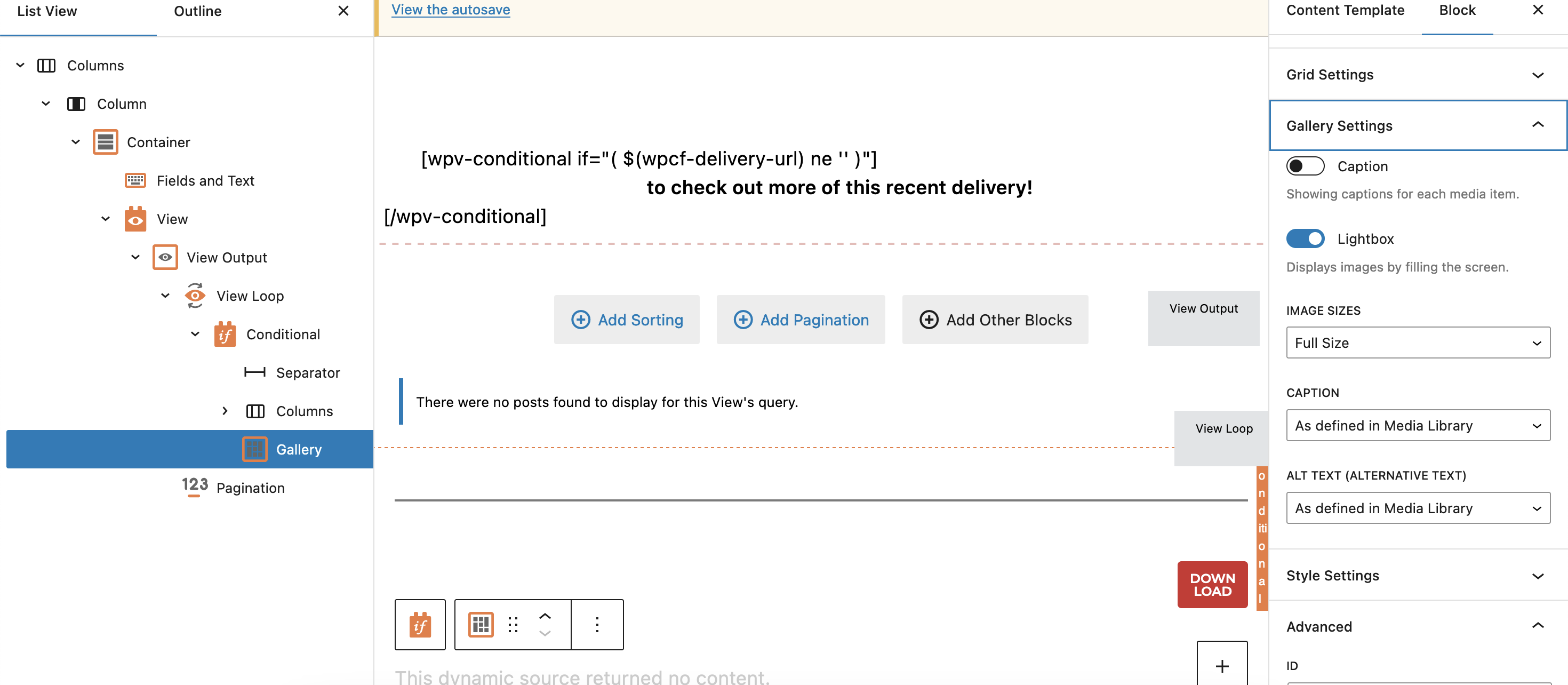
Screenshot 2023-07-26 at 3.41.40 pm.png

Tell us what you are trying to do? For example on this entry - enlace oculto, client would want to sort the images by file name. It seems that the images are displayed by date. I'm referring to photos on - 07-21-23 on this example. If it's sorted by file name, the first one should be - enlace oculto then followed by enlace oculto and so on and so forth.

Is there any documentation that you are following? No. But looking at the gallery settings, I can't find any options available, see attached

Is there a similar example that we can see? No

What is the link to your site? enlace oculto

#2627269

Minesh
Colaborador

Idiomas: Inglés (English )

Zona horaria: Asia/Kolkata (GMT+05:30)

Hello. Thank you for contacting the Toolset support.

There is no such option available as of now to sort the gallery block images by filename alphabetically.

You may use and add some custom JS to sort the images, following links may help you:
=> https://stackoverflow.com/questions/12814212/how-to-sort-by-image-src-name-for-all-li-under-a-ul
=> https://stackoverflow.com/questions/13168657/how-to-sort-div-content-in-descending-order-by-image-name