Saltar navegación

[Resuelto] Site key not matching

This support ticket is created 4 years, 4 months ago. There's a good chance that you are reading advice that it now obsolete.

This is the technical support forum for Toolset - a suite of plugins for developing WordPress sites without writing PHP.

Everyone can read this forum, but only Toolset clients can post in it. Toolset support works 6 days per week, 19 hours per day.

Sun Mon Tue Wed Thu Fri Sat
- 9:00 – 12:00 9:00 – 12:00 9:00 – 12:00 9:00 – 12:00 9:00 – 12:00 -
- 13:00 – 18:00 13:00 – 18:00 13:00 – 18:00 14:00 – 18:00 13:00 – 18:00 -

Zona horaria del colaborador: America/Jamaica (GMT-05:00)

Este tema contiene 1 respuesta, tiene 2 mensajes.

Última actualización por Shane 4 years, 4 months ago.

Asistido por: Shane.

Autor
Mensajes
#2278593
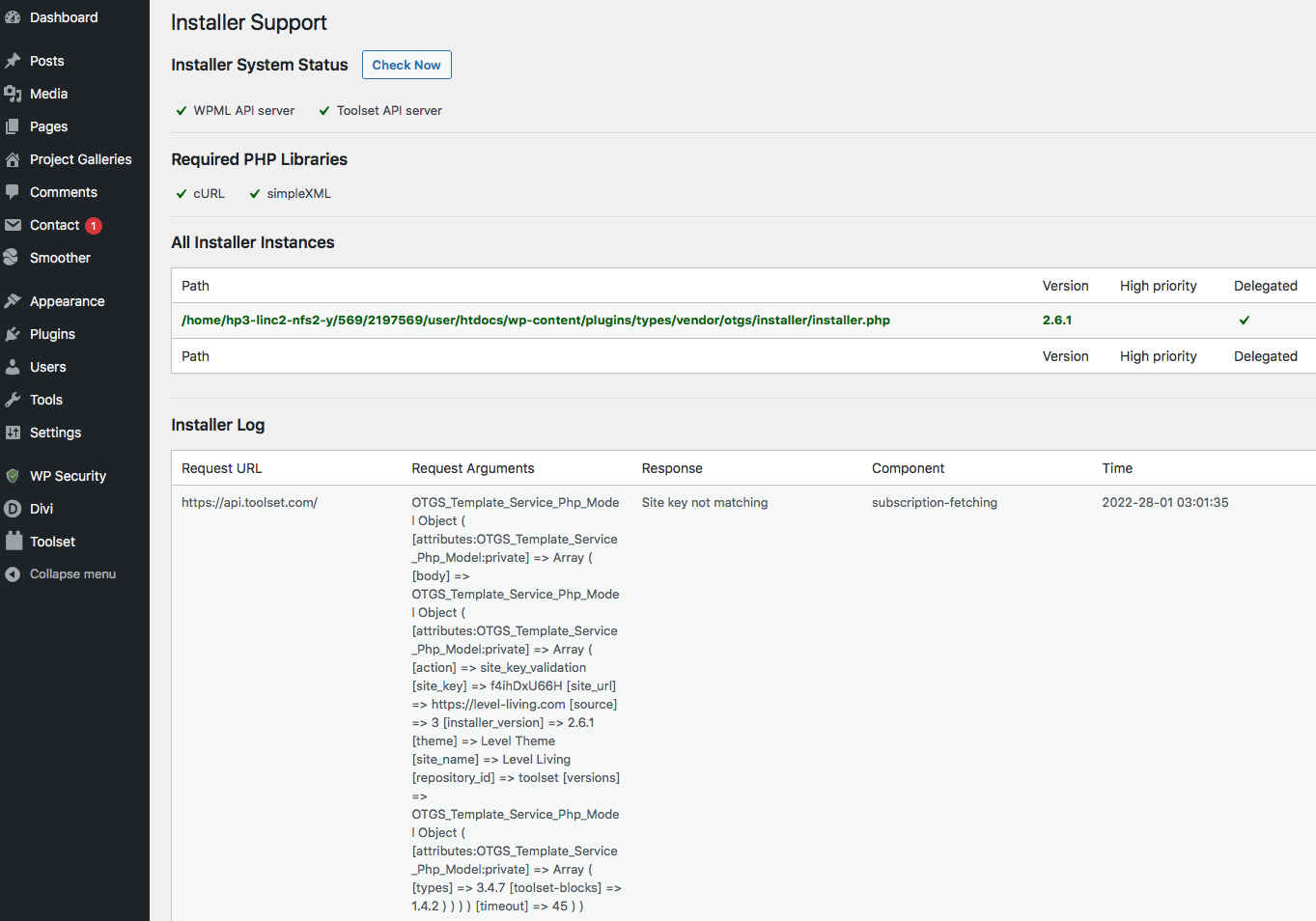
Screen Shot 2022-01-28 at 16.45.52.png

Had a developer build this site and no the plugin needed updating so I JUST purchased it and entered the new KEY.
I have an error Site key not matching - website is: enlace oculto

OTGS_Template_Service_Php_Model Object ( [attributes:OTGS_Template_Service_Php_Model:private] => Array ( [body] => OTGS_Template_Service_Php_Model Object ( [attributes:OTGS_Template_Service_Php_Model:private] => Array ( [action] => site_key_validation [site_key] => f4ihDxU66H [site_url] => enlace oculto [source] => 3 [installer_version] => 2.6.1 [theme] => Level Theme [site_name] => Level Living [repository_id] => toolset [versions] => OTGS_Template_Service_Php_Model Object ( [attributes:OTGS_Template_Service_Php_Model:private] => Array ( [types] => 3.4.7 [toolset-blocks] => 1.4.2 ) ) ) ) [timeout] => 45 ) )

#2278695

Shane
Colaborador

Idiomas: Inglés (English )

Zona horaria: America/Jamaica (GMT-05:00)

Hi Ben,

Thank you for getting in touch.

The best way to generate the site key is by following the instructions in the link below.
https://toolset.com/faq/how-to-install-and-register-toolset/#automatic-installation-once-you-have-types-plugin-installed

Paying close attention to step 3.

Once you've done this go to Dashboard ->Updates and click Check Again and the warning notice should no longer appear.

Thanks,
Shane