So we implemented search filters for our pages in the links below : enlace oculto enlace oculto
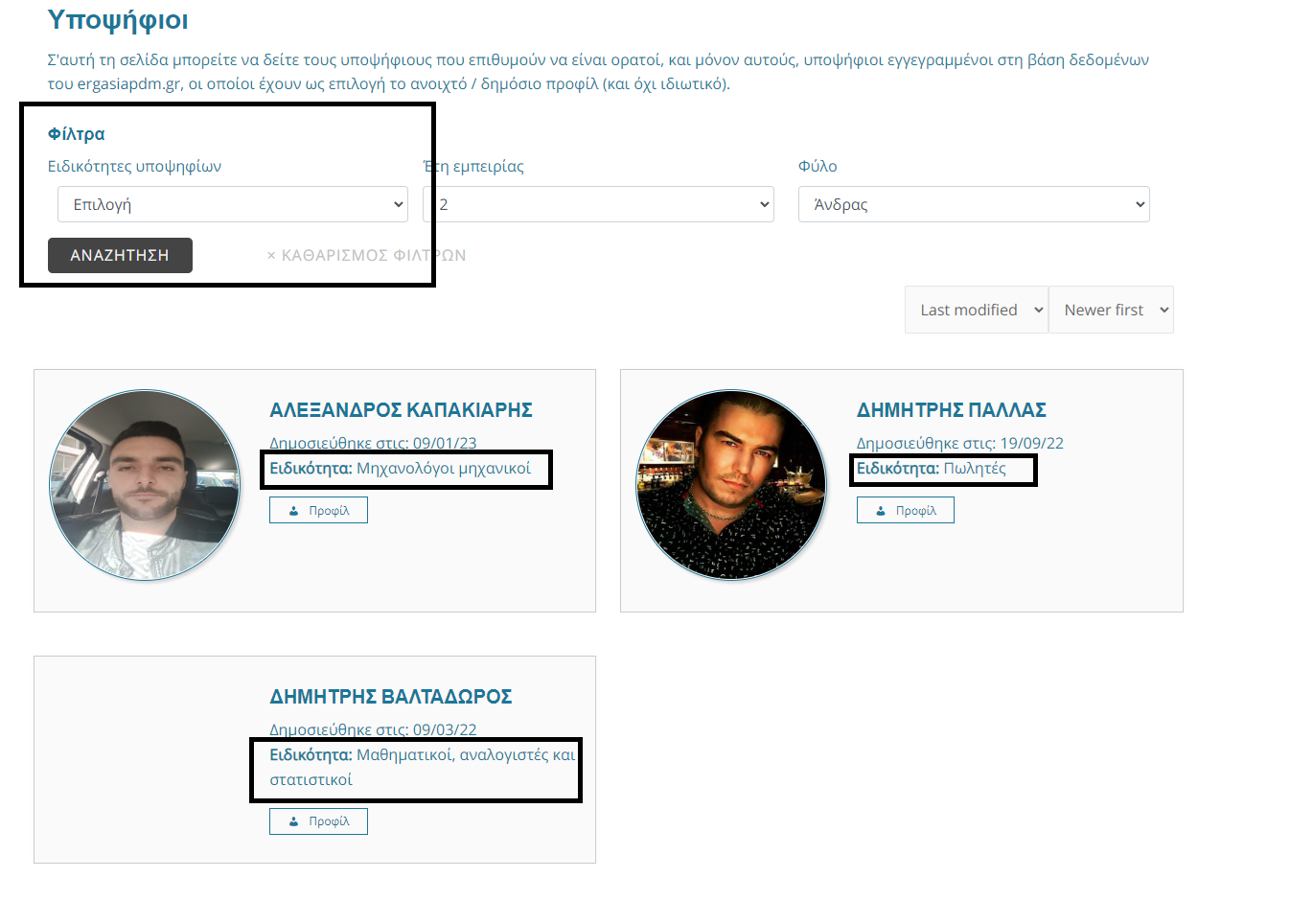
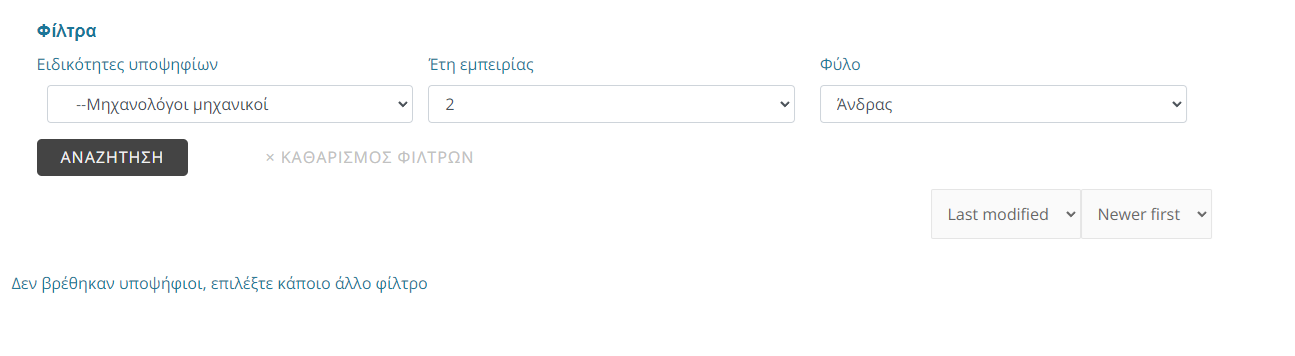
For the candidate-profile page the only filter working is Gender ( the last one ), all the others just don't generate any results even though there are instances in the database.
None of them work correctly. The implementation is the same as for this page: enlace oculto
but in this one the filter works correctly and the search returns results correctly.
Hello. Thank you for contacting the Toolset support.
On the following page: enlace oculto
I can see no options with the Gender and "Years of experience" search filter. Do you mean other search filters should also offer no options?
Can you please share few search criteria and also share your expected result and let me review whats going wrong with your setup.
*** Please make a FULL BACKUP of your database and website.***
I would also eventually need to request temporary access (WP-Admin and FTP) to your site. Preferably to a test site where the problem has been replicated if possible in order to be of better help and check if some configurations might need to be changed.
I have set the next reply to private which means only you and I have access to it.
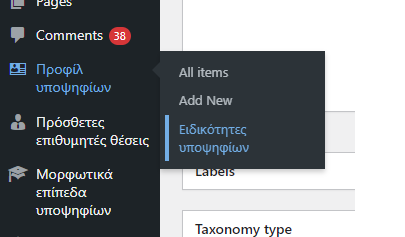
Below are also the results. For this particular search filter 'Μηχανολόγοι μηχανικοί' it should return the first result: 'ΑΛΕΞΑΝΔΡΟΣ ΚΑΠΑΚΙΑΡΗΣ' but doesnt. The first column is a taxonomy called 'Ειδικότητες Υποψηφίων' you can find it under 'Πρόσθετες επιθυμητές θέσεις' in the dashboard. Check out the image for reference
This is really strange and I checked and see that its not working on your site.
But then I've created the following sandbox site and you can auto-login to it using the following link:
- enlace oculto
As you can see with above sandbox site, I try to export your post types and taxonomies with the content:
Post type: enlace oculto
taxonomy: enlace oculto
And then I created the following View:
- enlace oculto
And on frontend when I try to filter the post I can see it working:
- enlace oculto
I'm not sure why its not working on your site.
In order to minimize the cause of the issue and to ensure there is no conflict with the plugin(s)/theme you use:
Could you please try to resolve your issue by deactivating all third-party plugins as well as the default theme to check for any possible conflicts with any of the plugins or themes?
- Do you see any difference? if no: