Hi,
I have this simple page on which I want to display a grid of images. Clicking the image will link to the relevant post.
The page URL: enlace oculto
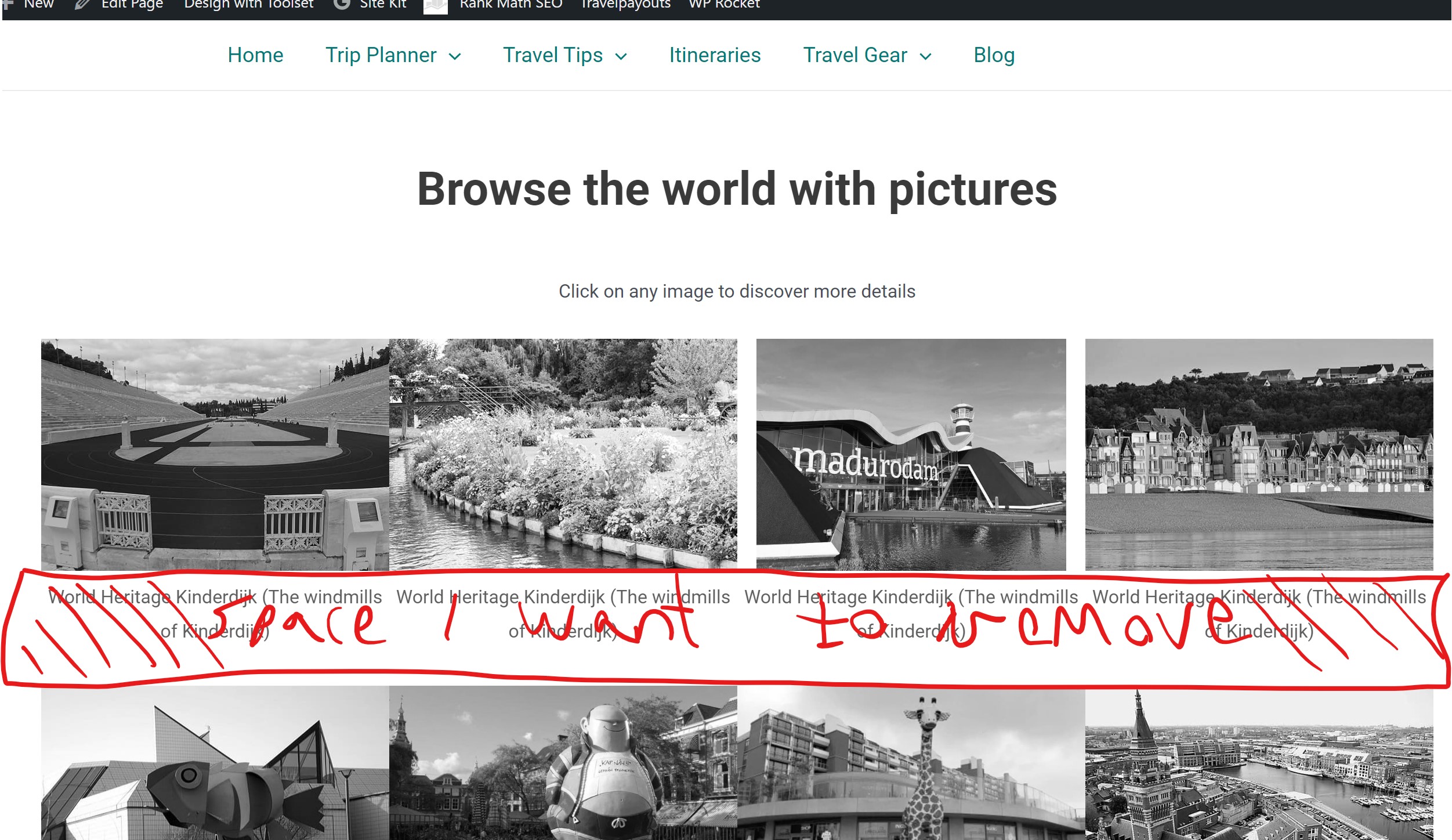
As you can see, I have space between the rows that I'm unable to remove. I'm pretty sure it's related to the caption but can't remove this gap with CSS.
Could you please advise what to do to resolve this?
In addition, if possible, I would like the image to be in grayscale and on mouse hover display in full color. Is this possible with Toolset view?
Thanks in advance,
Nadav
Hi Nadav,
Thank you for getting in touch.
Can you perhaps provide a screenshot of the image area with the issue as the spacing between the images appear fine to me.
In addition, if possible, I would like the image to be in grayscale and on mouse hover display in full color. Is this possible with Toolset view?
This is something that is not possible with views. This will require a custom solution to achieve. I went ahead and did a quick search for solutions and found the one below.
https://stackoverflow.com/questions/7273927/image-greyscale-with-css-re-color-on-mouse-over
Please let me know if this helps.
Thanks,
Shane
Hi Shane,
The grayscale to color link you sent is awesome, and it works perfectly.
About the spacing, please see attached image. It also shows the caption, even though it's marked as no caption in the setting (but this is a known issue I experienced on other Toolset views and removed with CSS).
Thanks,
Nadav
Hi Nadav,
Perhaps you can try this to remove the caption.
figcaption{
display: none;
}
Once you've done that we can work on reducing the space.
Thanks,
Shane
Hi,
That didn't work for some reason, but I've added the following code, and the caption is now removed:
.tb-image-caption {
display: none;
}
I still have space I wish to remove.
Thanks
Hi Nadav,
For the space try using this css.
.wp-block-image{
margin-bottom: -23px;
}
Thanks,
Shane
My issue is resolved now. Thank you!