I am trying to:
Use pagination LINKS produced multiple numbers instead of shorten it
Link to a page where the issue can be seen:
enlace oculto
enlace oculto (this one is live)
I expected to see:
less pagination pages
Hello,
You can edit the page you mentioned above:
enlace oculto
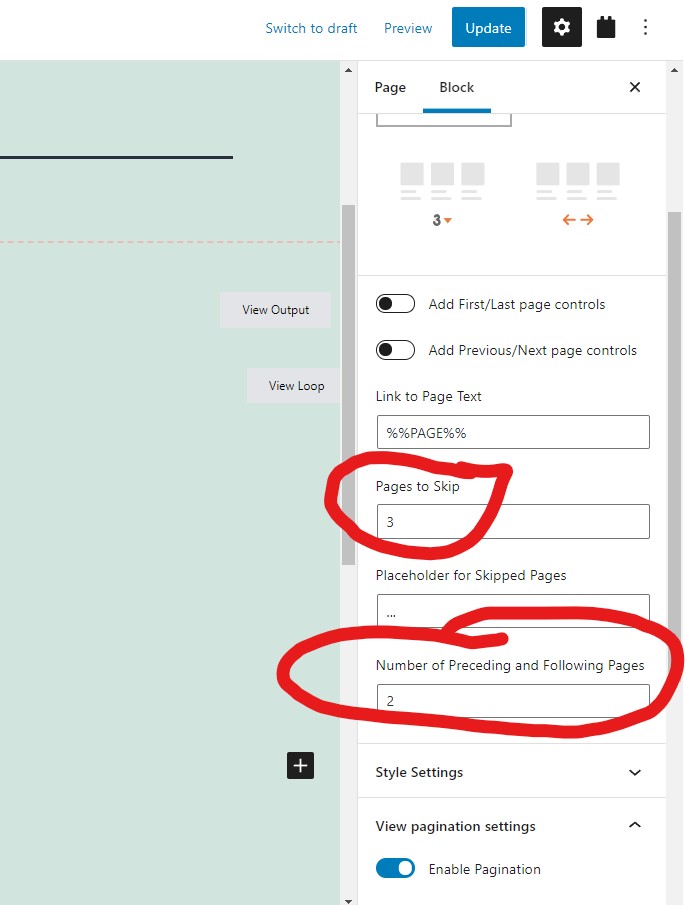
Find and select the pagination block, customize it to what you want, see my screenshot pagination3.JPG
More help:
https://toolset.com/documentation/programmer-reference/views/views-shortcodes/#vf-344030
Hello,
Many thanks, I already wondered what that was. It is confusing, because when you 'add' pagination it shows this in the editor:
enlace oculto here it is already 'nicely' automatically skipped.
When I follow the settings, I don't know how to get the 'same results' as the one in the editor:
enlace oculto
Settings: pages to skip 3, number preceding 1.
Because the pagination should be 'dynamic' depending on how many results we get. Is it possible to display the same as it is displayed in the 'editor' view which does it automatically depending on the results?
I can not see your screenshots, please upload them directly to our forum.
option "Pages to Skip" fill value: 10 or larger number
option "Number of Preceding and Following Pages" fill value: 1
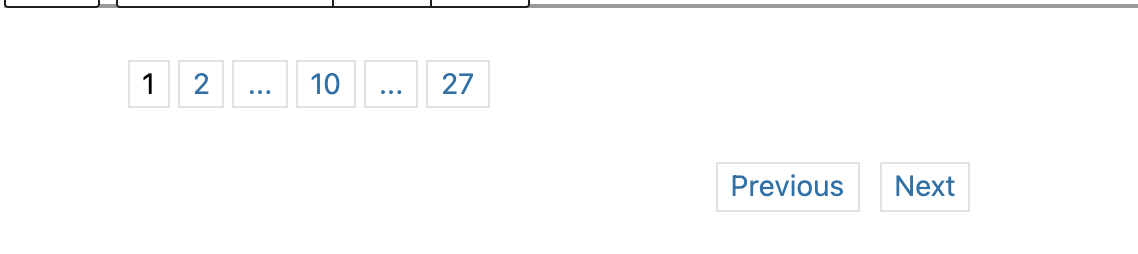
Thank you, but this is what I get. It would be good if it is possible to have a 'shorter' pagination. Or is this not possible? (if we put in hard values like skip 10 pages, this means that small and large results will get the same treatment rather than: 1,2,3 ... 150 ... 301, 302, 303. Right?
As I mentioned above, you can use higher number in option "Pages to Skip", for example, the total page is 200, you can use value 100
Thank you, I guess were are repeating to each other. I understand now that what I was requesting: automatic (?) skip/next pagination is not available. If I hard code the number of pages in 'skip' value, that wouldn't work for my situation since it will depend on the search results. Some search results only return < 10 pages and some return 200+ pages, so if the skip value is 100, it wouldn't be flexible to accommodate this.
Thanks, didn't know this limitation previously.
You can try to setup "Pages to Skip" value as empty, then it will skip all other paginations.
Thanks, I managed to do as you said, leave 'skip' with no value, but the 'text for next link' with value 1.
Now the pagination starts with 1,2 ... 52. That works for me, it shows how many pages are there in total and they can easily go to the next page if needed.