Saltar navegación

[Resuelto] New page with toolset didn't show up at front end

This support ticket is created 4 years, 1 month ago. There's a good chance that you are reading advice that it now obsolete.

This is the technical support forum for Toolset - a suite of plugins for developing WordPress sites without writing PHP.

Everyone can read this forum, but only Toolset clients can post in it. Toolset support works 6 days per week, 19 hours per day.

Sun Mon Tue Wed Thu Fri Sat
- 9:00 – 12:00 9:00 – 12:00 9:00 – 12:00 9:00 – 12:00 9:00 – 12:00 -
- 13:00 – 18:00 13:00 – 18:00 13:00 – 18:00 14:00 – 18:00 13:00 – 18:00 -

Zona horaria del colaborador: America/Jamaica (GMT-05:00)

Este tema contiene 2 respuestas, tiene 2 mensajes.

Última actualización por ritaZ 4 years, 1 month ago.

Asistido por: Shane.

Autor
Mensajes
#2358981
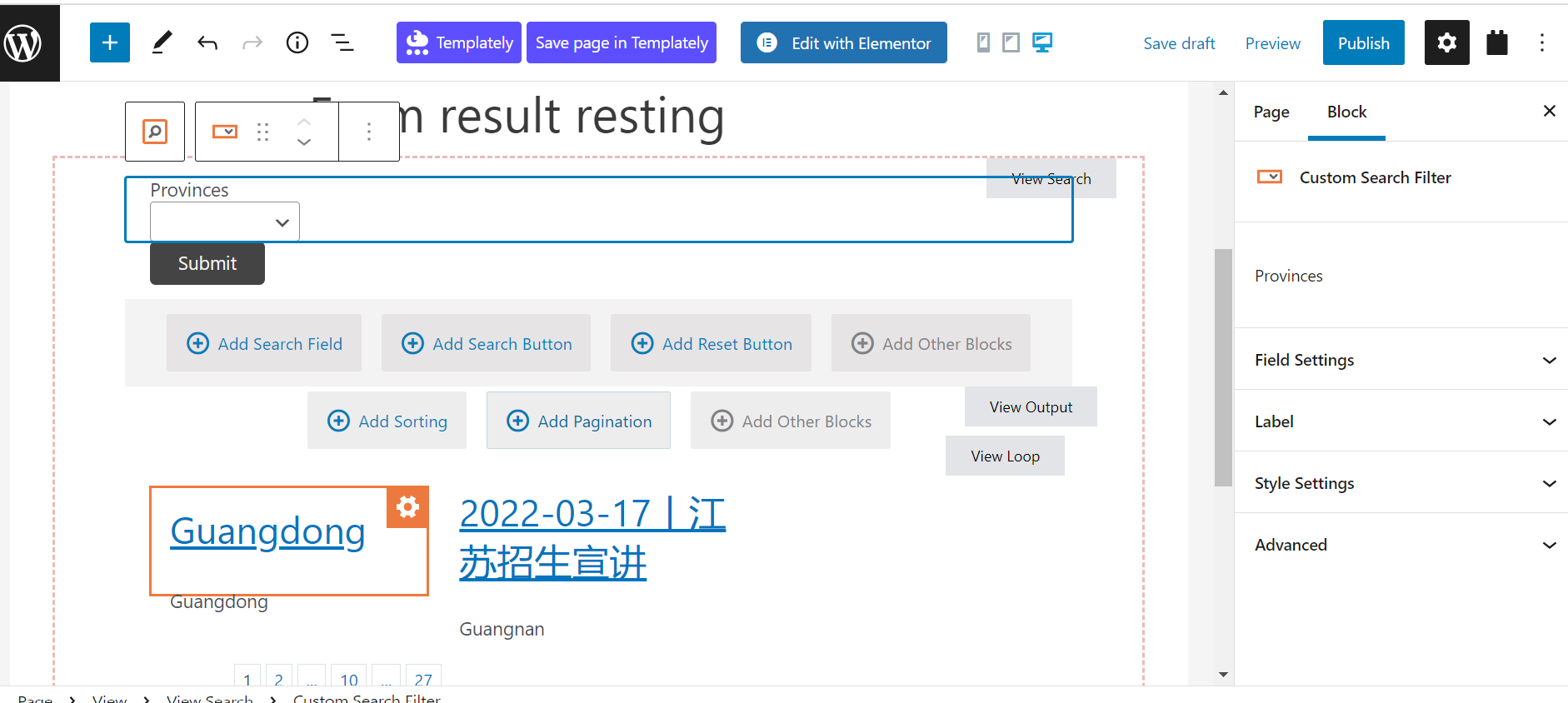
custom view.png

Hello Support,

I followed this https://toolset.com/course-lesson/creating-a-custom-search/ to create search form. I've done:
Created new Post Type
Created new Toxonomy and linkted to Post Type
Created new Post with my custom Post Type
Created new page to display search form with view blocks, we can see some content from the view loop which seems okay.

When I created Preview, it went to a new link for my created Page but it didn't show up the search form. I saw my main page with nothing about the search form. Any idea why this happened?

I'm also using Elementor to design most of our pages and posts.
Thanks

#2359079

Shane
Colaborador

Idiomas: Inglés (English )

Zona horaria: America/Jamaica (GMT-05:00)

Hi Rita,

Thank you for getting in touch.

In order understand what is happening here I will need see the debug data on your site. You can follow the instructions in the link below to provide me with the debug data.

https://toolset.com/faq/provide-debug-information-faster-support/

Thanks,
Shane

#2360385

My issue is resolved now. Thank you!