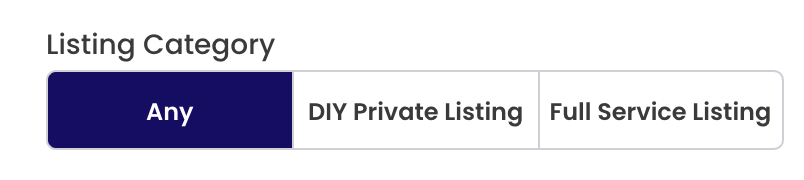
Tell us what you are trying to do?
I need to show all field values on my radio button in my custom search filter in views block. I couldn't find any option that will allow it. In the Field Settings, I can only have either "Using existing custom values" or "Using manually entered values".
How it should look would show in the screenshot I've attached.
Hello. Thank you for contacting the Toolset support.
As I understand - you want to display all filter options by default when view is loaded. If this is correct - you can select your view block and within the "Custom Search" tab on right hand side disable the option "Show only filter options that would produce results" and save your view/page.
Please check the following screenshot.
=> enlace oculto
Can you please share admin access details and let me check whats going wrong with your setup.
*** Please make a FULL BACKUP of your database and website.***
I would also eventually need to request temporary access (WP-Admin and FTP) to your site. Preferably to a test site where the problem has been replicated if possible in order to be of better help and check if some configurations might need to be changed.
I have set the next reply to private which means only you and I have access to it.
I checked on your install and I found that you are using two custom filed with the same name "Listing Category" where "Listing Category" field you created using Toolset Types and another "Listing Category" field is created using ACF.
Can you please confirm that you want to use "Listing Category" field you created using Types plugin - correct?
Toolset has limited control over the fields you created using the ACF plugin and there are limited field types that you can managed with Types like single line, multiline email etc..etc..
So, there are two ways either you should add the filter for the field you created using Types plugin or use option that is available with your filter "Using manually entered values" and add the options and values for the options you would like to display as frontend filter options.