Hello,
I have a multisite setup with 3 sub-sites. And I'm using the code in provided link below to display same level taxonomies.
https://toolset.com/forums/topic/how-to-display-same-level-taxonomies-or-categories-on-archive-page/
https://toolset.com/forums/topic/display-for-taxonomy-archive-list-of-other-terms-of-the-same-level/#post-1210594
The method was working in 2/3 of the multisite. But same code does not work with the third site.
enlace oculto
I couldn't figure out what did I missed. Would you please help?
Hello and thank you for contacting Toolset support.
I assume that you have added the custom code in the Toolset->Settings->Custom Code section, right? If that's the case, make sure that the snippet is active. Check this screenshot enlace oculto
If that's not the case, please allow me temporary access to your website and let me check this closely. Your next reply will be private to let you share credentials safely. ** Make a database backup before sharing credentials. **
I confirm the WordPress credentials are working. The FTP credentials are not working for me.
However, I don't find where the shortcode is used. I checked the archive template and a view that seems to generate the child terms:
- enlace oculto
- enlace oculto
I think I am missing something, especially because I don't know Chinese. So, I'll need your help, maybe some screenshots to understand what works on the other subsites, that does not work on this subsite.
Hi,
Thank you for helping! Sorry about the confusion.
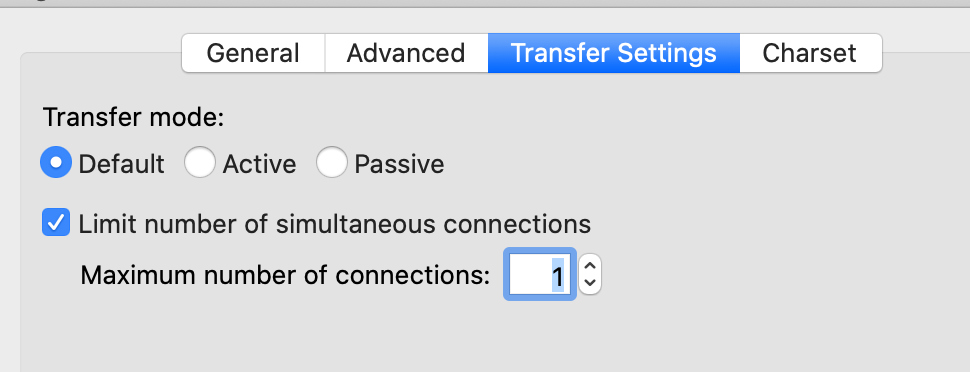
If you are using FileZilla, you should probably check the "Limit number of simultaneous connections" to 1. It's in Transfer Settings tab. Please see the attached screenshot.
For the wp archive page custom code, Please go to the link
enlace oculto
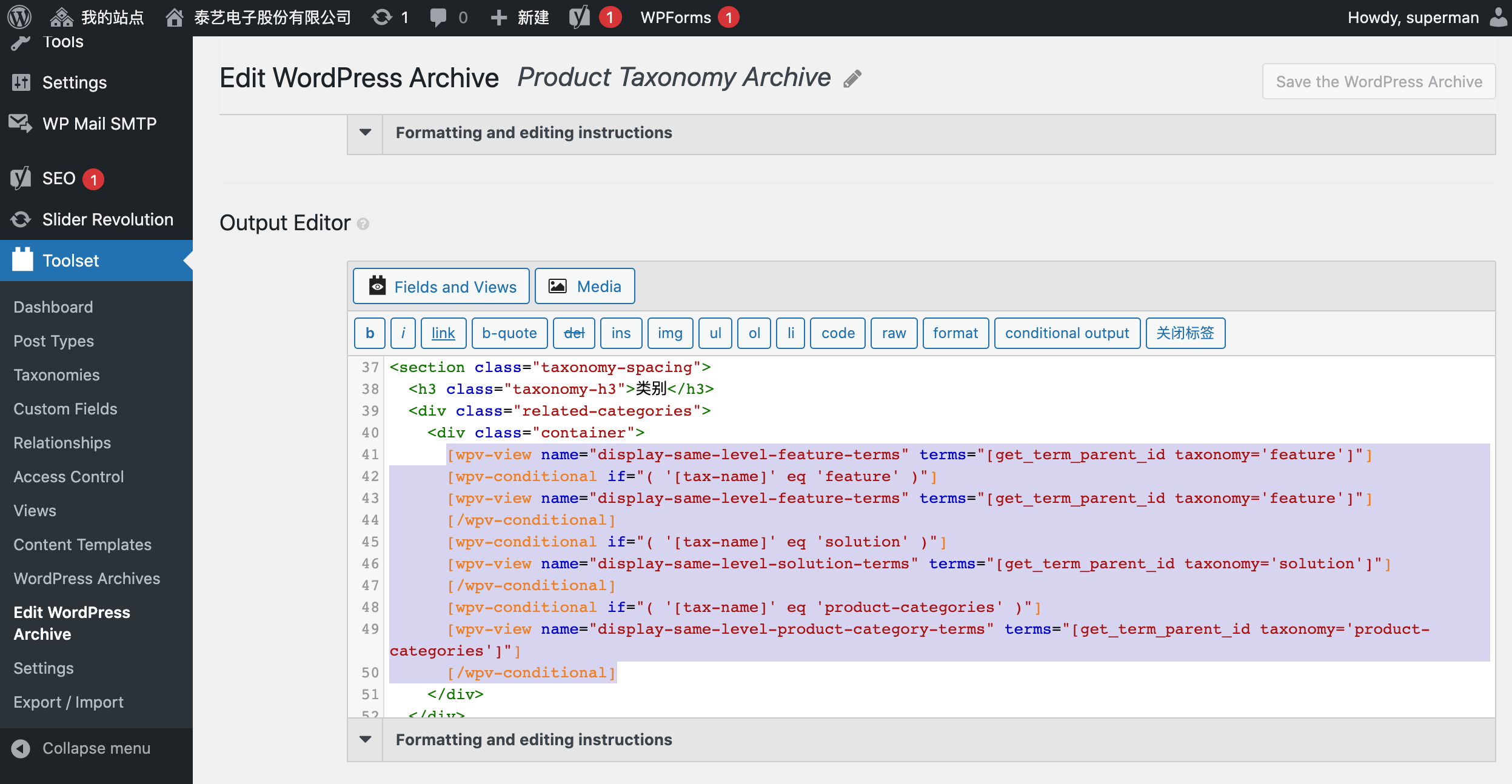
The shortcode is used in Output Editor, line 41-50. Please see the attached screenshot.
The nested shortcode to generate the taxonomy list are here
enlace oculto
enlace oculto
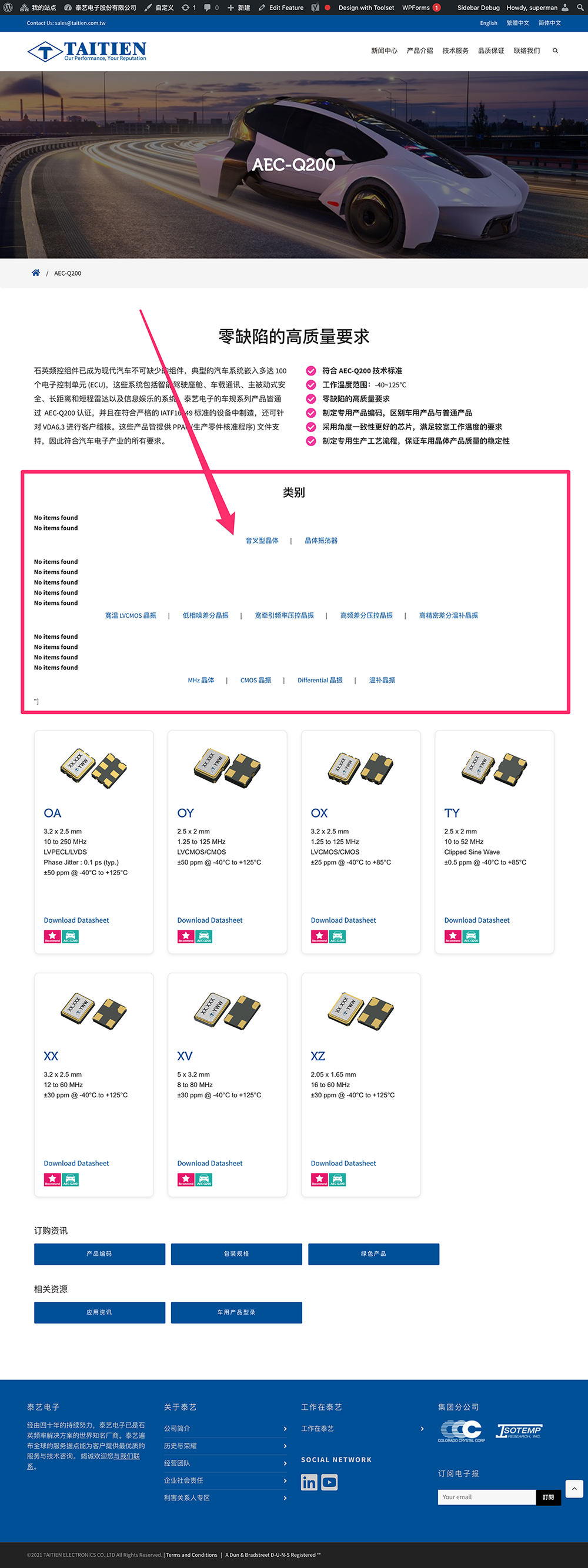
To see it in frontend
enlace oculto
I circled the problem area in screenshot. It has extra '] characters.
The correct list should looks like the Related Categories on this page.
enlace oculto
Hello and my apologies for the late reply, but I do not work on Wednesdays and Thursdays and I did not get the chance to work on this on Friday. I worked on it yesterday and today, and I was trying to find out what's the issue with the code.
In the end, it is a rather easy solution, but I did not think about it at first. To be able to use a shortcode within Toolset shortcodes, it has to be registered in Toolset->Settings->Front-end Content(tab)->Third-party shortcode arguments as you can see on this screenshot enlace oculto
Once again, my apologies for the late reply, and I hope this helps. Let me know if you have any questions.
My issue is resolved now. Thank you!