Saltar navegación

[Cerrado] Invalid site key for the current site.

This support ticket is created 3 years, 1 month ago. There's a good chance that you are reading advice that it now obsolete.

This is the technical support forum for Toolset - a suite of plugins for developing WordPress sites without writing PHP.

Everyone can read this forum, but only Toolset clients can post in it. Toolset support works 6 days per week, 19 hours per day.

Este tema contiene 2 respuestas, tiene 2 mensajes.

Última actualización por Christopher Amirian 3 years, 1 month ago.

Asistido por: Christopher Amirian.

Autor
Mensajes
#2609085
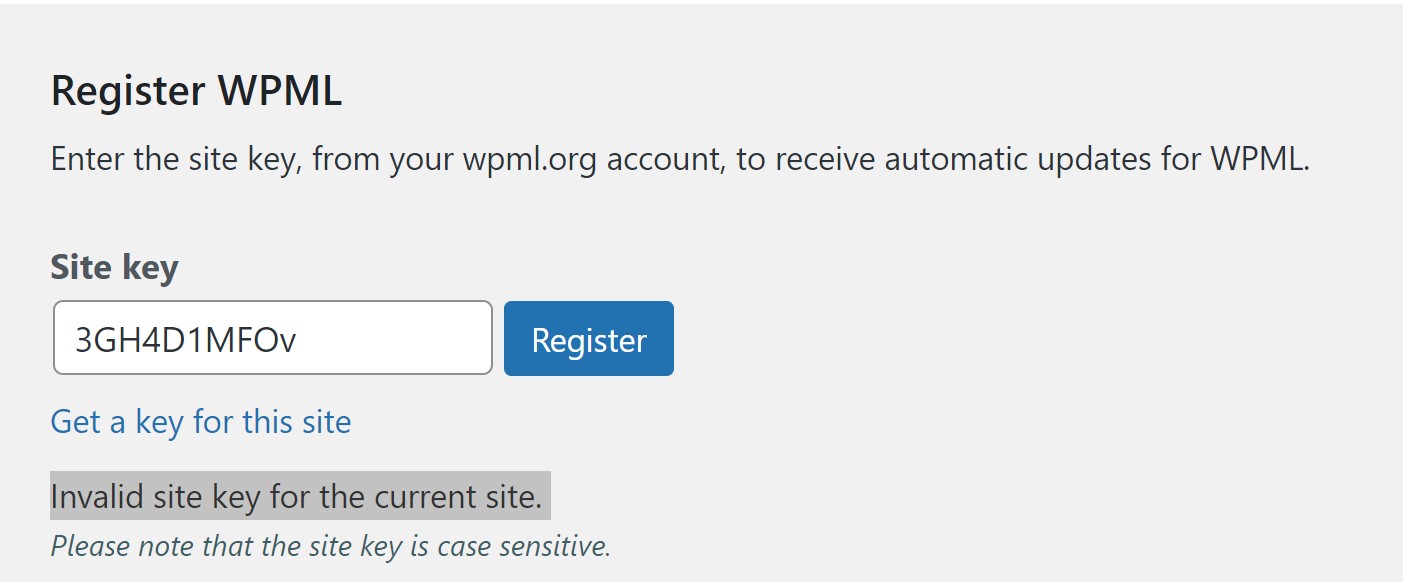
toolset-screenshot.jpg

I am trying to: register the site key for this site, have deleted old key and created a new one however still getting the message that the site key is invalid.

Link to a page where the issue can be seen: enlace oculto

I expected to see: The site key as listed on my Toolset account.

Instead, I got: an error message saying Invalid site key for the current site.

Renewal was paid yesterday.

#2609161

Christopher Amirian
Colaborador

Idiomas: Inglés (English )

Hi there,

I entered your website and removed the expired message.

Would you please follow the steps below?

- Go to https://toolset.com/account/sites/
- Remove the site keys for the website from the table.
- Follow the steps below to register Toolset:

https://toolset.com/faq/how-to-install-and-register-toolset/#automatic-installation-once-you-have-otgs-installer-plugin-installed

Thanks.

#2609431
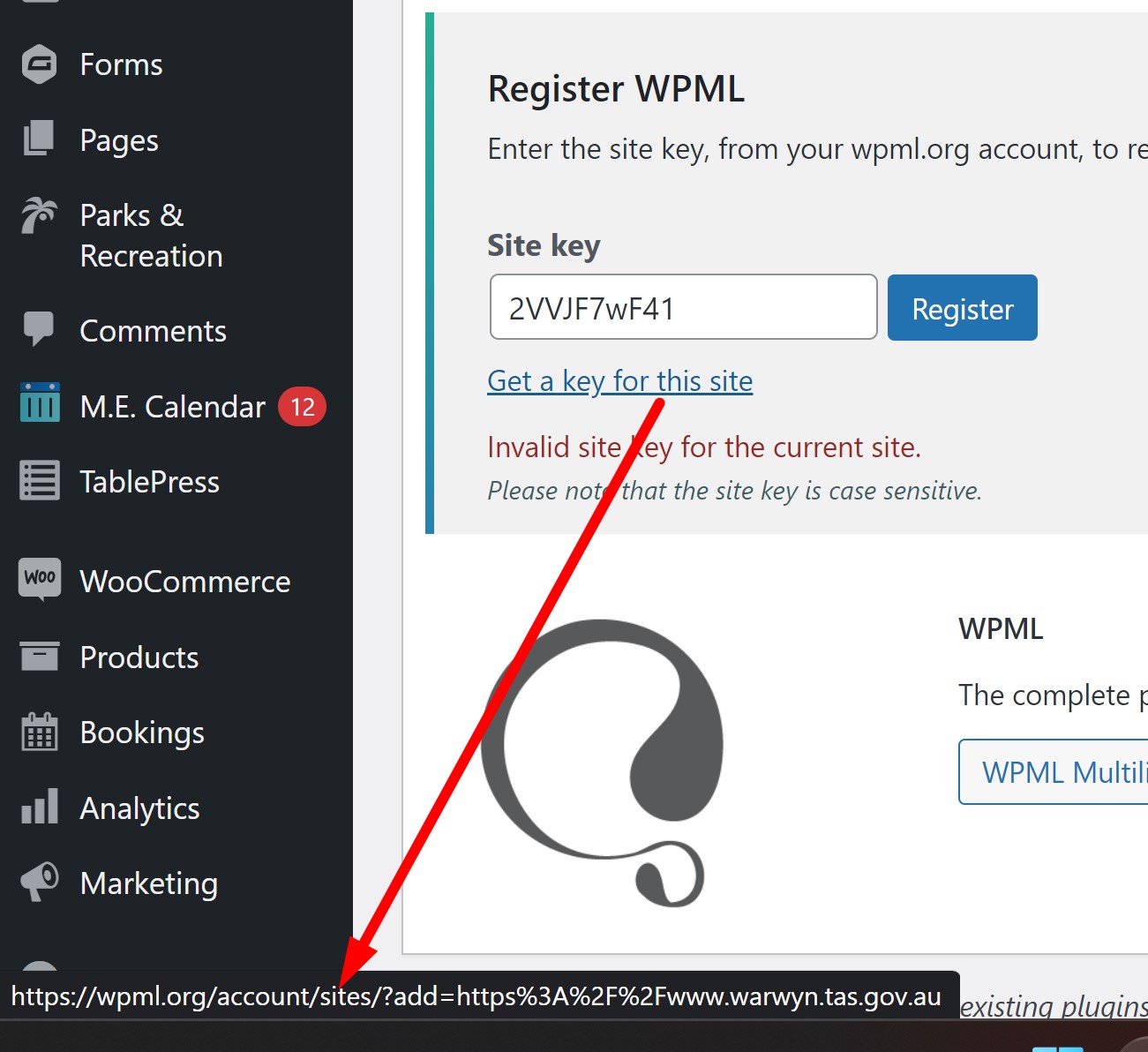
toolset-support2.jpg

This didnt work.

The URL attached to the "get a key for this site" link in my WP dashboard (see screengrab) goes to wpml.org and we dont have an account on that site, only on toolset.com

I attempted to renew the licence via Toolset.com and again we have the same issue with the newly issued key not being recognised.

I find this extremely frustrating.

Regards
Brett Drinkwater
for
Niche Ignite

El debate ‘[Cerrado] Invalid site key for the current site.’ está cerrado y no admite más respuestas.