Saltar navegación

[Resuelto] image slider crop not working

This support ticket is created 4 years, 5 months ago. There's a good chance that you are reading advice that it now obsolete.

This is the technical support forum for Toolset - a suite of plugins for developing WordPress sites without writing PHP.

Everyone can read this forum, but only Toolset clients can post in it. Toolset support works 6 days per week, 19 hours per day.

Sun Mon Tue Wed Thu Fri Sat
- 9:00 – 12:00 9:00 – 12:00 9:00 – 12:00 9:00 – 12:00 9:00 – 12:00 -
- 13:00 – 18:00 13:00 – 18:00 13:00 – 18:00 14:00 – 18:00 13:00 – 18:00 -

Zona horaria del colaborador: America/Jamaica (GMT-05:00)

Este tema contiene 3 respuestas, tiene 2 mensajes.

Última actualización por corineV 4 years, 5 months ago.

Asistido por: Shane.

Autor
Mensajes
#2239931
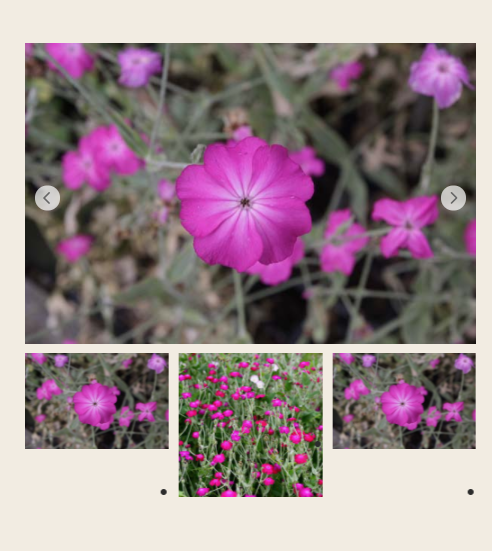
Schermafbeelding 2021-12-08 om 16.45.49.png
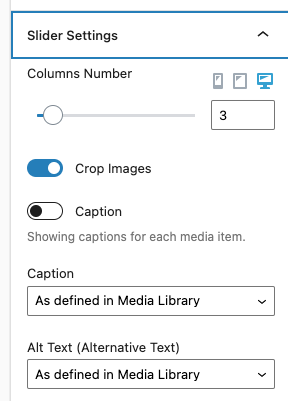
Schermafbeelding 2021-12-08 om 16.45.31.png
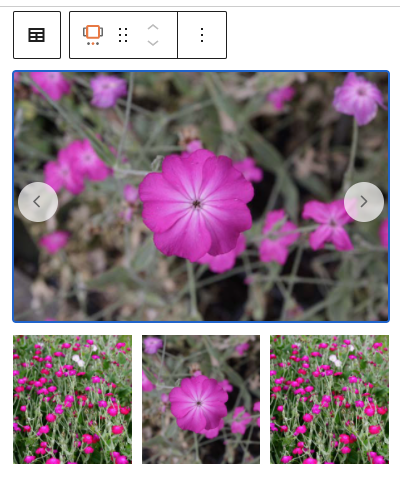
Schermafbeelding 2021-12-08 om 16.45.23.png

Tell us what you are trying to do?
I want to use the dynamic image slider but the crop-functions does not seem to work

What is the link to your site?
enlace oculto

#2240043

Shane
Colaborador

Idiomas: Inglés (English )

Zona horaria: America/Jamaica (GMT-05:00)

Hi Corine,

Thank you for getting in touch.

Would you mind allowing me to have admin access to the website so that I can have a more detailed look at this for you ?

I've enabled the private fields for your next response.

Thanks,
Shane

#2240085

Shane
Colaborador

Idiomas: Inglés (English )

Zona horaria: America/Jamaica (GMT-05:00)

Hi Corine,

The problem is actually being caused by your child theme.

Add this css to the site and it will resolve the issue.

.glide__slide{
aspect-ratio: auto 320 / 320;
}

You theme is actually overwriting the styling for the carousel images.

Thanks,
Shane

#2240117

My issue is resolved now. Thank you!
I found the code in my theme-css:
.glide__slide {
height: 100%;
}*
After removing it worked for the small pics. Thanks.

Unfortunately, the top photo can't be square. Why can't you choose a specific size for that photo? Maybe a tip for a next update?