Hi Scott
I had the chance to speak with one of the developers about this this morning.
They said if I escalate as a feature request they can investigate the issue with the Azure pins not operating the same way as Google markers, but I expect that would involve too long a wait for you with your current project.
To be honest, nearly all of the questions about Maps we get relate to the Google API; questions about Azure are rare, and so I don't have the same level of info I can share as I normally would about using Google.
If you are still working on a solution yourself, I would direct you towards the file wp-content/plugins/toolset-maps/resources/js/wpv_addon_maps.js, which is where the key action happens, and where the WPViews.view_addon_maps object is set up, with methods like get_map and get_map_marker.
I spent quite a while looking into this today.
It was puzzling as to why the WPViews.view_addon_maps object (which has the methods like get_map and get_map_markers) wasn't available when using Azure, but it was when using Google.
If you examine that file I linked to, you'll see that almost all of the code is set up inside a function WPViews.ViewAddonMaps (which includes code triggering the js_event_wpv_addon_maps_init_map_completed event).
The function isn't called until the very end of the file, like so:
jQuery( function( $ ) {
	WPViews.view_addon_maps = new WPViews.ViewAddonMaps( $ );
});
So, the object WPViews.view_addon_maps is the result of executing the WPViews.ViewAddonMaps function.
The function may not have completed execution by the time the js_event_wpv_addon_maps_init_map_completed event is triggered, so the callbacks you add to that event may run before WPViews.ViewAddonMaps is complete, and therefore at that point WPViews.view_addon_maps would be undefined.
So, in practice it looks like the code relating to rendering the Azure map is quicker than the equivalent code using the Google API, and too quick for the WPViews.view_addon_maps object to be ready.
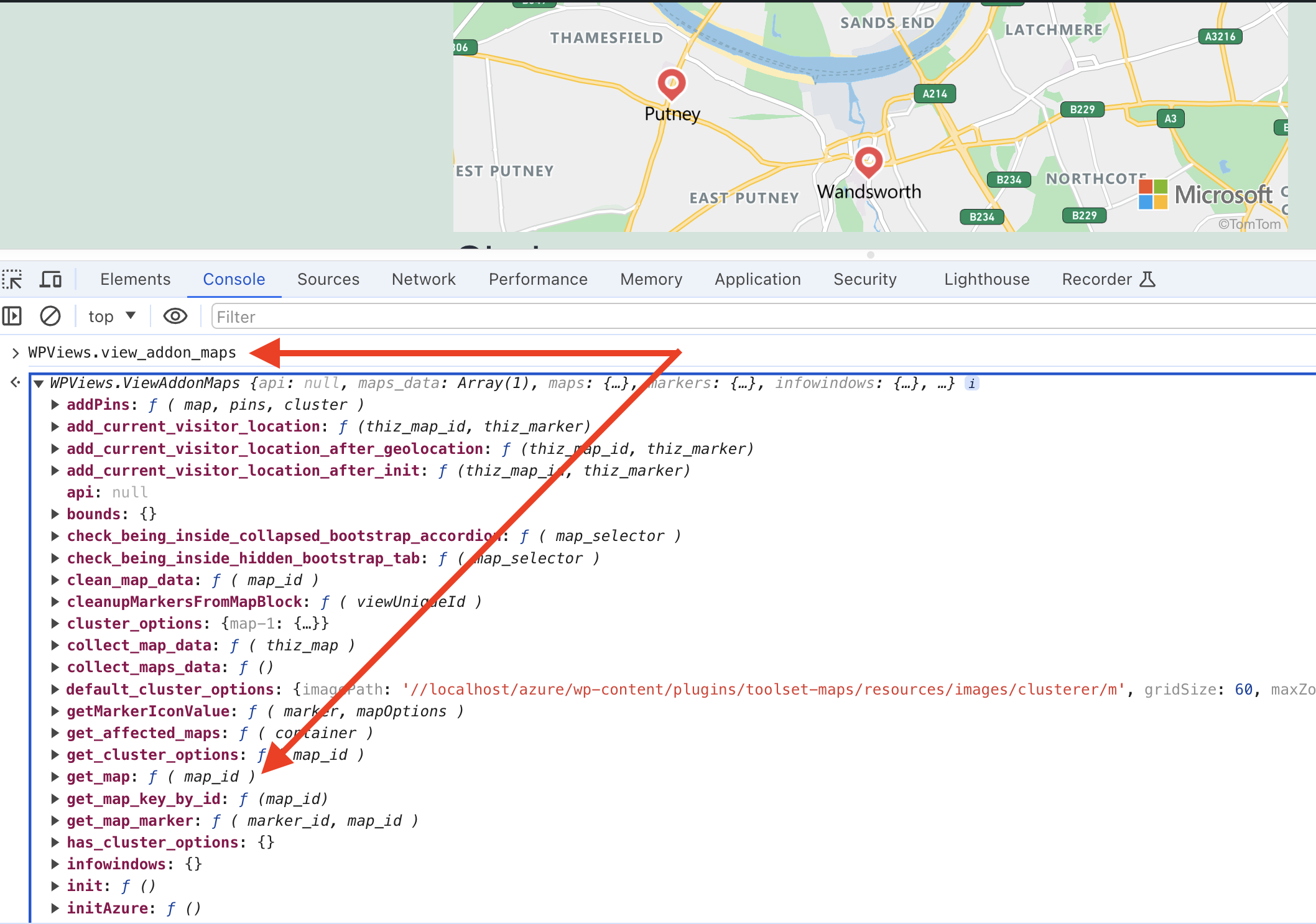
If you type WPViews.view_addon_maps directly into the console with the Azure maps page it will correctly show the object details, as per my screenshot, but that's because you typing into the console is slow enough.
A somewhat crude solution is just to add a little time delay to your callback, enough for the WPViews.view_addon_maps object to become ready, e.g.
jQuery( document ).on('js_event_wpv_addon_maps_init_map_completed', function(event, map){

    setTimeout( function(){
        console.log( WPViews.view_addon_maps );
    }, 1000 );
});
Adding a 1000ms delay meant that the object was available, so you can then make use of its methods.
If you want a slightly more robust solution, you can set up a polling function to keep retrying after shorter intervals, up to a maximum number of retries.
You can thank chatGPT for this suggestion:
function waitForWPViewsAddonMaps(retries, interval) {
    if (retries > 0) {
        if (typeof WPViews.view_addon_maps !== 'undefined') {
            console.log('WPViews.view_addon_maps is defined:', WPViews.view_addon_maps);
        } else {
            setTimeout(function() {
                waitForWPViewsAddonMaps(retries - 1, interval);
            }, interval);
        }
    } else {
        console.warn('WPViews.view_addon_maps is still undefined after maximum retries');
    }
}

jQuery(document).on('js_event_wpv_addon_maps_init_map_completed', function(event, map) {
    waitForWPViewsAddonMaps(10, 200); // 10 retries with 200ms interval
});
I hope that helps.