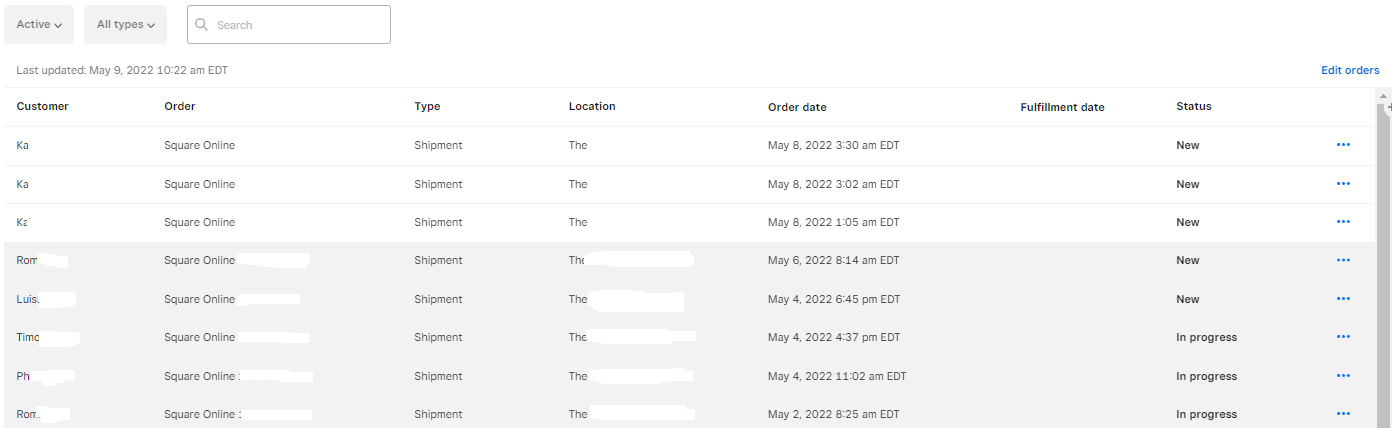
Tell us what you are trying to do?
I'm trying to create a search page where users would be able to search an archive of purchase orders. We want them to be able to search this database by entering information found in the custom fields of the post type which will be called "purchase orders". We would like the search interface and the output of the search to look like the image that I attached to this ticket.
Is there any documentation that you are following?
no
Is there a similar example that we can see?
see attached image
Hello. Thank you for contacting the Toolset support.
Creating table view in block mode will be possible but editing experience will be bit challenging.
To create a table based view using block mode, you should try to follow the following steps:
- Add a view block and give its name and create a new view
- With next screen, you will see loop style as table, select it and click on next
- For heading, you will have to add the heading block and give its name and move the heading block under the table header
- you can adjust the number of columns from table row section, please check the following screenshot: enlace oculto
- You can add whatever you want to display within the column, lets say add single field block to display post title in first column
Please check the following screenshot how the table is structured with blocks: enlace oculto
Just to add creating a table based view in classic mode the editing will be more easy.