Saltar navegación

[Resuelto] How to detect when there is only one search result…

This is the technical support forum for Toolset - a suite of plugins for developing WordPress sites without writing PHP.

Everyone can read this forum, but only Toolset clients can post in it. Toolset support works 6 days per week, 19 hours per day.

Sun Mon Tue Wed Thu Fri Sat
- 10:00 – 13:00 10:00 – 13:00 10:00 – 13:00 10:00 – 13:00 10:00 – 13:00 -
- 14:00 – 18:00 14:00 – 18:00 14:00 – 18:00 14:00 – 18:00 14:00 – 18:00 -

Zona horaria del colaborador: Asia/Kolkata (GMT+05:30)

Este tema contiene 1 respuesta, tiene 2 mensajes.

Última actualización por Minesh 2 years ago.

Asistido por: Minesh.

Autor
Mensajes
#2697989
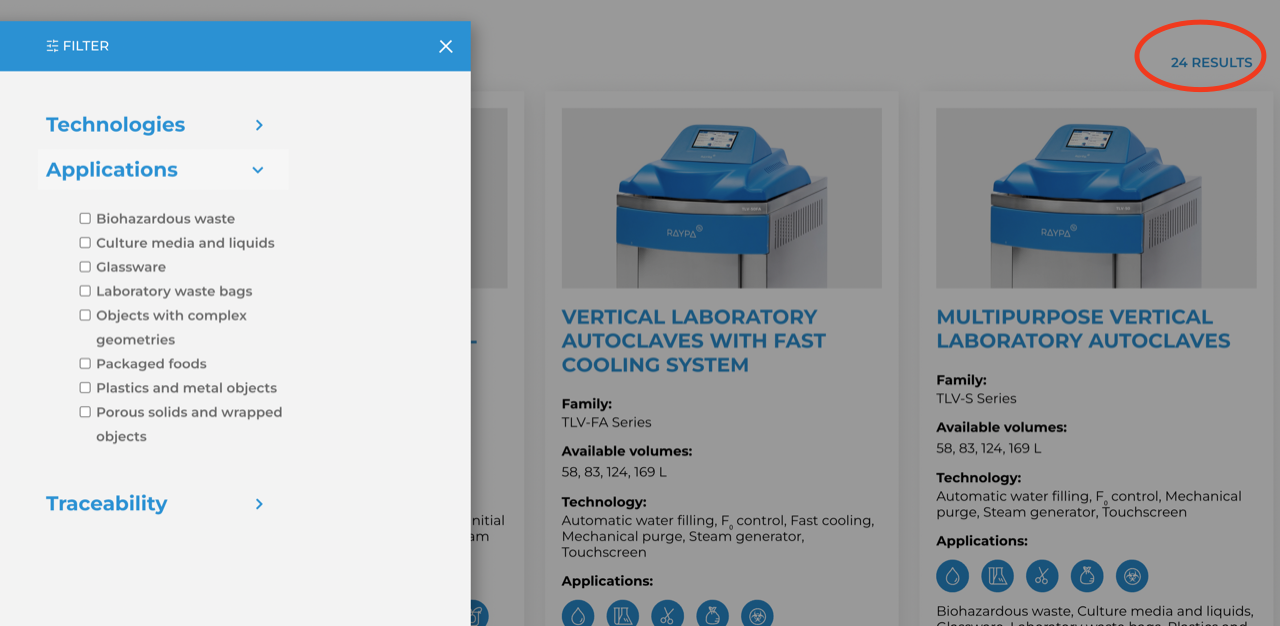
Screenshot 2024-05-15 at 20.24.44.png

I have a search page (enlace oculto) built with Toolset with a filter search that shows some products. I have added the following code in order to list the results number:

[wpv-found-count] [wpml-string context='RESULTS']RESULTS[/wpml-string]

Is there a way to detect when there is only 1 result and consequently change the word RESULTS to RESULT ?

Thank you in advance!

#2698118

Minesh
Colaborador

Idiomas: Inglés (English )

Zona horaria: Asia/Kolkata (GMT+05:30)

Hello. Thank you for contacting the Toolset support.

Assuming that you are using Toolset Block - what if you try to add the conditional block and add the "Result" and "Results" word accordingly when there is one result display "Result" and when more than one display "Results".

Please check the following Doc:
- https://toolset.com/2021/08/5-advanced-uses-of-toolsets-conditional-block-in-wordpress/#display-a-submission-form

Where as you can see under the "How-To Steps" section - you should compare the condition to if number of items found by view equal to 1 you should display "Result". Add another conditional block and compare the condition to if number of items found by view greater than 1 then display "Results".

I hope the solution shared above will help you to resolve your issue.

#2698151

Hi Minesh,
thank you!

That was the way to go, thank you