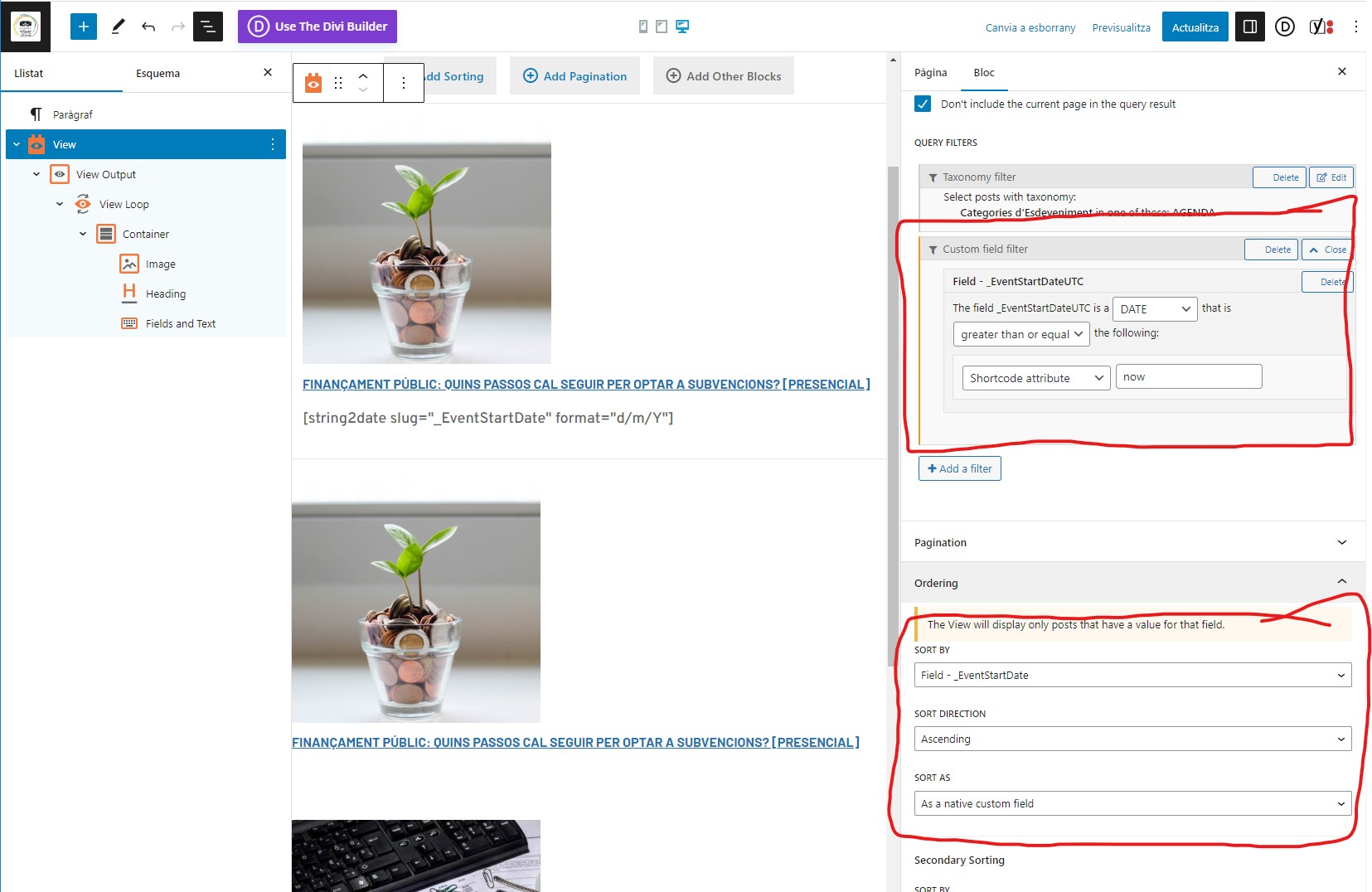
Tell us what you are trying to do? I want to show 4 events at home from the plugin Calendar tribe events. The 4 events have to be from today and next 4 events.
Is there any documentation that you are following? Yes, https://toolset.com/forums/topic/filtering-by-date-field-from-cpt-the-events-calendar/
I've done:
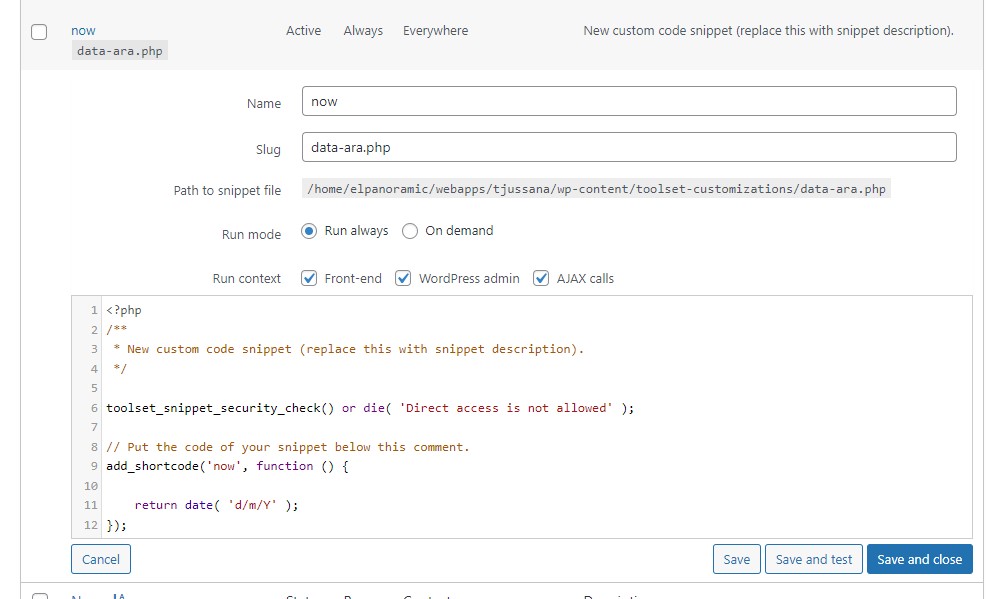
- I've created a shortcode "now" (captures attached)
- I've filtered content with the shortcode (captures attached)
...But it doesn't works.
Is there a similar example that we can see? enlace oculto at home, row "FEM AGENDA!" but with the events from today date and the next 4
What is the link to your site? enlace oculto at home, row "FEM AGENDA!"
Hello,
I assume we are talking about the "The Events Calendar" plugin, download from:
https://wordpress.org/plugins/the-events-calendar/
According to their document:
enlace oculto
This plugin only shows current and upcoming events by default, so in your case, it does not need to use custom codes to add the date filter at all, you just need to display only 4 items in the post view's setting
Hello Lou,
I'm using toolset to display the events. I think the problems is the filter in toolset.
best regards,
David
The "The Events Calendar" plugin stores date field value in string format, for example:
2023-06-15 00:00:00
So you will need to change your custom shortcode:
https://toolset.com/wp-content/uploads/2023/06/2613843-shortcode_now.jpg
For example:
And test again
I've changed the custom code but it doesn't works.
add_shortcode('now', function () {
return date( 'Y-m-d' );
});
best regards,
David
I have tried the same custom shortcode in a fresh WP installation + the latest version of Toolset plugins + "The Events Calendar" plugin, it works fine.
See below sandbox website:
Login URL: enlace oculto
Page with view block + view shortcode:
enlace oculto
Same settings as your screenshots, it works fine in frontend:
enlace oculto
See the second post view below text "With shortcode attribute"
Can you reproduce the same problem in above sandbox website?
And you will need to add the custom shortcode name "now", in Toolset setting:
enlace oculto
option "Third-party shortcode arguments"
My issue is resolved now. Thank you!