Hello. Thank you for contacting the Toolset support.
I need to check your current settings and what view you created.
Can you please share problem URL and admin access details.
*** Please make a FULL BACKUP of your database and website.***
I would also eventually need to request temporary access (WP-Admin and FTP) to your site. Preferably to a test site where the problem has been replicated if possible in order to be of better help and check if some configurations might need to be changed.
I have set the next reply to private which means only you and I have access to it.
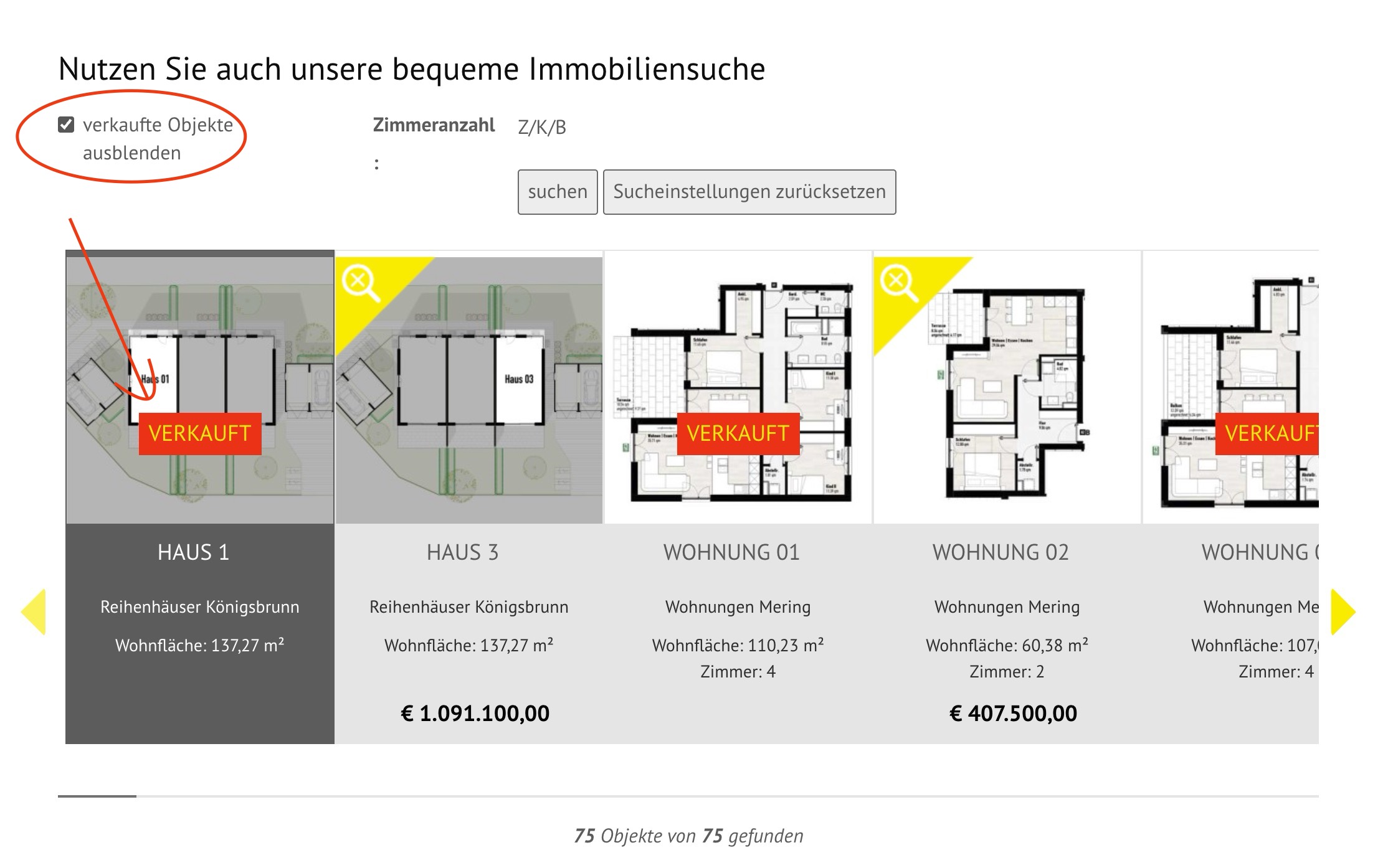
As I understand - you want to hide the posts from the following page where "verkaufte Objekte ausblenden" checkbox field is checked in backend when user select the filter "verkaufte Objekte ausblenden" on the following page:
Can you please check now: enlace oculto
I've added the following code to "Custom Code" section offered by Toolset:
=> enlace oculto
You understand it what i want, but it does not work correctly. - When i check ""verkaufte Objekte ausblenden" - But the Objects with "verkauft" are visible again. - And if i click on search "suchen" i will be redirected to XML Sitemap -> enlace oculto
I do not understand yet when you click on the checkbox filter "verkaufte Objekte ausblenden" and apply the search button - you want to remove/hide the posts where "verkaufte Objekte ausblenden" checkbox is checked on backend edit post?
I just do not understand you exact requirement yet. I see you are using following code to display the "verkauft" lable.
[wpv-conditional if="( $(wpcf-verkauft) ne '' )"]<div class="kaufzusage verkauftbox">verkauft</div>[/wpv-conditional]
i correct it - you are right - but the checkbox in filter shows now all items with "verkauft" - i should be "if filter checkbox checked, hide all "verkauft" - in that moment is: all "verkauft" is visible "all not verkauft" is hiding.
As you are using production site we do not recommend to debug on live site. Can you please setup a staging/test site where I can activate/deactivate plugins and theme.
In addition to that - I found that you are using outdated Toolset plugins. We always recommend running your site with the latest stable release plugin version.
*** Please make a FULL BACKUP of your database and website.***
Could you please update ALL Toolset plugins to it's latest officially released version. You can download the latest plugin release from your accounts page:
=> https://toolset.com/account/downloads/
Hi Minesh - yes i updated the Plugins and i have backups. And i have a staging.dumberger-bau.de. Can i send you login-credentials? - best regards - alex
*** Please make a FULL BACKUP of your database and website.***
I would also eventually need to request temporary access (WP-Admin and FTP) to your site. Preferably to a test site where the problem has been replicated if possible in order to be of better help and check if some configurations might need to be changed.
I have set the next reply to private which means only you and I have access to it.
Hi Minesh - thx a lot - this works.
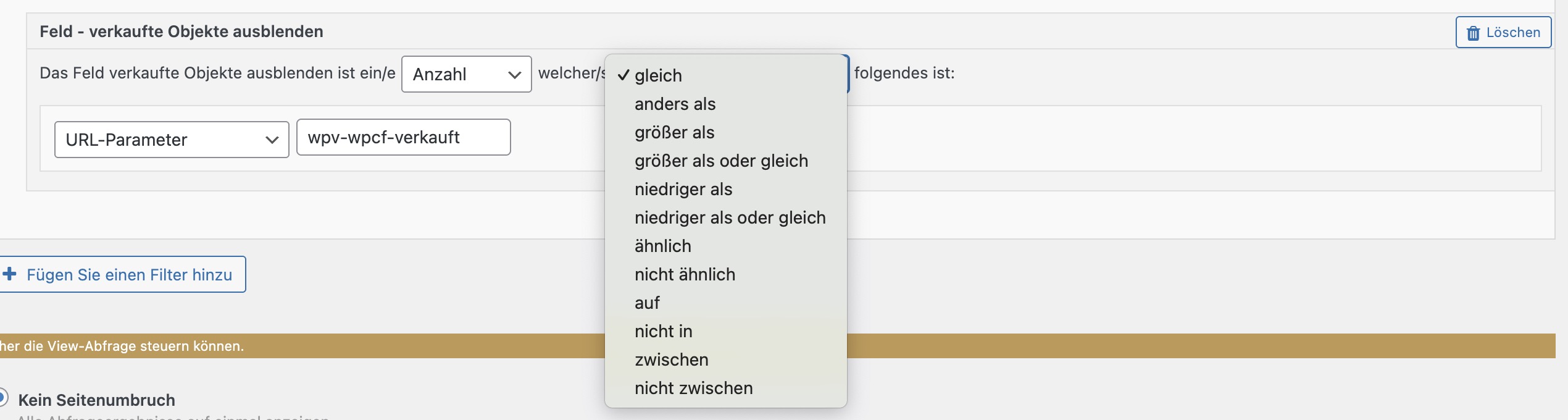
But why is in views the filter for "verkaufte Objekte" not working correctly if i use " is lower than" instead of "is same"?
verkaufte Objekte ausblenden ist ein/e Anzahl gleich URL_PARAM(wpv-wpcf-verkauft)