Saltar navegación

[Resuelto] Exclude child terms

This support ticket is created 3 years, 1 month ago. There's a good chance that you are reading advice that it now obsolete.

This is the technical support forum for Toolset - a suite of plugins for developing WordPress sites without writing PHP.

Everyone can read this forum, but only Toolset clients can post in it. Toolset support works 6 days per week, 19 hours per day.

Sun Mon Tue Wed Thu Fri Sat
- 10:00 – 13:00 10:00 – 13:00 10:00 – 13:00 10:00 – 13:00 10:00 – 13:00 -
- 14:00 – 18:00 14:00 – 18:00 14:00 – 18:00 14:00 – 18:00 14:00 – 18:00 -

Zona horaria del colaborador: Asia/Kolkata (GMT+05:30)

Este tema contiene 11 respuestas, tiene 2 mensajes.

Última actualización por fahimS-2 3 years, 1 month ago.

Asistido por: Minesh.

Autor
Mensajes
#2598235

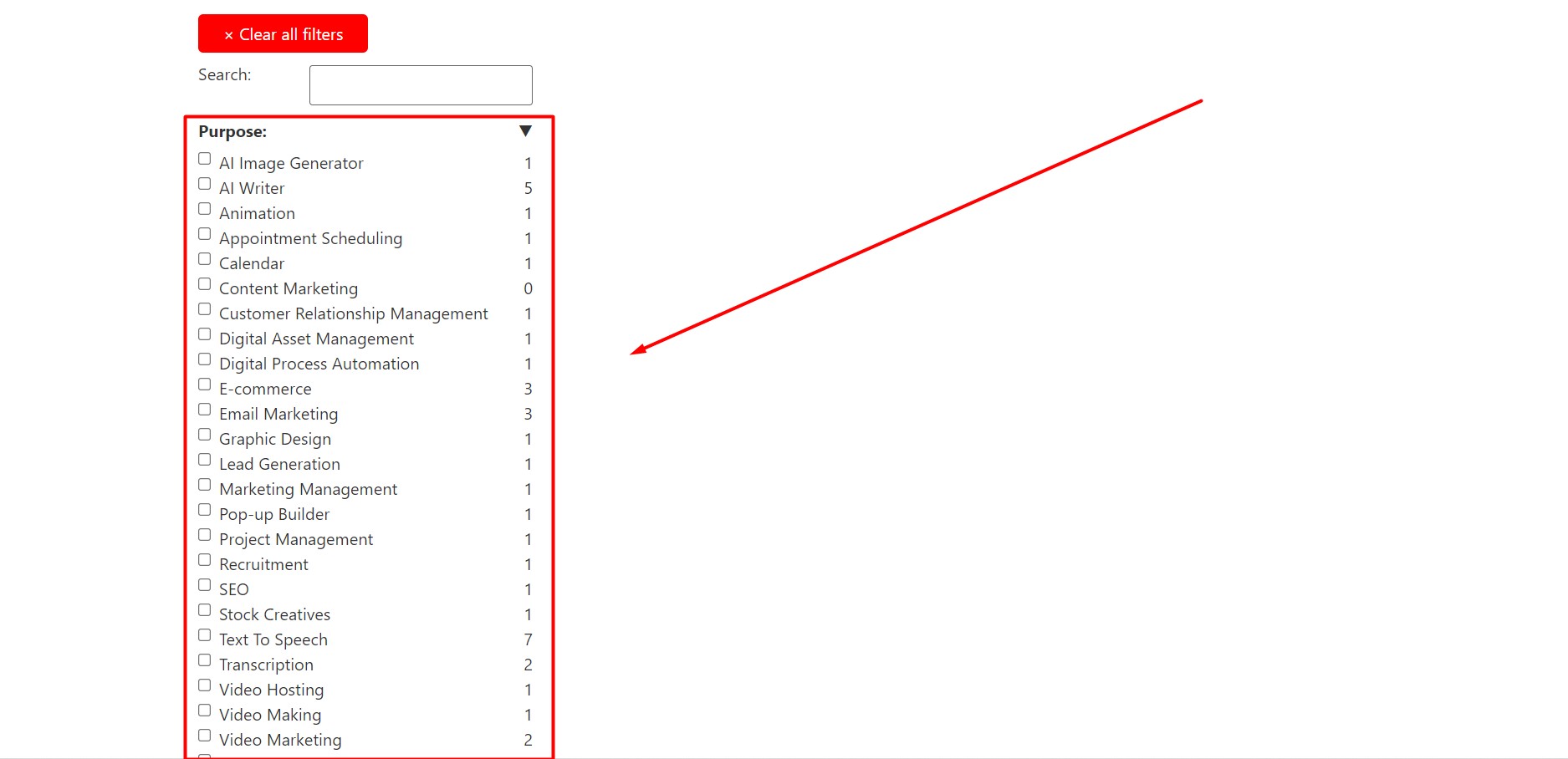
I have a Toolset archive where I added a custom taxonomy search. But I want to exclude the child terms for this archive. How can I do that?

#2598373

Minesh
Colaborador

Idiomas: Inglés (English )

Zona horaria: Asia/Kolkata (GMT+05:30)

Hello. Thank you for contacting the Toolset support.

From where you want to exclude the child terms from archive. Is it from the select drop-down filter? Can you please share screenshot of your edit archive and tell me from where exactly you want to exclude the child terms.

#2599947
Screenshot_13.jpg
Screenshot_12.jpg

Hi, Thanks for the quick reply. In the archive search, I want to exclude the child terms from the checkboxes and also from the search results.

#2599981

Minesh
Colaborador

Idiomas: Inglés (English )

Zona horaria: Asia/Kolkata (GMT+05:30)

There is no native way to exclude those terms.

Can you please share problem URL where I can see the archive and admin access details and let me check if I can offer you any possible workaround.

*** Please make a FULL BACKUP of your database and website.***
I would also eventually need to request temporary access (WP-Admin and FTP) to your site. Preferably to a test site where the problem has been replicated if possible in order to be of better help and check if some configurations might need to be changed.

I have set the next reply to private which means only you and I have access to it.

#2600743

Minesh
Colaborador

Idiomas: Inglés (English )

Zona horaria: Asia/Kolkata (GMT+05:30)

I see you assigned the archive multiple entities like post types and taxonomies.
=> enlace oculto

On what archive you want to remove the child terms?

#2600837

Hi thanks for your concern. I want to remove the child terms form the 'saas' archive.

#2601401

Minesh
Colaborador

Idiomas: Inglés (English )

Zona horaria: Asia/Kolkata (GMT+05:30)

Can you please check now: enlace oculto

I've added the following code to "Custom Code" section with the code snippet "remove-child-terms"
=> enlace oculto

function func_display_only_parent_terms( $query ){
         
  if(is_post_type_archive('saas') && $query->query_vars['taxonomy'][0] == 'saas-feature' && !is_admin() ){
        
     	$query->query_vars['parent']=0;     
  }
}
add_action( 'pre_get_terms', 'func_display_only_parent_terms',10,1);
#2601435

Hi,

Thanks for the code. The code is working perfectly.

As I am hiding the child terms in the SAAS archive, I will need to show only the child terms of term 'five' in enlace oculto

Is there any way to do that?

#2601455

Minesh
Colaborador

Idiomas: Inglés (English )

Zona horaria: Asia/Kolkata (GMT+05:30)

No - that is taxonomy archive and you can not filter the taxonomy archive with the same taxonomy term.

#2601461

Thanks for the answer.

If I can not show only the child terms of term 'five' of taxonomy 'saas-feature' for that archive, can I do the same for enlace oculto and how can I do that?

#2601465

Minesh
Colaborador

Idiomas: Inglés (English )

Zona horaria: Asia/Kolkata (GMT+05:30)

As per our support policy, we entertain only one question per ticket. This will help other users searching on the forum as well as help us to write correct problem resolution summery.

I request you to open a new ticket for every new question you may have. Thank you for understanding.

#2601477

My issue is resolved now. Thank you!