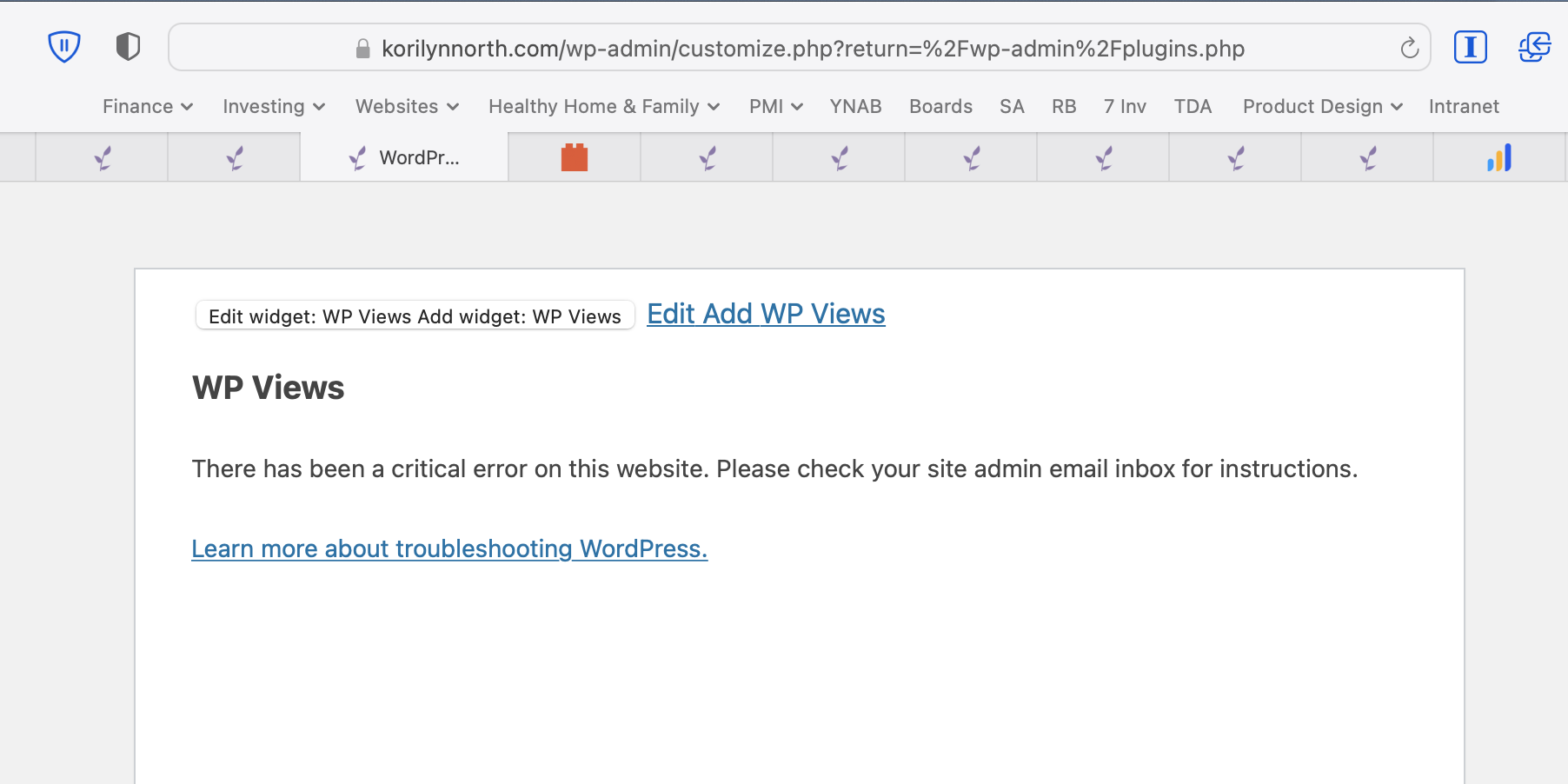
I am currently using Toolset Views (Version 3.6.1) with Elementor Pro (Version 3.5.2) and it appears that there is an issue where I am unable to customize my blog's appearance due to a conflict in the plugins.
Steps to reproduce:
1. Log into my admin panel
2. Go to Appearance > Customize
3. Observe error on that page (Customize Error.png)
From the WordPress email alert, I get more information about the error, and it looks like a conflict with Toolset and Elementor?
If I disable the Toolset Views plugin, the appearance page loads as normal.
Is this something you have seen before or are able to help resolve? I'm using the Astra Pro theme.
Thank you!
Dan
Error Details
=============
An error of type E_ERROR was caused in line 376 of the file /home/dh_nm6eex/korilynnorth.com/wp-content/plugins/types/vendor/toolset/toolset-common/inc/autoloaded/interop/handler/elementor/widgets/view/view.php. Error message: Uncaught Error: Call to undefined method Elementor\Utils::is_ajax() in /home/dh_nm6eex/korilynnorth.com/wp-content/plugins/types/vendor/toolset/toolset-common/inc/autoloaded/interop/handler/elementor/widgets/view/view.php:376
Stack trace:
#0 /home/dh_nm6eex/korilynnorth.com/wp-includes/class-wp-hook.php(303): OTGS\Toolset\Common\Interop\Handler\Elementor\ViewWidget->maybe_use_view_elementor_widget_instead('')
#1 /home/dh_nm6eex/korilynnorth.com/wp-includes/class-wp-hook.php(327): WP_Hook->apply_filters('', Array)
#2 /home/dh_nm6eex/korilynnorth.com/wp-includes/plugin.php(470): WP_Hook->do_action(Array)
#3 /home/dh_nm6eex/korilynnorth.com/wp-content/plugins/wp-views/embedded/inc/wpv-widgets.php(81): do_action('wpv_action_befo...')
#4 /home/dh_nm6eex/korilynnorth.com/wp-includes/class-wp-widget.php(534): WPV_Widget->form(Array)
#5 /home/dh_nm6eex/korilynnorth.com/wp-admin/includes/widgets.php(274): WP_Widget->form_callback(Array)
#6 /home/dh_nm6eex/korilynnorth.com/wp-includes/class-wp-customize-widgets.php(112
Hi Korilynn,
Thank you for getting in touch.
This is a known issue and we have an erratas page setup with a workaround.
https://toolset.com/errata/fatal-error-on-customizer-page-after-updating-to-elementor-3-5/
Please try this and let me know if the issue still remains.
Thanks,
Shane
My issue is resolved now. Thank you!