Saltar navegación

[Resuelto] display name not showing in user edit screen

Este hilo está resuelto. Aquí tiene una descripción del problema y la solución.

Problem:

I noticed that the “Display Name” field is not showing in the WordPress admin user profile, and I suspect Toolset may be hiding it.

Solution:

Create a site backup, then go to WordPress Dashboard > Plugins and temporarily deactivate all Toolset plugins. Check if the “Display Name” field reappears in Users > Profile. If it does, Toolset is affecting the display. If not, the issue lies elsewhere.

This is the technical support forum for Toolset - a suite of plugins for developing WordPress sites without writing PHP.

Everyone can read this forum, but only Toolset clients can post in it. Toolset support works 6 days per week, 19 hours per day.

Este tema contiene 1 respuesta, tiene 1 mensaje.

Última actualización por Christopher Amirian 12 months ago.

Asistido por: Christopher Amirian.

Autor
Mensajes
#2810310
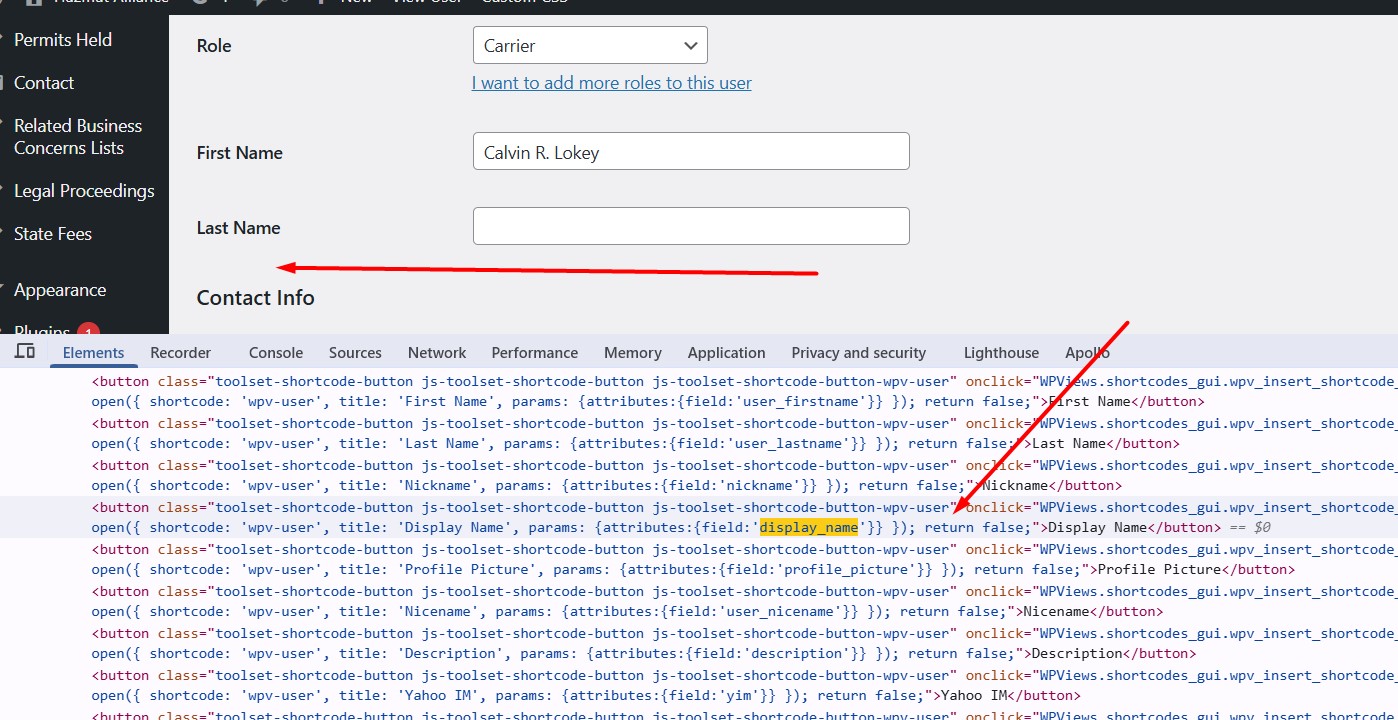
Screenshot_4.jpg

I want to change display name of a user but display name row is not showing in admin area. when I have check I have found toolset returning false for display name. Can you please let me know from where I can reactiavte it so display name row show in admin area. please check attached screenshots for more clarification.

#2810319

Christopher Amirian
Colaborador

Idiomas: Inglés (English )

Hi,

Would you please follow the steps below to first see if Toolset has anything to do with the fact that the display name is not showing in Users > Profile?

- IMPORTANT STEP! Create a backup of your website. Or better approach will be to test this on a copy/staging version of the website to avoid any disruption of a live website.
- Go to "WordPress Dashboard > Plugins" and deactivate all Toolset plugins.
- Check if you can still recreate the issue.
- If not then it is not related to Toolset.

Thanks.