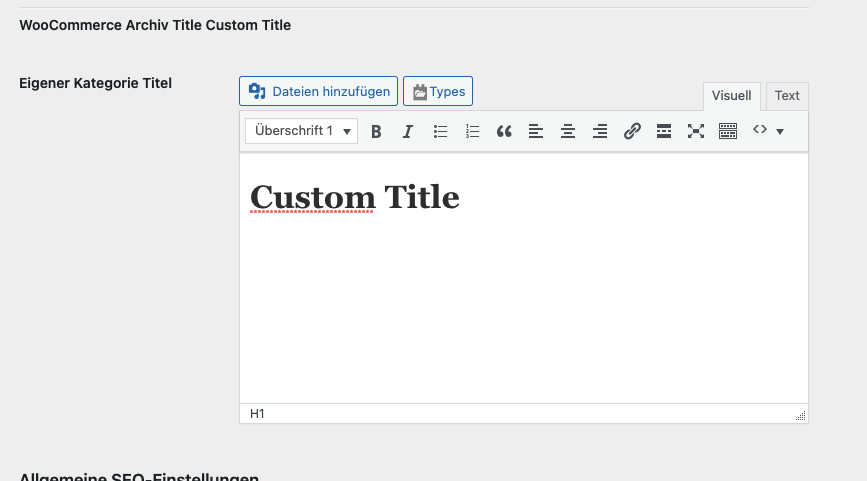
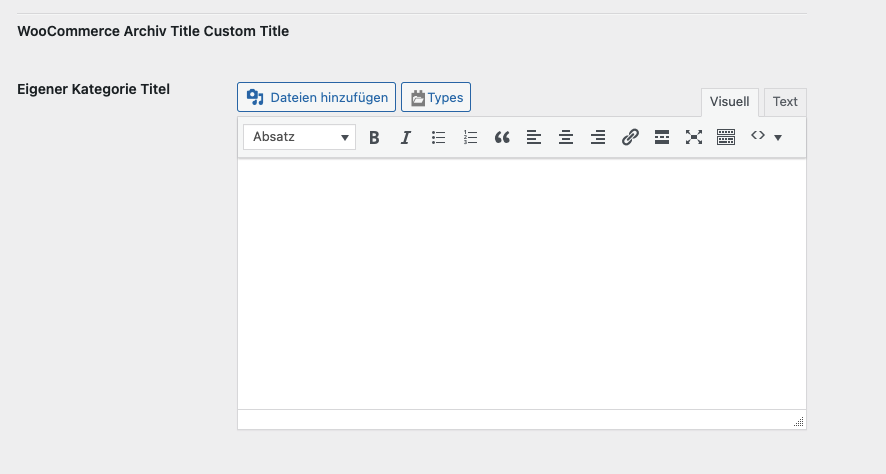
Tell us what you are trying to do?
I want to display a Custom title on woocommerce archive/category pages.
So i created a Cusomt Term field and i can see it in the archive / category edit window on backend.
how can i display it on the frontend after / instead of the standard title?
i use shoptimizer theme.
Is there any documentation that you are following?
No
Is there a similar example that we can see?
What is the link to your site?
enlace oculto
Hi Christoph,
Thank you for getting in touch.
Are you using a Custom Archive Template to create the woocommerce product archive ?
If so then you can just use the shortcode below to do this.
[types termmeta='field_slug'][/types]
Thanks,
Shane
Hi Shane
No i want just to use a simple hook.
Hi Christoph,
You can perhaps try the hook below.
add_filter( 'get_the_archive_title', function ( $title ) {

    if( is_category() ) {

        $title = types_render_termeta( "my-field", array() );

    }

    return $title;

});
However you will need to replace "my-field" with the slug of your field. If this hook doesn't work then you will perhaps need to consult with the Woocommerce support team to see how best you can replace the title with the custom field as the types_render_termeta() function is used to get the custom field value in php.
Thanks,
Shane
I add this to function.php:
add_filter( 'get_the_archive_title', function ( $title ) {


    if( is_category() ) {
        $title = types_render_termeta( "eigener-kategorie-titel", array() );
    }

    return $title;

});
But the Field is not display on the category page.
Hi Christoph,
I checked for a Woocommerce specific function and found this.
add_filter( 'woocommerce_show_page_title', ' modify_category_title_from_product_archive' );
function modify_category_title_from_product_archive( $title ) {
if ( is_product_category() ) {
$title = false;
}
return $title;
}
PLease let me know if the above removes the title. If it does then use the modification below.
add_filter( 'woocommerce_show_page_title', ' modify_category_title_from_product_archive' );
function modify_category_title_from_product_archive( $title ) {
if ( is_product_category() ) {
$title = types_render_termeta( "eigener-kategorie-titel", array() );
}
return $title;
}
Thanks,
Shane
Hi Christoph,
Would you mind allowing me to have admin access to the website so that I can have a more detailed look at this for you ?
Please where applicable please provide me with a link to an example page where I can see the issue.
I've enabled the private fields for your next response.
Thanks,
Shane
U can login here:
enlace oculto
Here is the Place where i placed the snippet:
enlace oculto
And here the Link for the Toolset Termfield:
enlace oculto
Hi Christoph,
At this point i'm at a loss. All the indications point to the "woocommerce_show_page_title" hook but so far it has failed to modify the title of the page.
What I recommend here is that you get in touch with the Woocommerce support team for them to check to see why this hook isn't working.
Thanks,
Shane
Hey i just figured out something what works:
add_filter( 'woocommerce_page_title', 'customize_woocommerce_page_title', 10, 1 );
function customize_woocommerce_page_title( $page_title) {
// Custom title for the product category
if ( is_product_category() ) {
$page_title = 'Something';
}
return $page_title;
}
But now the 'Something' should render the custom term field.
I got it when i use it with shortcode:
add_filter( 'woocommerce_page_title', 'customize_woocommerce_page_title', 10, 1 );
function customize_woocommerce_page_title( $page_title) {
// Custom title for the product category
if ( is_product_category() ) {
$page_title = do_shortcode( '[types termmeta="eigener-kategorie-titel"][/types]' );
}
return $page_title;
}
but why it dont work the firstway?
And if the field"eigener-kategorie-titel' is empty it should return normal page title ... thats missing.
Hi Christoph,
Happy to see you were able to find a hook that works.
but why it dont work the firstway?
Not sure what you mean by this, however if you're referring to the Hook then this is a completely different hook that the one I found on the woocommerce docs.
add_filter( 'woocommerce_page_title', 'customize_woocommerce_page_title', 10, 1 );
function customize_woocommerce_page_title( $page_title) {
$new_title = do_shortcode( '[types termmeta="eigener-kategorie-titel" output='raw'][/types]' );
// Custom title for the product category
if ( is_product_category() && !empty($new_title) ) {
$page_title = do_shortcode( '[types termmeta="eigener-kategorie-titel"][/types]' );
}
return $page_title;
}
If you use the above code it should now account for if the field value is missing.
Thanks,
Shane
My issue is resolved now. Thank you!