Saltar navegación

[Cerrado] Creating toolset view

This support ticket is created 3 years, 6 months ago. There's a good chance that you are reading advice that it now obsolete.

This is the technical support forum for Toolset - a suite of plugins for developing WordPress sites without writing PHP.

Everyone can read this forum, but only Toolset clients can post in it. Toolset support works 6 days per week, 19 hours per day.

Sun Mon Tue Wed Thu Fri Sat
- 9:00 – 13:00 9:00 – 13:00 9:00 – 13:00 9:00 – 13:00 9:00 – 13:00 -
- 14:00 – 18:00 14:00 – 18:00 14:00 – 18:00 14:00 – 18:00 14:00 – 18:00 -

Zona horaria del colaborador: Asia/Hong_Kong (GMT+08:00)

Este tema contiene 1 respuesta, tiene 2 mensajes.

Última actualización por Luo Yang 3 years, 6 months ago.

Asistido por: Luo Yang.
Autor
Mensajes
#2511075
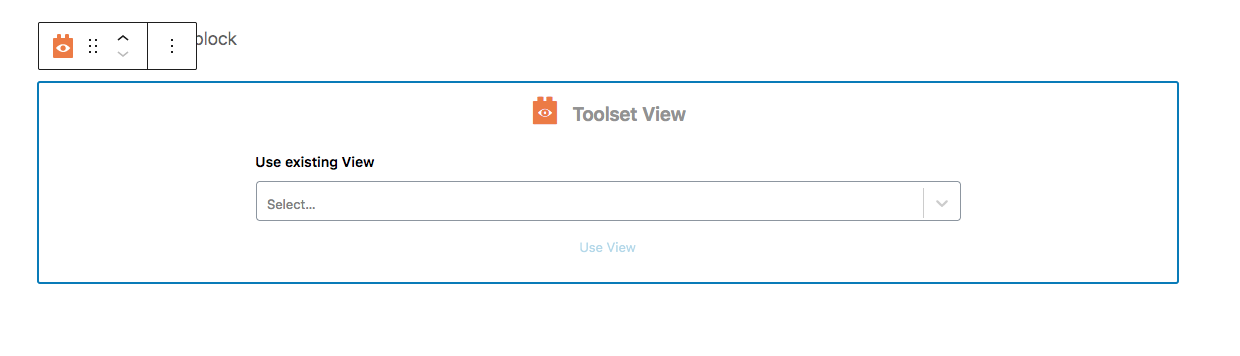
Screen Shot 2022-12-07 at 10.54.36 AM.png

I'm following the video "Installing Toolset and Choosing a Theme for a Directory Site" and I'm trying to create a new view using the Toolset View block. However, when I put the block in, I'm only given the option of selecting existing views -- there's no option to create a new view as shown in the the video. See attached

If I go to toolset I can create a new view, but the block editor is not available -- I'm just given the usual Toolset code option.

I do have the classic editor plugin installed, but I have set that to allow choosing between block and classic editor.

#2511471
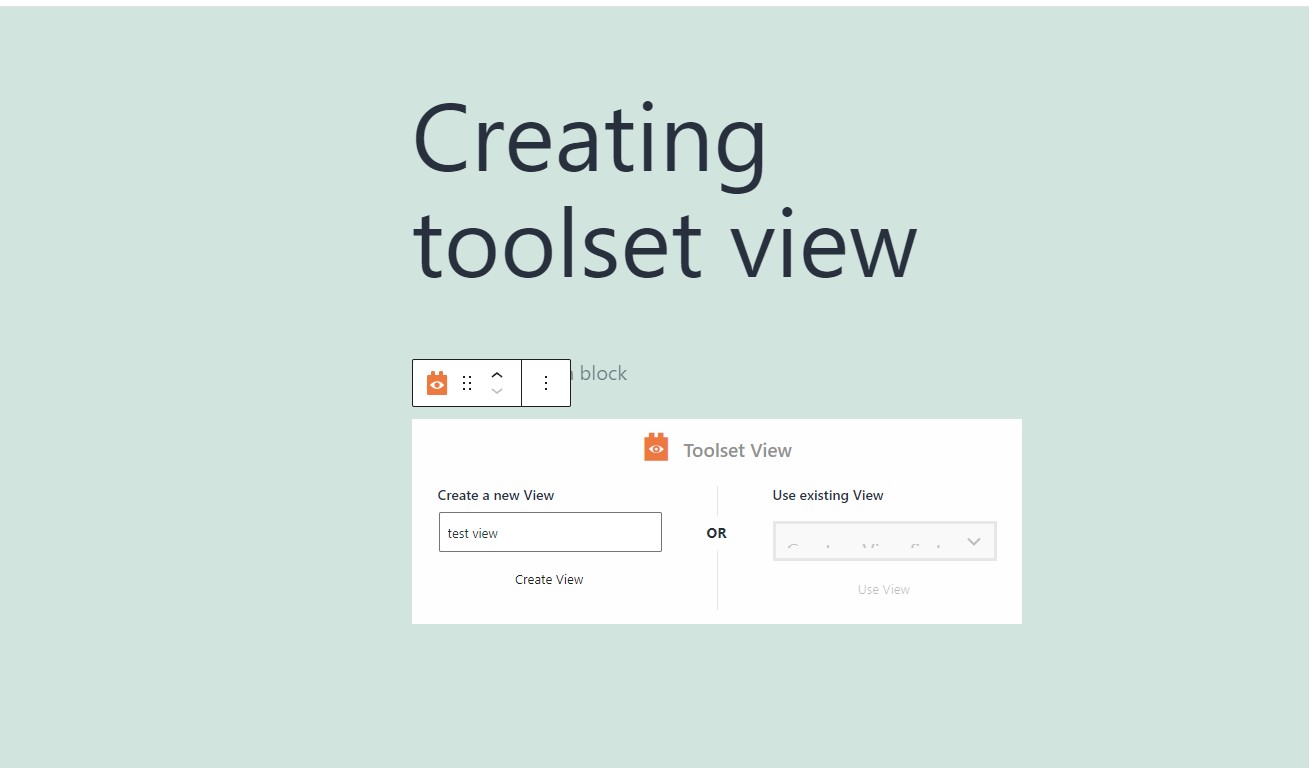
creating-view.jpg

Hello,

I have tried it in a fresh WP installation + the latest version of Toolset plugins, it works fine, see my screenshot: creating-view.jpg

See below test site:
Login URL:
enlace oculto

Test page:
enlace oculto
Is there any missing steps? can you reproduce the same problem in above test site?

El debate ‘[Cerrado] Creating toolset view’ está cerrado y no admite más respuestas.