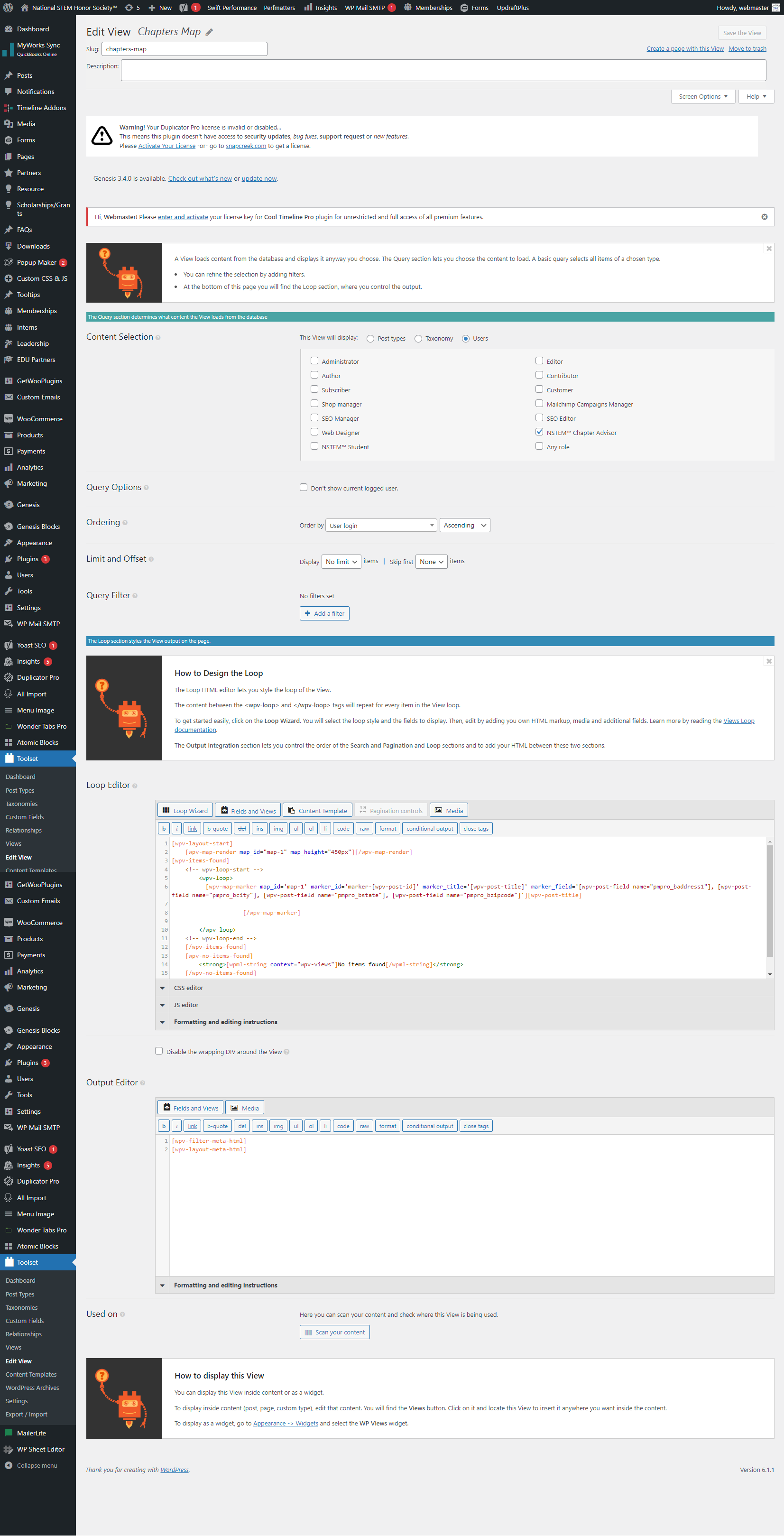
ahh - I would like to know the custom fields you are using (pmpro_baddress1, pmpro_bcity, pmpro_bstate, pmpro_bzipcode) those are post custom fields or user custom fields?
However my view to create the map still shows no markers is there something else i may have missed? Thanks
[wpv-items-found]
[wpv-map-render map_id="map-1" map_height="450px"][/wpv-map-render]
<!-- wpv-loop-start -->
<wpv-loop>
[wpv-map-marker map_id='map-1' marker_id='marker-[wpv-user field="ID"]' marker_title='[wpv-user field="user_login"]' marker_usermeta='[wpv-user field="pmpro_baddress1"], [wpv-user field="pmpro_bcity"], [wpv-user field="pmpro_bstate"], [wpv-user field="pmpro_bzipcode"]']
Can you please share problem URL where you added your view and admin access details.
*** Please make a FULL BACKUP of your database and website.***
I would also eventually need to request temporary access (WP-Admin and FTP) to your site. I have set the next reply to private which means only you and I have access to it.
You do not need two views. So I've deleted the [wpv-view name="chapters-map"] shortcode block from the following page:
=> enlace oculto
As you can see now it only have one shortcode block with view's shortcode: [wpv-view name="list-chapters"]
Now, with the view "list-chapters", I've added the map shortcode outside the view's loop and marker shortcode within the loop as given under:
=> enlace oculto