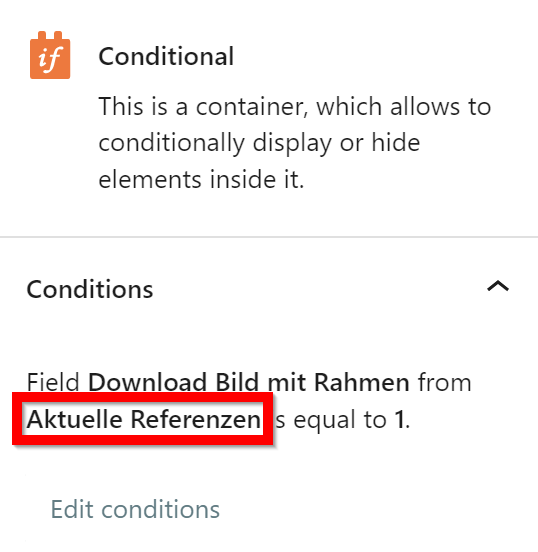
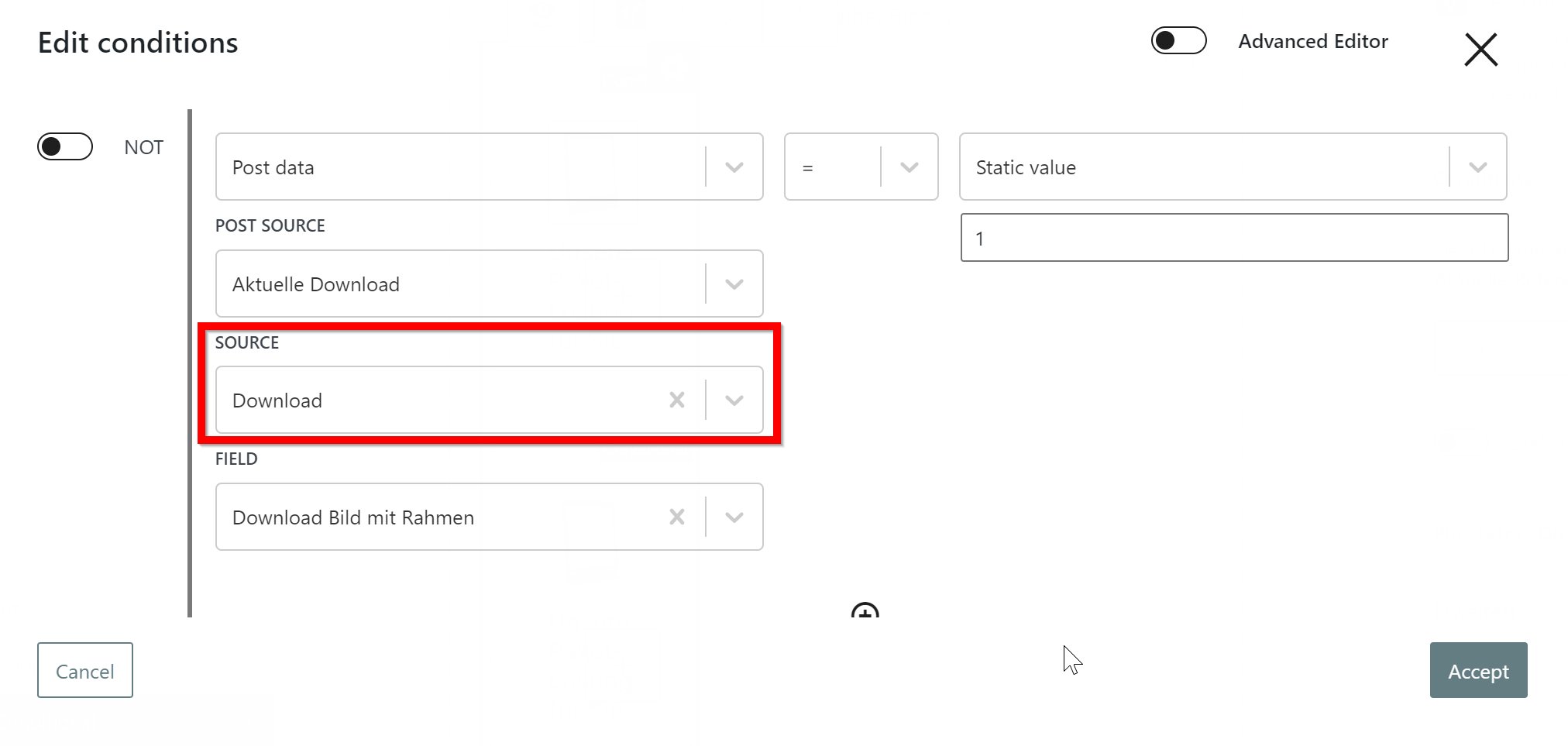
When editing Conditions on Conditional block on the template for custom post type "Top ERP Anbieter", I select source "Download" (screenshot 1), but after saving the conditions window, it appears as "Referenzen" on the conditional block (screenshot 2). Additionally, styles like Hover scale = 110 are not working.
the reason of the two conditional blocks is to differentiate if the image should be with border or without border depending on the boolean field "Download Bild mit Rahmen". This is not working. Even if "Download Bild mit Rahmen" is set, the border is not shown. Additionally, styles like Hover scale = 110 are not working for both image bloks inside the conditional blocks.
The reason could be that the condition for both conditional blocks is not correct. It should be
Field "Download Bild mit Rahmen" from Aktuelle DOWNLOADS is equal to 1
NOT Field "Download Bild mit Rahmen" from Aktuelle DOWNLOADS is equal to 1
and not
Field "Download Bild mit Rahmen" from Aktuelle REFERENZEN is equal to 1
NOT Field "Download Bild mit Rahmen" from Aktuelle REFERENZEN is equal to 1
border should be conditional depending on Field "Download Bild mit Rahmen" and hover scale should work for both. I see that it works now! What magic did you do?
as wp admin in preview, it shows correctly. I deleted cache and minified JS/CSS in my caching plugin for the whole website. but when I open the post as normal visitor now, the border and hover effect are gone again: enlace oculto
border should be conditional depending on Field "Download Bild mit Rahmen" and hover scale should work for both. still not working (deleted cache and minified JS/CSS in my caching plugin for the whole website). is it the same behaviour on your side?
please check if the conditional block inside the view for the repeating field group "Downloads" is also showing that the Field "Download Bild mit Rahmen" belongs to repeating field group "Referenzen". But it belongs to "Downloads". It seems there is a bug in the conditional block. Can you also please check that?
I'm not sure why you say its not working at your end.
On the following post: enlace oculto
- I see the downloads section at the bottom of the page:
With the edit page I can see that there are two entries available for the Downloads repeating field group and it does display the two entry where for one entry the "Download Bild mit Rahmen" is checked and for another its not checked.
Please see the video:
- enlace oculto
I can see the two entry with one has border and another has not.