Saltar navegación

[Resuelto] center map to different location when address is not in the database

Este hilo está resuelto. Aquí tiene una descripción del problema y la solución.

Problem:
center map to different location when address is not in the database

Solution:
Toolset map offers the Map's javascript hook "js_event_wpv_addon_maps_init_map_completed" that you should use to set the default location dynamically.

You can find proposed solution, in this case with the following reply:
https://toolset.com/forums/topic/center-map-to-different-location-when-address-is-not-in-the-database/#post-2209945

Relevant Documentation:
=> https://toolset.com/documentation/programmer-reference/maps/programmatically-change-map-settings/#changing-settings-when-using-google-maps-api

This support ticket is created 4 years, 7 months ago. There's a good chance that you are reading advice that it now obsolete.

This is the technical support forum for Toolset - a suite of plugins for developing WordPress sites without writing PHP.

Everyone can read this forum, but only Toolset clients can post in it. Toolset support works 6 days per week, 19 hours per day.

Sun Mon Tue Wed Thu Fri Sat
- 10:00 – 13:00 10:00 – 13:00 10:00 – 13:00 10:00 – 13:00 10:00 – 13:00 -
- 14:00 – 18:00 14:00 – 18:00 14:00 – 18:00 14:00 – 18:00 14:00 – 18:00 -

Zona horaria del colaborador: Asia/Kolkata (GMT+05:30)

Este tema contiene 3 respuestas, tiene 2 mensajes.

Última actualización por davidP-26 4 years, 7 months ago.

Asistido por: Minesh.

Autor
Mensajes
#2208783
Screenshot 2021-10-29 at 15.51.21.png

Tell us what you are trying to do?
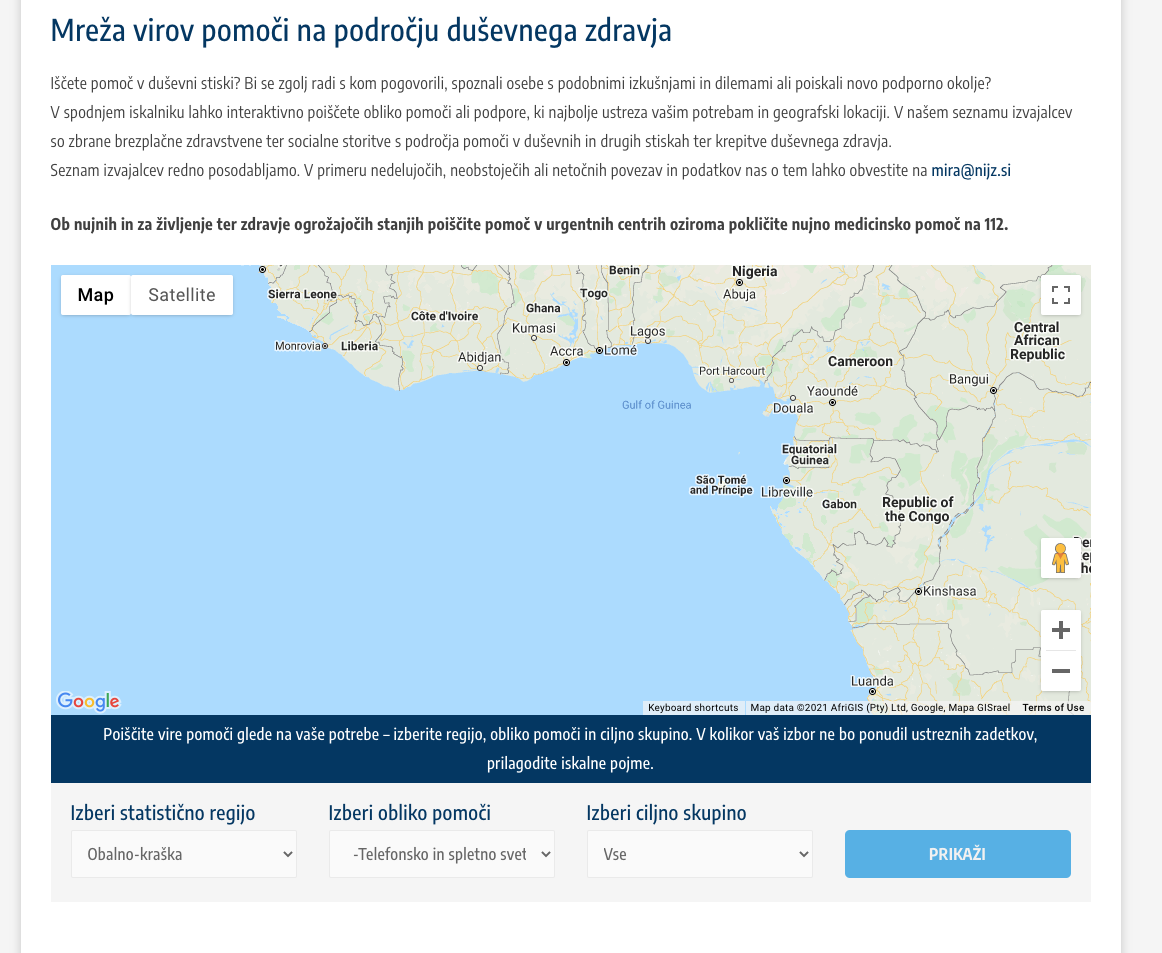
I have a list of around 1000 entries shown on the map. Some entries don't have address and when there is no pins on the map, the map shows Central Africa, which is not OK. Is there a way to center map to another location/zoom level?

What is the link to your site?
enlace oculto
password to view: podmornica

#2209713

Minesh
Colaborador

Idiomas: Inglés (English )

Zona horaria: Asia/Kolkata (GMT+05:30)

Hello. Thank you for contacting the Toolset support.

Can you please tell me what location you want to set as a default location?

*** Please make a FULL BACKUP of your database and website.***
I would also eventually need to request temporary access (WP-Admin and FTP) to your site. Preferably to a test site where the problem has been replicated if possible in order to be of better help and check if some configurations might need to be changed.

I have set the next reply to private which means only you and I have access to it.

#2209945

Minesh
Colaborador

Idiomas: Inglés (English )

Zona horaria: Asia/Kolkata (GMT+05:30)

I've added the custom JS code to your view's "Custom CSS and JS section" as you can see with the following screenshot:
=> enlace oculto

]jQuery(document).ready(function($){
  
jQuery( document ).on('js_event_wpv_addon_maps_init_map_completed', function( event, event_settings ) {
 var mapid = 'mreza-virov-pomoci';
  var map = WPViews.view_addon_maps.get_map(mapid);
  var markers = WPViews.view_addon_maps.markers[mapid];
  
  console.log(markers);
  if (typeof markers == "undefined") {
   
  
  mylat = 46.151241;
  mylong = 14.995463;

  map.setZoom(7);
  map.setCenter(new google.maps.LatLng(mylat,mylong));
  
  var point = new google.maps.LatLng(mylat,mylong);

  new google.maps.Marker({
    position: point,
    map,
    title: "Hello World!",
  });
  
  }
  
});
  
});

- You can customize the above code as per your requirement.

I can see now default location is set as "Slovenia" when there is no result found:
=> enlace oculto

#2210765

My issue is resolved now. Thank you!