Hi there,
I want to use my archive page [enlace oculto; also for other pages like:
enlace oculto
enlace oculto
For this pages I want to use Query Filter. So for example Noord-holland will show the houses page with the filter checkbox Noord-holland marked.
Is this possible or do I need to create a view for this?
Hi there,
It is not possible to do that with WordPress Archives.
You will need to create a view that will retrieve the information:
https://toolset.com/course-lesson/creating-a-custom-search/
Now if you go to the View search block options and disable the Ajax submit to reload the page, when you check a checkbox in the search section the reloaded page shows what will be the URL parameter that will make the checkbox selected.
For example:
websiteurl/?wpv-tenure=buy
That way you will know which URL to use to force the checkbox to be pre-selected and the results show based on that selection.
Thanks.
Hi Christopher,
Structure that I indicated is very important.
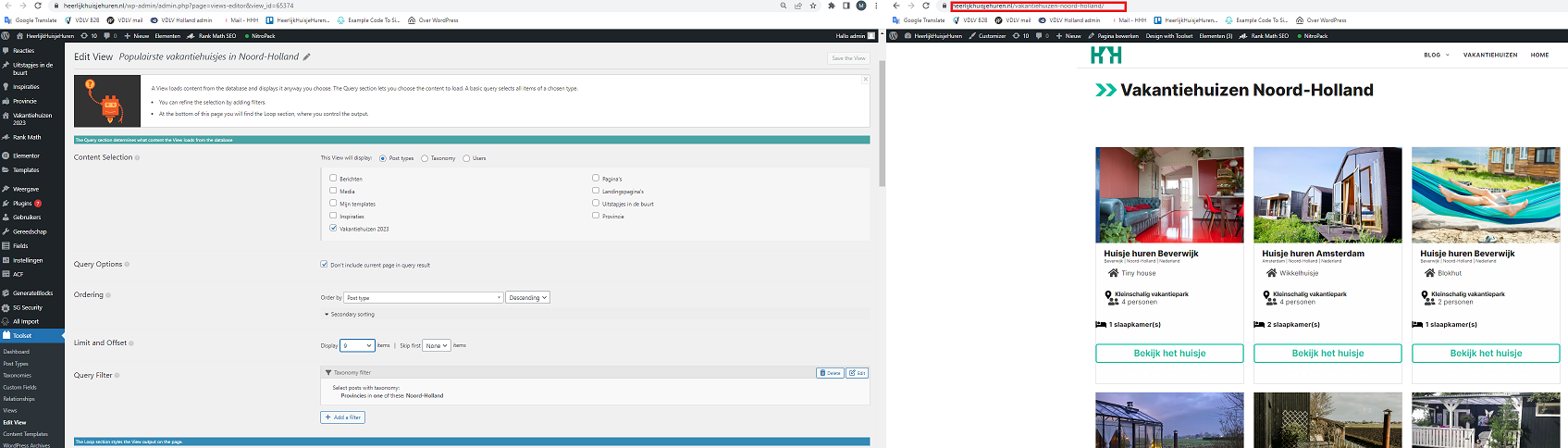
And what if I use the view attached [Populairste vakantiehuisjes in Noord-Holland] and add the Query Filter to it?
Hi there,
I see what you mean, you do not have the custom search filters in the front end and you use the query filters inside the view.
In that scenario, you need to create a separate view for each page.
Thanks.
Hi Christopher,
A separate view for each page is no problem.
Can you make a copy of the Archives view for me and transfer it to the View [Vakantiehuisjes Noord-Holland] with ID 65374?
I am unable (no html knowledge) to create this view myself.
After this I can reuse the View that was created.
Hi there,
We are unable to do that as it is outside of our support scope.
If you used the WordPress Archive by the block editor, you can create a view with the block editor too.
The principle is the same and here is how to do so:
https://toolset.com/course-lesson/creating-a-view/
If you used the classic editor to create the WordPress archive, use the same HTML code there in the view.
Thank you for your understanding.
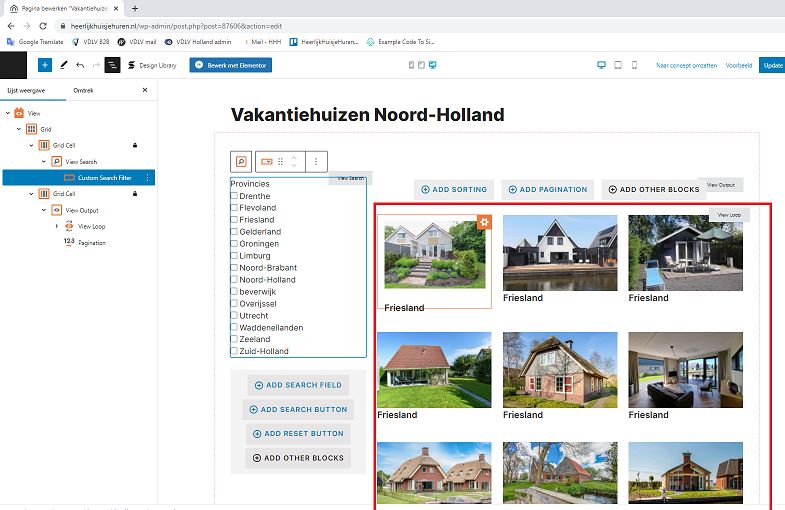
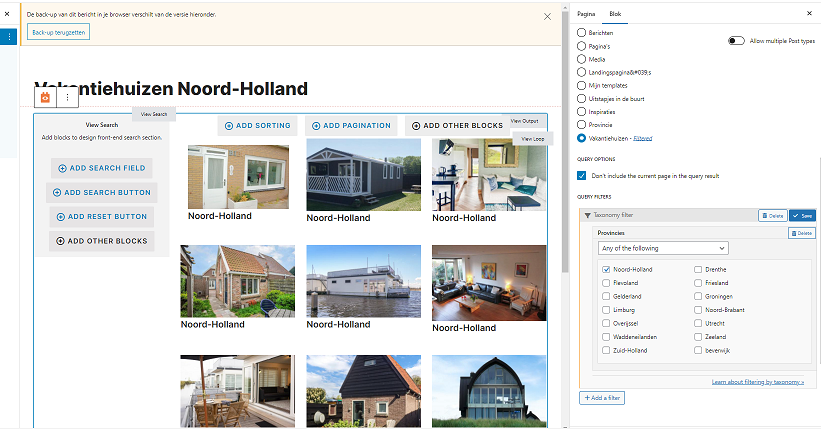
Okay but when I select [provincies] at the content selection I can not add the provincies to the view search.
When I do this the display of the view output is no longer displayed properly. In this case Noord-Holland.
Hi there,
May I know what you mean by it does not display properly?
If you give me a big picture of the steps you want to do I might be able to help.
Also, I will be happy to check the backend to see the steps you took the screenshot.
I'd appreciate it if you could give me the URL/User/Pass of your WordPress dashboard after you make sure that you have a backup of your website.
It is absolutely important that you give us a guarantee that you have a backup so if something happens you will have a point of restore.
Make sure you set the next reply as private.
So I will need the steps and menus you go and the issue in detail. That will help me to understand what is proper display and what is not.
Thanks.
Hi there,
Ok for that page you can use the URL parameters to force the page to be pre-selected.
For example if you want the noord-holland to be selected here is the URL:
enlace oculto
The section below of the URL will be always the same:
enlace oculto
But the last part will differ depending on which option you want to be pre-selected.
For example, if you want the "Castilië-La Mancha" option to be pre-selected use this URL:
enlace oculto
So basically the URL is always the same, but the last part uses the slug of the Provincies in question.
Thanks.
So a clean URL is not possible, like enlace oculto?
You can achieve that by following the steps below:
- Select the View in the WordPress editor on the page.
- On the sidebar find the CUSTOM JS option and add the Javascript code below:
window.onload = function() {
  var labels = document.getElementsByTagName('label');
  for (var i = 0; i < labels.length; i++) {
    if (labels[i].textContent == 'Noord-Holland') {
      var checkboxId = labels[i].htmlFor;
      var checkbox = document.getElementById(checkboxId);
      if (checkbox) {
        checkbox.click(); // Click the checkbox
      }
    }
  }
};
I did that for the page and now it shows the Noord-Holland:
enlace oculto
If you want to add another page, create another page and create another view with exactly same stuff but in the CUSTOM JS option add the code with a different label.
If you check the code you will see where the label "Noord-Holland" is used. For example if you replace it with "Québec" then it will show the Québec listing:
window.onload = function() {
  var labels = document.getElementsByTagName('label');
  for (var i = 0; i < labels.length; i++) {
    if (labels[i].textContent == 'Québec') {
      var checkboxId = labels[i].htmlFor;
      var checkbox = document.getElementById(checkboxId);
      if (checkbox) {
        checkbox.click(); // Click the checkbox
      }
    }
  }
};
Thanks.
My issue is resolved now. Thank you!