I am trying to:
Create a view using Toolset Blocks
Link to a page where the issue can be seen:
enlace oculto
I expected to see:
Search functionality above the view
Instead, I got:
Nothing. When I click on the button to insert the following items in my view: search input, submit button, etc. nothing happens
Hello,
Thanks for getting in touch.
Would you mind allowing me to have admin access to the website so that I can have a more detailed look at this for you ?
Please where applicable please provide me with a link to an example page where I can see the issue.
I've enabled the private fields for your next response.
Thanks,
Shane
Hi Shane,
Unfortunately I'm unable to give you admin access. You can see the view here: enlace oculto
Hello,
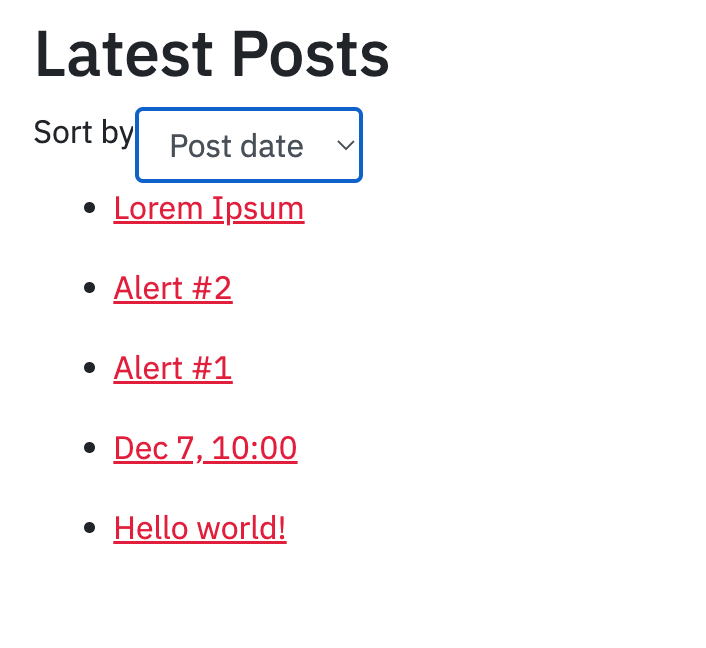
I'm assuming this is the view in the screenshot.
I'm not seeing any search fields, just the sorting fields. Can you send me a screenshot of the view on the backend ?
Thanks,
Shane
The problem is when I click to add a search input nothing happens (no search input appears). The same thing happens if I try to add a search/reset button as well.
Hello,
Thank you for the screenshot and additional details.
Given that I don't have access to the site then I can't fully debug the issue. Are you able to record a video of you trying to add the search so that I can see what happens on the backend.
Thanks,
Shane
Apologies for the video as I don't have a screen recorder on my computer: enlace oculto
Hello,
Thank you for the video. Given that you're not able to provide me with access to the site, are you able to provide me with a copy?
Without being able to physically inspect the site it is difficult to debug an issue such as this.
Please let me know.
Thanks,
Shane
My site is on a multi-site. What files would you need?
Hello,
You can try to use the duplicator plugin to backup the single site and then provide me with the duplicator files.
Follow the instructions in the link below.
https://toolset.com/faq/provide-supporters-copy-site/
Thanks,
Shane
Unfortunately that plugin does not support multi-site. Is there another way you'd like the file?
Hello,
You can provide me with the entire site if you're able to. This would include the files and the database.
Also have you tried to disable all the non-toolset plugins as well as switching the site to a default theme to see if the issue remains?
Thanks,
Shane
I managed to get a copy: enlace oculto
Hello,
The issue here is with your theme.
Unfortunately it would appear that your theme is causing some Javascript errors in the console which causes the view setup to fail.
You should be able to work around this by using the classic view setup by going to Toolset->Views and building your view this way. However the issue is definitely with your theme as the other 2 themes that you have available on your site works fine.
Thanks,
Shane
My issue is resolved now. Thank you!