Hi,
on enlace oculto I used conditonal (in a view) output for categories, but it stops working after the latest updates.
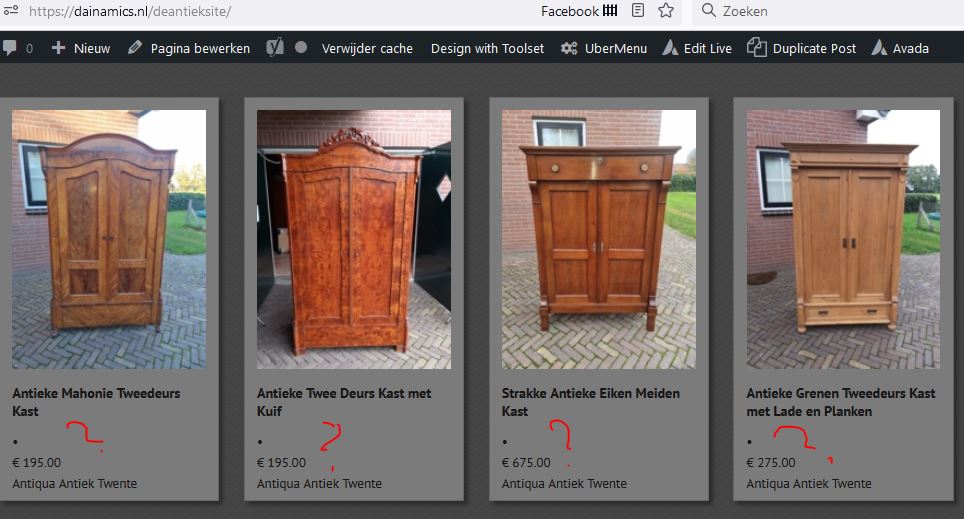
see image home
in archives it I did not use conditional output, for instance
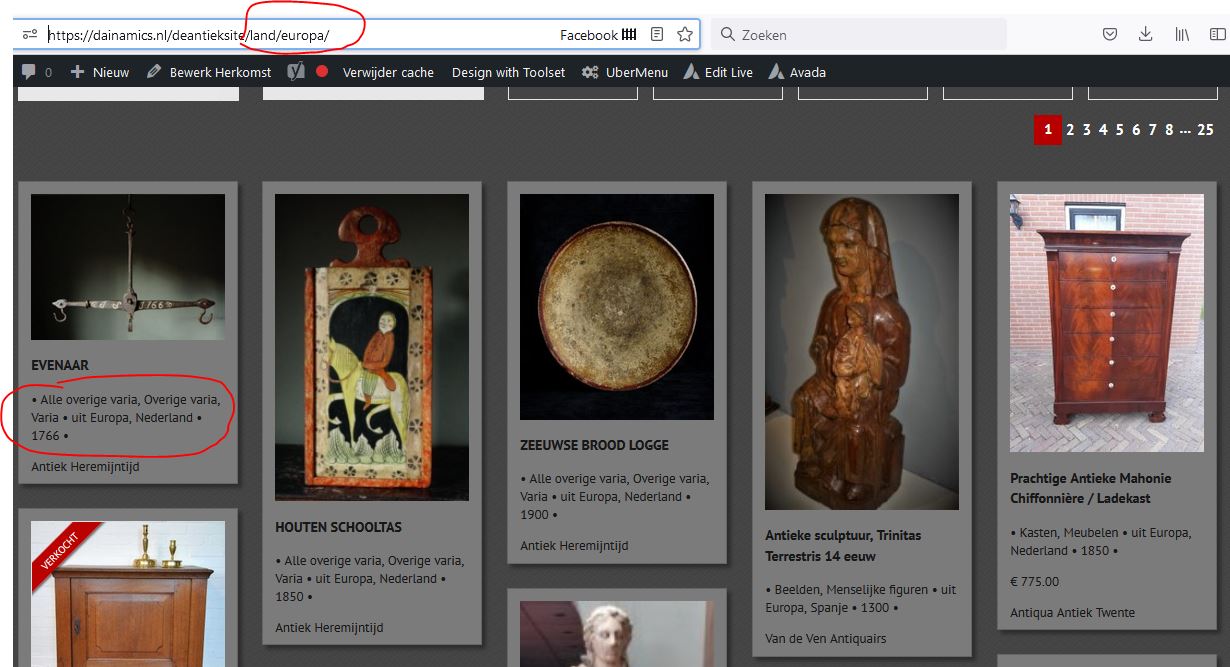
enlace oculto see image cat
this is my code.
[wpv-conditional if="( CONTAINS(#(category),'0') )"]<span class="opsomming">[wpv-post-taxonomy type="category"]</span>[/wpv-conditional]
[wpv-conditional if="( CONTAINS(#(land),'0') )"]<span class="opsomming">uit [wpv-post-taxonomy type="land" separator=", "]</span>[/wpv-conditional]
Hi Dido,
Thank you for getting in touch.
Can you add debug ='true' to your conditionals and let me know what the debug statement says when viewing the page on the frontend?
Thanks,
Shane
Hi Shane,
I added the debug code to the conditionals. you can see it on my homepage.

Minesh
Colaborador
Idiomas:
Inglés (English )
Zona horaria:
Asia/Kolkata (GMT+05:30)
Shane is on holiday today. He will get in touch with you tomorrow.
- Did you able to make it work? if no:
- Can you please share admin access details that will help Shane to check whats going wrong with your setup.
*** Please make a FULL BACKUP of your database and website.***
I would also eventually need to request temporary access (WP-Admin and FTP) to your site. Preferably to a test site where the problem has been replicated if possible in order to be of better help and check if some configurations might need to be changed.
I have set the next reply to private which means only you and I have access to it.
Hello,
I checked on the page but not seeing any debug on the frontend.
Also when checking the archive on the backend i'm not seeing the conditionals below.
[wpv-conditional if="( CONTAINS(#(category),'0') )"]<span class="opsomming">[wpv-post-taxonomy type="category"]</span>[/wpv-conditional]
[wpv-conditional if="( CONTAINS(#(land),'0') )"]<span class="opsomming">uit [wpv-post-taxonomy type="land" separator=", "]</span>[/wpv-conditional]
Did you remove them ? If so can you re-add them so that I can check what is happening.
Thanks,
Shane
Hi Shane,
very strange. I have the debug in enlace oculto
I saw the debug text earlier, but now I don't see it anymore.
[wpv-conditional if="( CONTAINS(#(category),'0') )" debug ="true"]<span class="opsomming">[wpv-post-taxonomy type="category"]</span>[/wpv-conditional]
[wpv-conditional if="( CONTAINS(#(land),'0') )" debug ="true"]<span class="opsomming">uit [wpv-post-taxonomy type="land" separator=", "]</span>[/wpv-conditional]
Hi Dido,
Are you checking if the post has any taxonomy attached to it and then displaying the term if it does ?
Please let me know if this is the goal.
Thanks,
Shane
Yes, true. because of the dot
Hi Dido,
I see where you are using php 8.1.5, however just to ensure that this is not a compatibility issue with version 8.1 of php can you downgrade the server to 8.0 and let me know if the problem still persists?
I tried with using the has_term() function as well and the results remain the same.
Please let me know.
Thanks,
Shane
hello Shane,
I downgraded tot 8.0.18 but the problem still remains.
After this, I downgrade to 7.4 and still the same.
Hi Dido,
It would appear that this isn't evaluating correctly or as expected.
I've crafted a workaround that uses the has_term function because this allows you to check if the post has at least 1 term from that taxonomy assigned.
Add the following shortcode to your website.
function checkforterm( $atts ) {

	// Attributes
	$atts = shortcode_atts(
		array(
			'post_id' => '',
            'taxonomy' => ''
		),
		$atts
	);

	return has_term('', $atts['taxonomy'], $atts['post_id']);

}
add_shortcode( 'checkforterm', 'checkforterm' );
Then you can craft your conditional like this.
[wpv-conditional if="( '[checkforterm post_id='[wpv-post-id]' taxonomy='category']' eq '1' )" debug='true']This should display[/wpv-conditional]
Finally just add the text 'checkforterm' in the 3rd party shortcode arguments at Toolset -> settings -> Frontend Content.
Please let me know if this helps.
Thanks,
Shane
Hi Shane,
I added all the codes and now it partly works. How strange! In some tiles the category is showed, but in other tiles not.
Hi Dido,
Are you able to send me a screenshot of the tile that should show some information but isn't?
Thanks,
Shane
hi Shane,
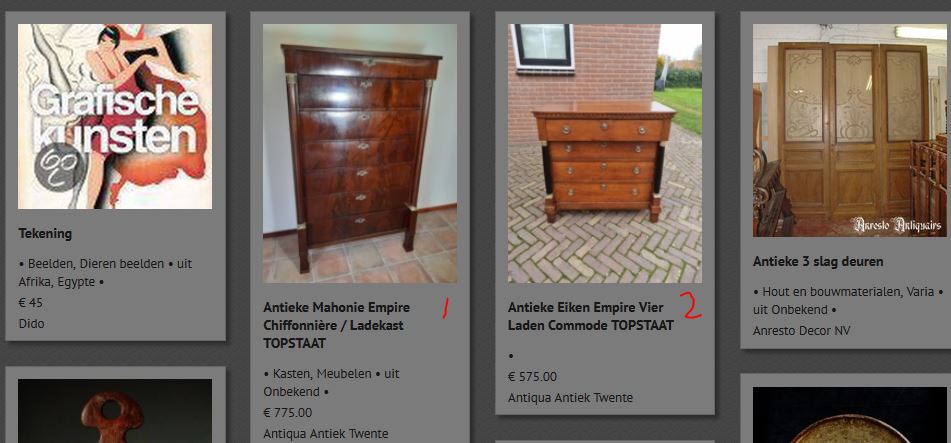
Here you see an example. 1 = ok, 2 is not ok. When you click on the title, you go to the single post.
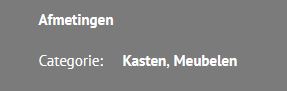
There you see the categorie names.
Hi Dido,
This one seems to be beyond Toolset as the category doesn't even show when using the Toolset taxonomy shortcode to get the current taxonomy.
Perhaps try to temporarily disable some of the non-toolset plugins and check again. There might be something that is preventing us from getting the taxonomy information for all your posts.
Thanks,
Shane